Boolean Search for Finding People Online: Operators, 10 Strings and X-ray Patterns
By Sparsh Goyal, Founder at The Cognitive. Published · Last updated
- Boolean search for finding people combines job titles, skills, credentials and places with AND, OR, NOT, quotes and parentheses, so a search returns only the people who fit.
- LinkedIn, Google, Bing, DuckDuckGo and GitHub each read search syntax by their own rules, so a string needs one version per site.
- List title variants with OR, add one or two proofs with AND, put the place where the engine expects it, add exclusions last, and change one part at a time.
Boolean search for finding people online is a search that combines job titles, skills, credentials and places with AND, OR, NOT, quotation marks and parentheses. A search engine or profile site then returns only the people who fit.
The operators are not read the same way everywhere. LinkedIn, Google, Bing, DuckDuckGo and GitHub each follow their own rules, so a string that works on one site can return the wrong people on the next. Write one version for each site you search.
Gem's 2026 benchmark data shows sourced candidates made up 2.6% of applications but 11% of hires. Ashby's 2026 Talent Trends Report counts 291 applications per hire, about three times the early-2021 level.
What is Boolean search for finding people?
Boolean search is a way of writing a query as logic instead of loose keywords. You list the job titles a person might use and the skill or credential that proves they can do the work. Then you add the place they live and the words that would bring back the wrong people.
- OR widens: any of these titles will do.
- AND narrows: every one of these must appear.
- NOT (or a minus sign on Google and Bing) removes the wrong matches.
- Quotation marks keep a phrase together, so "medical science liaison" is not read as three separate words.
- Parentheses group the OR lists so the logic reads in the right order.
People can be found this way in three kinds of places. A network's own search bar, such as LinkedIn's, searches profiles directly. An X-ray search uses Google or Bing to search the public profile pages of one site. And sites such as GitHub have their own search syntax, which looks similar but follows different rules.
Boolean search here means finding professionals for a role or a business contact. Looking up private people's home addresses, relatives or records falls under different law. For Boolean inside a full recruiting process, from intake to a widened search, see Boolean search in recruitment.
Which operators work where?
Google's help page documents quotes, site:, the minus sign and filetype:, and its Advanced Search form documents OR. AND is not needed on Google, because a plain search already looks for all the words you type, which the form calls "all these words". LinkedIn documents AND, OR, NOT, quotes and parentheses. It reads them in this order: quotes, parentheses, NOT, AND, then OR.
These quirks are the ones most likely to break a people search without warning.
| Quirk (where) | What happens | Fix |
|---|---|---|
| Lowercase or, not (Bing); lowercase and, or, not (LinkedIn) | Bing ignores them as stop words; LinkedIn requires capitals | Write OR, AND, NOT |
| Space after a colon (Google, Bing) | The operator stops working | site:linkedin.com, no space |
| Asterisks, brackets, plus and minus (LinkedIn) | Asterisks and brackets are not supported; plus and minus are not officially supported | List variants with OR; use NOT |
| More than 10 terms (Bing) | Only the first 10 are used | Keep Bing strings short |
| A plain space (DuckDuckGo) | Read as "or", and a minus sign means fewer results, not none | Quote phrases, check results |
| Too many operators (LinkedIn free search, Sales Navigator) | Free search has an unpublished cap; Sales Navigator allows 15; Recruiter has none | Split the string, or use Recruiter |
Sources: Google Search Help, Microsoft Support, DuckDuckGo Help, LinkedIn Help on Boolean search and LinkedIn Help on query limits.
LinkedIn also skips the words "by", "in" and "with". LinkedIn's free search caps operators partly for "deterring profile scraping", in its own words. How the limits differ by plan is in LinkedIn Boolean search, and every operator with its precedence is in the Boolean search operators guide.
How to build a people search string, step by step
Write the string in the order a recruiter thinks about the person. Then test it and change one part at a time.
1. List every title the person might use
People describe the same job in different words. A power systems engineer may call themselves a protection engineer or a substation engineer. Put the variants in one OR group, each in quotes: ("power systems engineer" OR "protection engineer" OR "substation engineer").
2. Add the proof, not the wish list
Pick one or two things a qualified person almost always lists: a licence, a certification, a tool. For an actuary that is FSA or ASA. For a construction superintendent it might be "OSHA 30". Each extra AND cuts the list hard, and people who leave a credential off their profile vanish entirely.
3. Put the place where the engine expects it
On LinkedIn and in LinkedIn Recruiter, use the Location filter rather than typing a city into the string. On Google, add the city as a quoted phrase. On Bing, the loc: keyword takes a country code.
4. Add exclusions last
NOT removes the people you keep seeing by mistake: interns, students, assistants, technicians. On a Google X-ray, minus signs remove job posts (-jobs, -hiring). Add exclusions only after reading the first results, because an early NOT hides people you never got to judge.
5. Test, read ten profiles, change one thing
Read the first ten results. If most are wrong, find the word letting them in and remove or exclude it. If there are too few, drop the narrowest AND first. Changing one part at a time shows which word did the damage.
10 Boolean strings to find people, by role
Copy a string, then swap in your own titles, tools and city. For tech, healthcare, sales, finance and design roles, there are 51 more in Boolean search strings by role.
For LinkedIn search and LinkedIn Recruiter
Paste these into LinkedIn's main search bar. In Recruiter, use the Keywords filter; the Job titles and Companies filters also take Boolean, and the Project filter does not (LinkedIn Recruiter Help).
1. Power systems engineer. Protection and substation work, with the design software and the licence.
("power systems engineer" OR "protection engineer" OR "substation engineer") AND (ETAP OR PSCAD OR "relay settings") AND ("professional engineer" OR PE) NOT (intern OR student)2. Oncology pharmacist. Clinical pharmacists in cancer care, filtered for board certification.
("clinical pharmacist" OR "oncology pharmacist" OR PharmD) AND (oncology OR "infusion center") AND (BCOP OR "board certified") NOT (technician OR student)3. Construction superintendent. Site leads who have run multifamily or ground-up builds.
("construction superintendent" OR "site superintendent" OR "general superintendent") AND (multifamily OR "ground up" OR "tilt-up") AND "OSHA 30" NOT (assistant OR intern)4. Actuary. Credentialed actuaries in life and annuities. Set the city, such as Hartford, in the Location filter.
(actuary OR "actuarial analyst" OR "pricing actuary") AND (FSA OR ASA OR "Fellow of the Society of Actuaries") AND (annuities OR "life insurance") NOT (student OR intern)5. Controls engineer. PLC and SCADA engineers on the two common platforms. Set the city, such as Detroit, in the Location filter.
("controls engineer" OR "automation engineer" OR "instrumentation and controls engineer") AND ("Allen-Bradley" OR Rockwell OR Siemens) AND (PLC OR SCADA) NOT (sales OR intern)6. Lifecycle marketing manager. Retention marketers who run a messaging platform at a subscription business.
("lifecycle marketing manager" OR "CRM marketing manager" OR "retention marketing manager") AND (Braze OR Iterable OR "Customer.io") AND (subscription OR SaaS) NOT (agency OR intern)7. Bilingual support lead. Spanish-speaking team leads in a contact center.
("support team lead" OR "support supervisor" OR "customer service manager") AND (bilingual OR Spanish) AND (Zendesk OR "contact center") NOT (intern OR student)As a Google X-ray
An X-ray search asks Google for public profile pages on one site. Start with site:linkedin.com/in/, which limits results to profile pages, then add the title, the proof and the city. Google cannot see private profiles or anything it has not indexed. More patterns are in LinkedIn X-ray search.
8. Employment attorney, Atlanta. The state bar name narrows to lawyers licensed in Georgia.
site:linkedin.com/in/ ("employment attorney" OR "labor and employment") "State Bar of Georgia" "Atlanta" -jobs -paralegal9. Executive chef, Las Vegas. Head chefs from fine dining kitchens.
site:linkedin.com/in/ ("executive chef" OR "chef de cuisine") ("fine dining" OR Michelin) "Las Vegas" -jobs -hiring10. Medical science liaison, Boston. MSLs in oncology or hematology with a doctorate.
site:linkedin.com/in/ ("medical science liaison" OR MSL) (oncology OR hematology) (PharmD OR PhD) "Boston" -jobsA short Bing version of string 9:
site:linkedin.com/in "executive chef" "Las Vegas" loc:USDuckDuckGo's own help page says some of its advanced syntax "isn't operating 100% correctly on all queries". Use it for a second look, not the main search.
Finding people outside LinkedIn
Developers, researchers and designers often keep better evidence of their work outside LinkedIn. GitHub says more than 180 million developers now build on it, and over 36 million joined in the past year (Octoverse 2025).
GitHub's user search uses its own qualifiers, documented in GitHub Docs, not Google operators. To find embedded firmware engineers in Eindhoven, type this into GitHub's search and open the Users results:
location:eindhoven language:c repos:10..50Read the result with care. language:c matches people whose own repositories are mostly written in C. It says what they publish, not what they do at work, and many strong engineers keep their best code private. repos:10..50 keeps people who own between 10 and 50 repositories, which filters out accounts with almost nothing published.
The same search as a Google X-ray finds GitHub pages that mention the work:
site:github.com firmware ("Zephyr" OR "FreeRTOS") "Eindhoven" -tutorialFor 30 more X-ray strings across 12 sites, from Stack Overflow to speaker directories, see Google X-ray search for recruiters.
How to find one specific person by name
Sometimes the goal is one person: a referral whose surname you half remember, or a contact at a company you are about to call. Put the name variants in one OR group and the company variants in another. For example, with an invented name and company:
site:linkedin.com/in/ ("Priya Raman" OR "Priya R") ("Northfield Robotics" OR Northfield)Add the variants people actually use: a nickname, a maiden or married name, a second spelling of a transliterated name, an initial in place of a surname. Use the short form of the company as well as the legal name. If the company is common, add the city in quotes.
Two people with the same name at the same company do happen. Check the job title and the dates before you write to anyone.
Contacting someone you found carries legal duties. GDPR Article 14 covers personal data you did not collect from the person. If you use it to contact them, you must tell them about it at the latest in your first message. A Google search that shows public LinkedIn profiles is also different from copying profiles with bots or scripts, which LinkedIn's User Agreement prohibits. Neither point is legal advice.
Common mistakes when searching for people
Most failed people searches come from asking for too much at once or from syntax that belongs to another site.
- Too many ANDs. Every required word removes people who left it off their profile. Start broad and narrow after reading results.
- One exact title in quotes. "Senior oncology pharmacist" misses everyone who wrote "oncology pharmacist" or "clinical pharmacist, oncology". Put the variants in an OR group.
- Broad exclusions. NOT manager removes the people you meant to drop, and every "project manager" or "engineering manager" who might fit with them.
- X-raying linkedin.com without /in/. Job posts and company pages come back alongside profiles. Use site:linkedin.com/in/.
- Pasting GitHub qualifiers into Google. location:eindhoven is GitHub syntax. On Google, write "Eindhoven".
- Curly quotes. Strings copied from a word processor can pick up curly quotation marks, while every engine's help page shows straight ones. Paste into a plain text editor first.
When a plain-English search is faster than Boolean
Boolean is free and exact, and it works inside LinkedIn's own network. It also takes time to write, and a different version for each site. When a role is easier to describe than to spell out as a string, a plain-English search does the same job without operators.
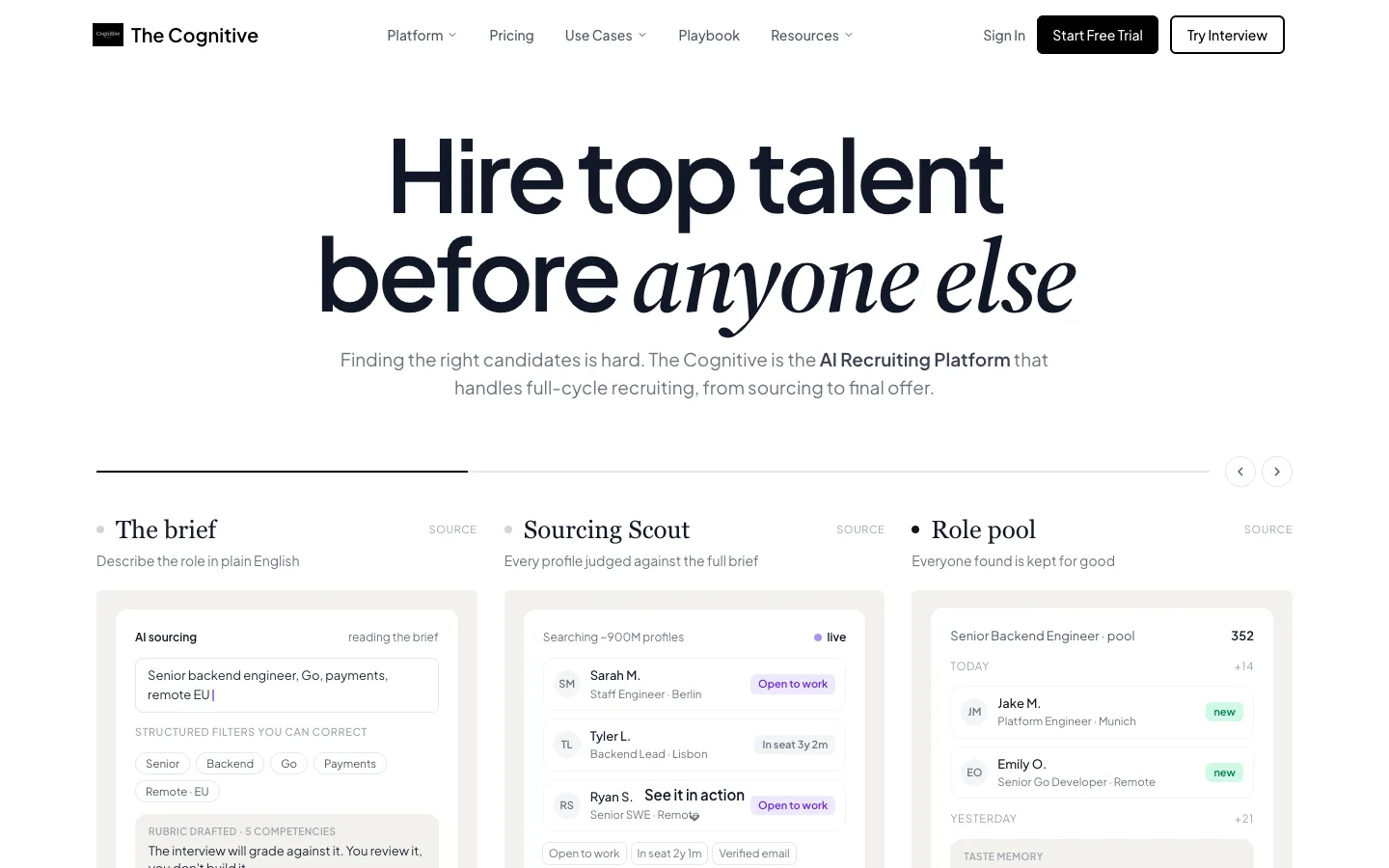
In The Cognitive, you write who you need as two plain sentences: the job, the location, the experience that proves it. The brief appears as filters you can see and edit, such as job title, location and seniority. When the brief is missing a detail that would change the list, it asks one question before searching, at no cost.
The search then runs across about 900M public profiles and returns ten people a page, each with a short reason. You pay 1 credit for each person shown, and pages you have seen are free. Contact details cost extra: 4 credits for a personal email, and 12 for a phone number on Sourcing Pro and up. From Sourcing Pro up, outreach goes by email from your own mailbox.
| Boolean string | Plain-English brief | |
|---|---|---|
| What you write | Titles, skills and operators | A sentence or two about the role |
| Syntax | Different on each site | None |
| What comes back | Every page that matches, in the engine's order | A ranked list with a short reason for each match |
| Cost | Free on Google; LinkedIn plans vary | 1 credit per person shown |
Plans start at $99 a month. Boolean still wins when the budget is zero, when the people are on GitHub rather than in a profile database, or when the search has to run inside LinkedIn Recruiter. To keep Boolean but skip the typing, the free Boolean generator writes the strings from a short brief. The AI sourcing tool page explains the plain-English search, and Find Candidates Free shows two real matches for a role at no cost.
To compare the two, write one role as a two-sentence brief and as a Boolean string, then read the first ten people each returns. A 7-day trial covers that test: no card, 100 people free, search only, with outreach on paid plans. Try it with one role.
Sources
- Google, Refine Google searches, support.google.com.
- Google, Advanced Search, google.com.
- Microsoft, Advanced search options, support.microsoft.com.
- Microsoft, Advanced search keywords, support.microsoft.com.
- DuckDuckGo, Search syntax, duckduckgo.com.
- LinkedIn, Use Boolean search on LinkedIn, linkedin.com.
- LinkedIn, Boolean query limitations, linkedin.com.
- LinkedIn, Boolean search in Recruiter, linkedin.com.
- LinkedIn, User Agreement, linkedin.com.
- GitHub, Searching users, docs.github.com.
- GitHub, Octoverse: A new developer joins GitHub every second as AI leads TypeScript to #1, github.blog, 2025.
- Gem, Key takeaways from the 2026 Recruiting Benchmarks Report, gem.com, 2025.
- Ashby, Recruiter Productivity, 2026 Talent Trends Report, ashbyhq.com, 2026.
- GDPR, Article 14: Information to be provided where personal data have not been obtained from the data subject, gdpr-info.eu.
Frequently Asked Questions
How do you do a Boolean search on Google to find someone?
Start with site:linkedin.com/in/ and add the person's title, skill and city in quotes. Google needs no AND, because a plain search already looks for all the words you type, and it takes OR in capitals for alternatives. Use a minus sign to remove job posts, as in -jobs. Never put a space after the colon, because Google says the operator will not work.
Does LinkedIn limit Boolean searches?
Yes, on free search and on Sales Navigator. LinkedIn caps the number of operators in a free search query without publishing the number, partly to deter profile scraping. Sales Navigator allows up to 15 operators per query. LinkedIn Recruiter and Recruiter Lite have no operator limit.
Do wildcards like the asterisk work when searching for people?
Not on LinkedIn, and Google does not document them. LinkedIn's help page says it does not support asterisks, braces, brackets or angle brackets. List each variant with OR instead, such as (engineer OR engineering), so the search catches every form of the word.
Is it legal to search for people online and contact them?
Running a search is rarely the issue; contacting people carries duties that depend on where they live. Under GDPR Article 14, if you contact someone using data you did not get from them, you must give them information about it at the latest in your first message. LinkedIn's User Agreement prohibits scraping profiles with bots or scripts, which is different from running a Google search. This is not legal advice.
What is the difference between Boolean search and X-ray search?
Boolean search is the logic; X-ray search is one place to run it. An X-ray sends a Boolean string to Google or Bing with site: in front, so the engine searches only one site's public pages, such as LinkedIn profiles. It is free and needs no account on that site. It sees only pages the engine has indexed, so private profiles never appear.
Is there a free tool that writes the Boolean string for you?
Yes, The Cognitive has a free Boolean search generator. It turns a short role brief into strings for LinkedIn Recruiter, the LinkedIn search bar, Google X-ray and GitHub. The other route is to skip the string. In The Cognitive's AI sourcing, you describe the person in a sentence or two and get a ranked list with a short reason for each match, from about 900M public profiles. Plans start at $99 a month.
Related reading
- Boolean Search Explained: The Meaning, 12 Operators and Where Each One Works
- Boolean Search Strings by Role: 51 Copy-Paste Examples for LinkedIn, Google, Indeed and Dice
- LinkedIn X-Ray Search in 2026: How It Works, 15 Strings, and the Tools That Replace It
- Best Retail Hiring Software in 2026: 9 Tools for Store Teams and Store Leaders
- 10 Best CRMs for Staffing Agencies in 2026, Scored
- Best EOR Companies in 2026: 11 Employer of Record Providers Ranked, Plus the Step Before