 The Cognitive
Your open roles, sourced while you sleep
A Claude scheduled task can work every open role each night and leave you a report by morning. Below is the full setup: the folders, the nightly prompt with its guardrails, the report format and the ten-minute morning routine. Then the one thing it can't do alone.
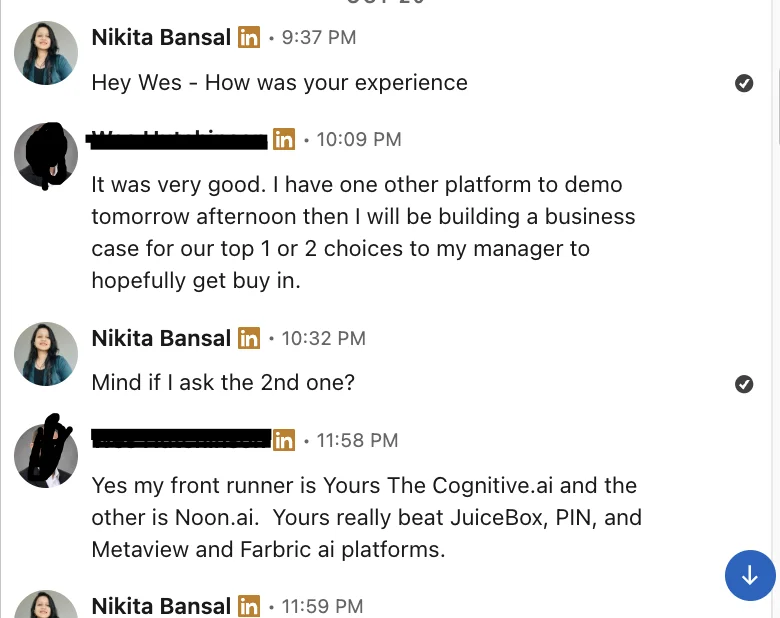
“My front runner is … The Cognitive … Yours really beat JuiceBox, PIN, and Metaview”
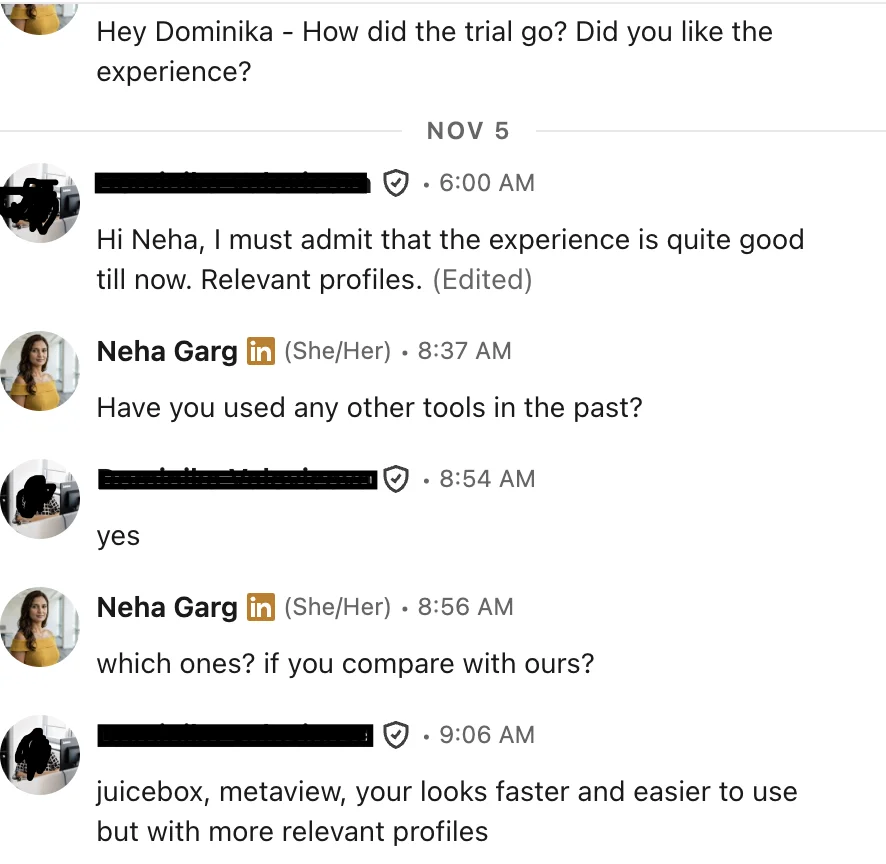
“juicebox, metaview, your looks faster and easier to use but with more relevant profiles”
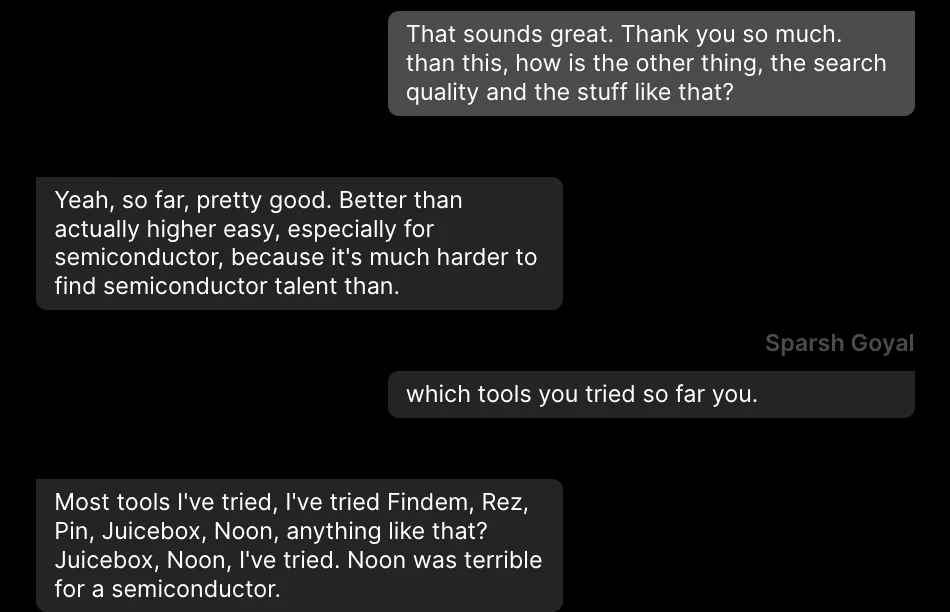
“pretty good … especially for semiconductor, because it's much harder to find semiconductor talent”
Set it up
Six steps. You do the first four once, and the last one each morning.
Make one folder per open role
Claude reads these every night. Keep the names plain so the report is easy to scan.
Write role.md for each role
The brief is one or two sentences, the way you'd brief a colleague: the job, the place, what they must have done. Must-haves are things a profile can prove. A must-have nobody can see on a profile ("great communicator") belongs in the interview, not here.
Start seen.md empty, or paste in everyone you have already talked to. One line each:
Add the morning report format
Save this as report-format.md in the roles folder. Questions go first, because a role with a question has stopped until you answer.
Create the nightly task in Claude
Claude has scheduled tasks. Create a new one, give it your roles folder, set it to run every night (11 PM works), and paste the prompt below as its instructions. If the task runs on your own computer, leave the computer on and awake overnight.
Know why each guardrail is there
Change the numbers in brackets to your own. Keep the rules.
No messages at night
A message can't be unsent. You want to read the person and the reason before your name goes on anything.
No reveals at night
A reveal spends and can't be taken back. Most nights, some of the list will be wrong. Reveal the right ones in the morning.
A cap you choose
An unattended run with no limit will keep going. The cap is the most you're willing to spend before you've seen a single name.
Dropped people go in seen.md too
If only the kept ones are written down, the same wrong people come back every night and you read them again.
Stop on an unclear brief
A guess at 2 AM spends the night's cap on the wrong people. One question in the morning costs you a minute.
Quote or it doesn't count
A reason with no line from the profile is a guess. The quote is what lets you check a person in seconds.
The ten-minute morning
- Answer the questions at the top. Write each answer into that role.md so tonight's run sees it.
- For each role, read the top three. Read the quote first, then the why.
- Strike anyone wrong. If the same reason keeps coming up, add it to role.md as a no-go.
- Pick who to contact. Reveal and message them yourself, in daylight.
- Check the Spend line. If it stopped on the cap and the list was good, raise the cap.
The wall
Claude can think, but it can't see people. A scheduled task in plain Claude has no profiles to search. It can write search strings all night. In the morning someone still has to run them, open each profile and paste it in, one by one. Drag the hour with "Claude alone" on, and every blue line above turns red.
That is not overnight sourcing. It is overnight homework for you.
The same night, two ways
Plain Claude, every night and morning
- Keep role.md and seen.md current for every role.
- The task runs at night and writes search strings. That's all it can do.
- In the morning, run each string yourself, role by role.
- Open each profile, copy it, paste it into Claude.
- Ask Claude to check each person against the must-haves.
- Add everyone you looked at to seen.md by hand.
- Find each email and write each message yourself.
Same job in The Cognitive
- Add The Cognitive as a connector in Claude:
https://app.thecognitive.io/mcp. Make a free account, sign in on the Connect page and allow it. - The same nightly task now runs a real search for each role. Every person comes back ranked, with the reason quoted from their profile.
- Claude asks before anything that spends credits or contacts someone. To run unattended, always allow searching only, and keep your cap in the prompt. Reveals and messages stay for the morning.
Connect Claude to The Cognitive tonight
Make a free account, add the connector, allow searching. Tonight's task runs a real search for every open role, and tomorrow's report has people in it, each with the line from their profile that proves the fit.