The Cognitive

Open to Work is the tip

Every recruiter sails to the green banner. The people who move are mostly underneath: three years in the same seat, a new boss, a finished project, a company that stopped hiring. None of them post. All of them read a good message. Here is each signal, where to read it, how much weight it carries, and what to say. Then the Claude skill that looks for them in a work history.

What every recruiter sees, and what they don't

Above the water

Open to Work

They told the world. Every recruiter in your market can filter for it, so their inbox is full and your message is one of many.

Message them, but lead with their work, never with the banner.

Below the water

The people who move without saying so

  • Three or more years in the same seat
  • The project they were hired for is done
  • A new boss, or their manager left
  • The team was reorganised around them
  • The company stopped hiring, or was bought
  • A stock grant just finished vesting
  • Someone was brought in above them

None of these is proof. Each one makes a well-aimed message more likely to land. Two together are worth a lot more than one.

Dive

Step down through the iceberg. Each level is one signal: where to read it, how much it's worth, what to say, and what never to say. Example lines use made-up roles.

The dive · 10 levels

Use Dive and Up, the slider, or tap a level number.

100+ recruiters have shared their feedback
“juicebox, metaview, your looks faster and easier to use but with more relevant profiles”
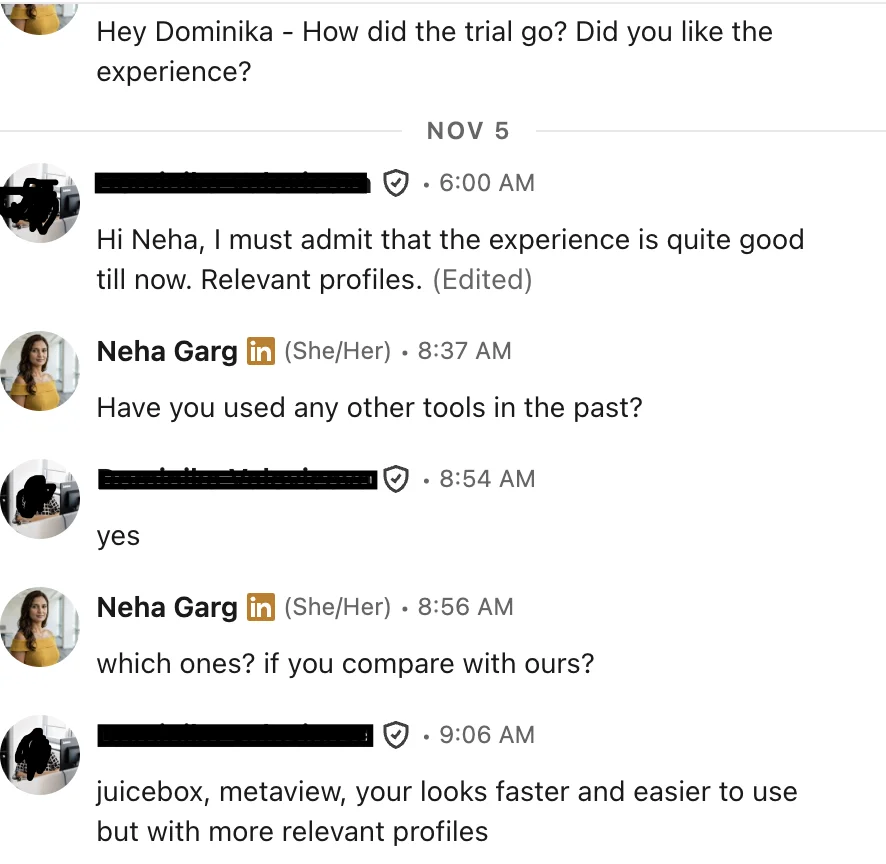
LinkedIn message: compared with Juicebox and Metaview, faster and easier to use with more relevant profiles

The signal sheet

All ten levels in one block: where to read each one, its weight, the line to send and the line never to send. Paste it next to the skill.

Small tells near the surface

These aren't reasons to move. They show someone is looking at their own profile again, which often comes first. Add one to any signal above and the person moves up your list.

Headline rewrittenFrom a plain title to a summary of what they do. People sharpen the headline when they expect to be read.
Old roles filled inBullet points added to jobs from years ago. You only do that for a reader.
A new certificateStudy done outside work, on their own time, often for the next job rather than this one.
Side work addedA new advisory, freelance or teaching line next to the main job.
Location changedA new city on the profile with the same employer. Remote now, or about to move.

You can only see these if you saw the profile before. Keep a dated note of who you looked at and what it said.

How to rank by signal

Fit to the role comes first. Signals decide the order among people who fit.

Call firstTwo or more signals, at least one of them strong or medium. Or one strong signal plus a surface tell.
Message this weekOne strong or medium signal, or two soft ones.
Message normallyOne soft signal. Or Open to Work alone: they're looking, but so is every other recruiter.
Keep for laterNo signal, or they joined less than a year ago. Note the date of their next work anniversary and look again.
Don't useAnything you only know from gossip, a private source, or their personal life. If you can't point to a public line, it isn't a signal.

The move-signals skill

It reads a work history like a diver: dates first, then the lines, then the company notes you give it. It names each signal with the line that shows it, rates it, and writes a first line that fits the signal without naming it.

  1. Save the text below as SKILL.md in a folder named move-signals.
  2. In the Claude app: zip the folder and upload it under Settings, Capabilities, Skills. In Claude Code: put the folder in ~/.claude/skills/. If skills aren't open on your plan, paste the text into a Project's instructions.
  3. Then say: "Check move signals." Paste the role, today's date, the profile, and any company notes you have (new leaders, hiring stopped, a sale).
--- name: move-signals description: Reads a candidate's work history for signs they may be open to a move (time in seat, finished project, new or departed manager, reorganisation, hiring stopped, company sold, vesting dates, someone hired above them) and writes a first line that fits the signal without naming it. Use when I paste a profile and ask for move signals, timing, or who to message first. --- # Move signals ## Inputs - ROLE: the job I'm hiring for, one or two sentences. - TODAY: today's date. If I don't give it, ask. Every signal depends on dates. - PROFILE: the person's profile text, with every role and its dates. - COMPANY NOTES (optional): what I know about their current company: a new leader in their function and when, hiring stopped, a sale or merger and when, job cuts. ## Step 1. Read the dates List each role at the current company with start and end dates. Work out: - months in the current title - months at the company - whether the title changed inside the company, and when ## Step 2. Check each signal For each signal below, say FOUND, NOT FOUND or UNKNOWN. FOUND needs a line or a date you can quote. UNKNOWN means it depends on company facts I didn't give you. Never guess an UNKNOWN into a FOUND. 1. SAME SEAT: 36 months or more in the same title, with no new title at the same company. Weight: medium. 2. PROJECT DONE: their current role names a build, launch, migration or rollout, and the profile says it shipped, launched or finished. Strong if the profile says they were hired for it. 3. NEW BOSS: company notes say a new leader of their function started within the last 9 months. Weight: soft alone. 4. MANAGER LEFT: company notes or the profile show the person they reported to has left. Weight: medium. 5. REORG: a new title at the same level, a team name change, or fewer reports than before, within the last 12 months. Weight: medium. Strong if they lost reports or scope. 6. HIRING STOPPED: company notes say hiring stopped or jobs were cut within the last 12 months. Weight: medium. 7. COMPANY SOLD: company notes or the profile show the company was bought within the last 2 years. Weight: medium. 8. VESTING: a company that pays in stock, and TODAY is within 2 months of their 1-year or 4-year start anniversary. Weight: soft. 9. SOMEONE ABOVE: company notes say someone was hired from outside into the role directly above them. Weight: soft. Never treat this as fact about how they feel. 10. OPEN TO WORK: the profile says so. Weight: they told you, but every recruiter can see it. Also note any surface tell: a headline that sums up their work, detailed bullets on old roles, a certificate from the last 6 months, side work added. ## Step 3. Decide - CALL FIRST: two or more FOUND, at least one strong or medium. Or one strong plus a surface tell. - THIS WEEK: one strong or medium FOUND, or two soft. - NORMAL: one soft FOUND, or Open to Work alone. - LATER: nothing found, or less than 12 months at the company. Give the date to look again. ## Step 4. Write the first line One or two sentences that fit the strongest signal without naming it: - SAME SEAT or SOMEONE ABOVE: offer the step up (scope, title, team) the role gives. - PROJECT DONE: offer the next build of the same kind. - NEW BOSS or MANAGER LEFT: say who they would work for and how long that person has run the team. - REORG: offer clear ownership of a named area. - HIRING STOPPED or COMPANY SOLD: say the role is funded and the team is growing, only if ROLE says so. - VESTING: no money talk. The signal only changes when you send. Start the line from their work, quoted from the profile. Then the reason. End with one yes/no question. ## Never - Never name a signal in the message: not their tenure, their manager, a reorg, a sale, cuts, stock or being passed over. - Never use anything about their health, family, age or personal life, even if it is on the profile. - Never say a signal is FOUND without the line or date that shows it. ## Output PERSON: [initials] · [title] · [company] DATES: current title [months] · company [months] SIGNALS: one line each: [signal]: FOUND / NOT FOUND / UNKNOWN · [quote or date] · [weight] SURFACE TELLS: [list or none] DECISION: CALL FIRST / THIS WEEK / NORMAL / LATER [date to look again] FIRST LINE: [the line] CHECK BEFORE SENDING: [anything UNKNOWN I should look up]
What comes back · person and role made up
PERSON: J.R. · Senior Controls Engineer · a packaging company
DATES: current title 44 months · company 44 months
SIGNALS:
SAME SEAT: FOUND · "Senior Controls Engineer, Mar 2023 to now", no other title · medium
PROJECT DONE: FOUND · "Led PLC work for the Line 4 install, live Jun 2026" · strong
NEW BOSS: UNKNOWN · no company notes given
OPEN TO WORK: NOT FOUND
SURFACE TELLS: certificate added Sep 2026
DECISION: CALL FIRST
FIRST LINE: You led the PLC work on the Line 4 install and saw it go live. The plant I'm hiring for starts its next line in spring, and you'd own the controls from day one, as the lead. Worth a short brief?
CHECK BEFORE SENDING: who leads engineering at the plant now, and since when.
100+ recruiters have shared their feedback
“pretty good … especially for semiconductor, because it's much harder to find semiconductor talent”
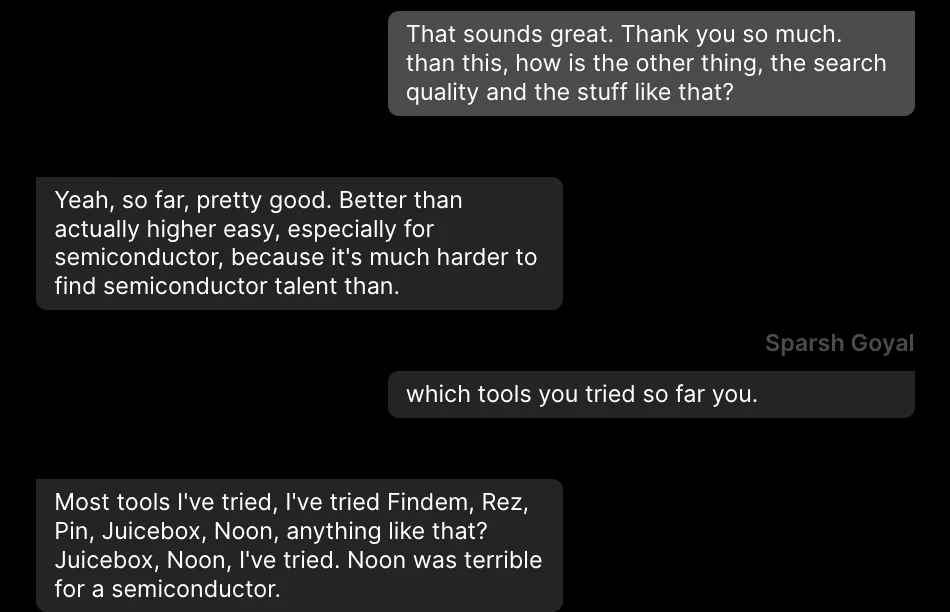
Chat: search quality pretty good, especially for semiconductor talent

The wall

Claude can think, but it can't see people. Plain Claude has no profiles, so it can't find who sits below the waterline. The skill only reads the profiles you paste in, one by one.

Half the signals live outside the profile: a new leader, a hiring stop, a sale. Plain Claude can't look those up for each company either, so every UNKNOWN stays yours to check.

The same dive, two ways

Plain Claude, for every role

  1. Search for people somewhere else, past the Open to Work filter.
  2. Open each profile and copy the full work history with dates.
  3. Look up each company: new leaders, hiring, sales.
  4. Paste profile and notes into Claude with today's date.
  5. Sort people into call first, this week, normal, later.
  6. Write each first line and send it from your inbox.
  7. Keep a dated note of each profile to spot surface tells next time.

Same job in The Cognitive

  1. Describe who you want in a sentence or two. People come back ranked by fit, including people with other titles.
  2. Every card says why the person fits, with a quote from their profile.
  3. Tick the people, press Email and write the message. It's personalised per person and goes from your own connected mailbox.
  4. Prefer Claude? Add The Cognitive as a connector in Claude: https://app.thecognitive.io/mcp Claude runs the search, and every person comes back with why they fit and a quote from their profile.
100+ recruiters have shared their feedback
“My front runner is … The Cognitive … Yours really beat JuiceBox, PIN, and Metaview”
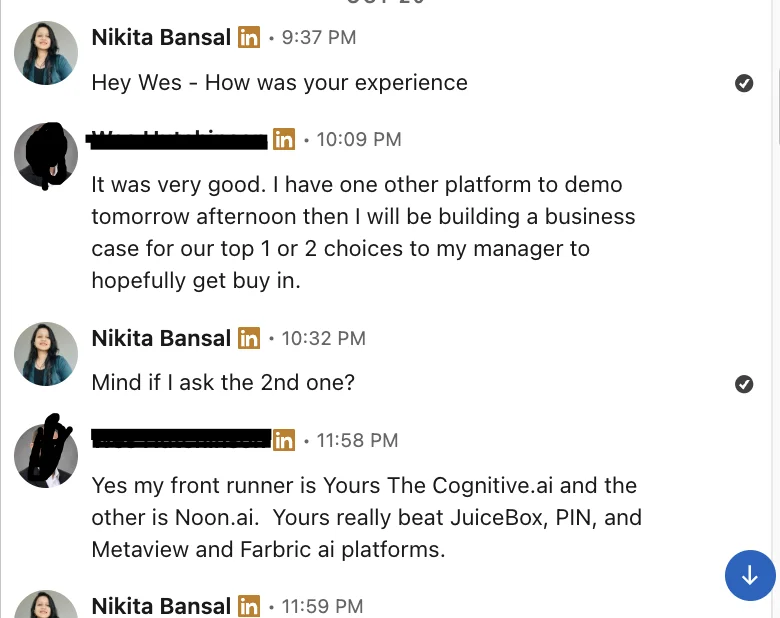
LinkedIn message: my front runner is The Cognitive.ai; it really beat JuiceBox, PIN, Metaview and Fabric

Look below the waterline

Describe who you want in a sentence. The Cognitive brings back people ranked by fit, each with a quote from their profile, then you send the first line from your own inbox.

7-day free trial, 50 sourcing credits, no card.