 The Cognitive
A full pipeline before the coffee goes cold
Paste the job post. Answer one question. Read a shortlist with a reason next to every name. Send the first message from your own inbox. Here is that morning step by step, with the Claude project, every prompt, the rules behind each step, and the step where plain Claude sends you off to do it by hand.
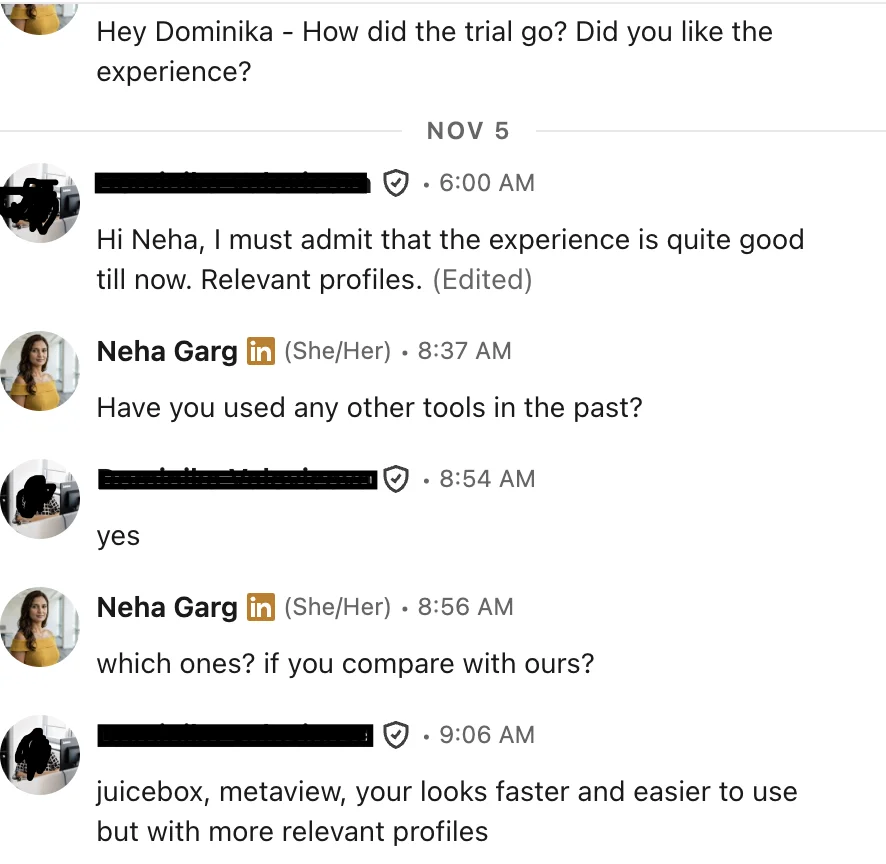
“juicebox, metaview, your looks faster and easier to use but with more relevant profiles”
Before the coffee: what to have ready
The morning is fast only if these exist. Gather them once per role, and the four steps go in one sitting.
Set up the Claude project once
Make a Claude project called "Sourcing mornings" and paste this as its instructions. Every morning starts as a new chat inside it.
The morning, step by step
Paste the job post
Paste the whole post plus the manager's one line. Don't clean it first. Claude does the cleaning, and you want to see what it threw away.
- Check the three must-haves before you go on. If one of them can't be seen on a profile ("self-starter"), tell Claude to move it to the interview list.
- Check the search sentence reads like something you'd say to a colleague. If it reads like a Boolean string, ask for it again in plain words.
Answer the one question
A good question changes who you look for. A bad one is something you'd only need on the call. These are the ones worth stopping for:
Worth asking
- The place is unclear ("Boston or remote").
- The level fights the pay or the must-haves.
- An industry is named: must-have or nice-to-have?
- Two must-haves rarely sit in one person: which one wins?
- A company type is ruled in or out ("agency people OK?").
Not worth asking
- Salary details that don't change the search.
- Soft skills and culture fit.
- Start date and notice period.
- Anything the post already answers.
- A second question. One is the rule.
Read the shortlist
Read each name in three passes. It's faster than reading each profile top to bottom, and you only open the profile when a quote doesn't settle it.
- Pass 1, quotes only. Read every quote and nothing else. Strike anyone whose quote doesn't prove the must-have.
- Pass 2, the why. For the ones left, check the reason names the must-have the job can't be done without.
- Pass 3, the Maybes. Keep a Maybe only if the missing proof is one question away. Write that question next to their name.
If the same reason drops two or three people, the problem is usually the brief. Fix the must-have, then search again.
Send the first message from your own inbox
Ask for drafts for the people you kept, read each one against its quote, and send from your own mailbox. A message from a real person's address reads like a real person wrote it, and the replies come back to you.
- Send Strongs first. If the first few replies say "not now", look at your reason line before you blame the people.
- Edit any first line that a stranger could have written. It should only make sense for that one person.
- Never paste a message you haven't read. One wrong fact in line one ends the conversation.
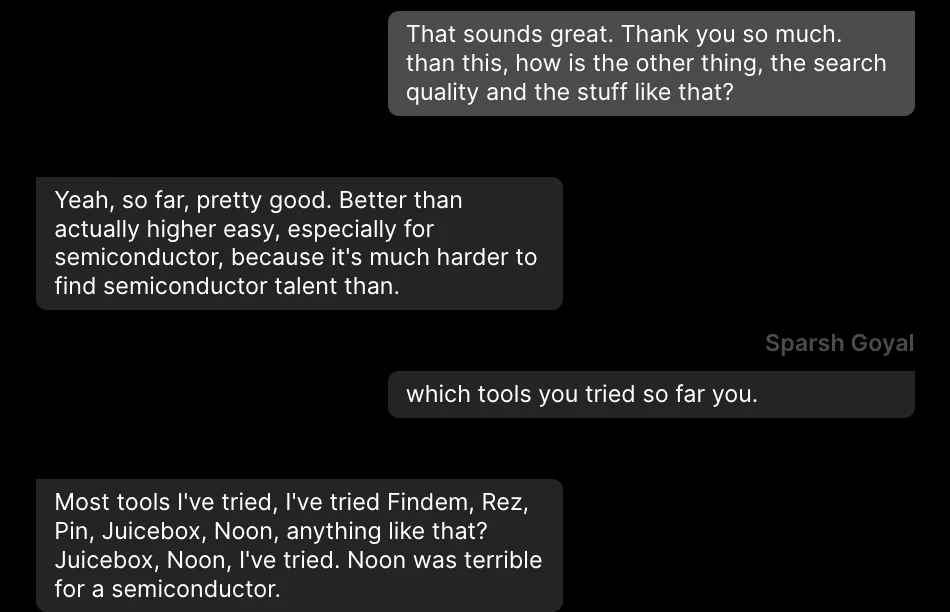
“pretty good … especially for semiconductor, because it's much harder to find semiconductor talent”
The wall
Claude can think, but it can't see people. In plain Claude, step 3 has no shortlist. Claude writes the search, and you leave to run it, open every profile, and paste each one back. That's where the coffee goes cold.
Step 4 stops too. Plain Claude writes the drafts but can't find an email address or send anything. You find each address and paste each message into your own inbox, one at a time.
The same morning, two ways
Plain Claude, by hand
- Paste the job post. Get the brief and a search string.
- Answer the one question.
- Run the search yourself and open every profile.
- Paste each profile into Claude to get the reason and the quote.
- Build the shortlist from what you pasted.
- Find each person's email address.
- Copy each draft into your inbox and send it.
Same job in The Cognitive
- Add The Cognitive as a connector in Claude:
https://app.thecognitive.io/mcp. Make a free account, sign in on the Connect page and allow it. Or type the brief into the app. - The search runs from your sentence. If the brief leaves out something that changes who to look for, it asks one question with 2 to 4 answers before it spends anything.
- People appear and settle into a ranked list. Every card says why the person fits, with a quote from their profile.
- Tick the people you want, reveal their emails and press Email. It goes from your own connected mailbox, written for each person. Sending costs no credits.
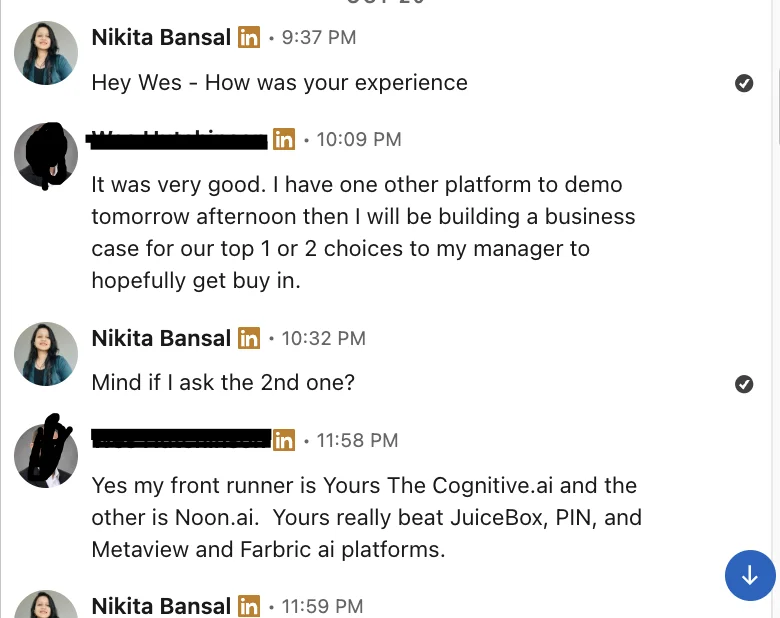
“My front runner is … The Cognitive … Yours really beat JuiceBox, PIN, and Metaview”
Keep the coffee hot tomorrow
Make a free account and add the connector, or type the brief into the app. Tomorrow's morning has a shortlist in step 3, every name with its reason, and step 4 sends from your own mailbox.