The Cognitive

Job post in, shortlist out

Six Claude agents, each with one job. Each one reads the file the last one wrote and writes the file the next one reads. Below is the folder, all six agent files in full, the prompt that runs the line, and the place where the line stops without people to search.

The line · role and people made up · tap a station
100+ recruiters have shared their feedback
“juicebox, metaview, your looks faster and easier to use but with more relevant profiles”
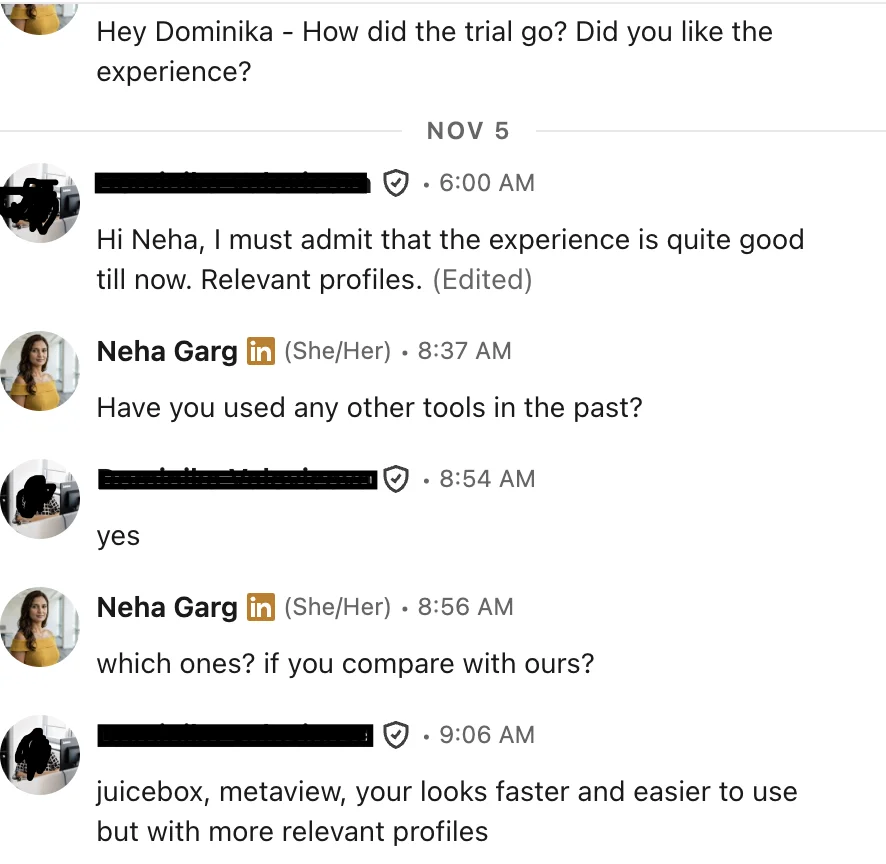
LinkedIn message: compared with Juicebox and Metaview, faster and easier to use with more relevant profiles

Set up the factory

Four things, once. After that, a new role is one folder and one pasted job post.

1

Make the folder

One folder for the agents, one folder per open role. The layout is below.

2

Add the six skills

Save each file below as SKILL.md in its own folder and add each to Claude as a skill.

3

Paste a job post

Save it as job-post.md in the role's folder. The whole post, boilerplate and all.

4

Run the line

Paste the line prompt. It runs each agent in order and stops when one needs you.

.claude/skills/ sourcing-brief/SKILL.md sourcing-titles/SKILL.md sourcing-search/SKILL.md sourcing-read/SKILL.md sourcing-rank/SKILL.md sourcing-message/SKILL.md roles/ field-service-engineer-charlotte/ job-post.md you paste this brief.md written by Brief titles.md written by Titles search.md written by Search people.md written by Search (or pasted by you) read.md written by Read rank.md written by Rank messages.md written by Message

The hand-off rules

These four rules are what make six agents behave like one line. Every file below follows them.

Line one is the status

Every file starts with Status: done or Status: waiting: [what is needed]. The next agent reads that line first and stops on "waiting".

Read only your inputs

Each agent reads the files named in its own SKILL.md and nothing else. That keeps the job post's fluff from leaking into the ranking.

Never fix someone else's file

If Read finds the brief wrong, it says so and stops. You fix brief.md and rerun from there. Silent fixes downstream are how lines drift.

Quote or it isn't proof

From Read onward, a claim about a person needs a line from their profile. No quote means "no proof", never "probably".

The six agent files

Change anything in [brackets]. Keep the order and the file names, because each agent looks for the file before it by name.

Copies the six files in one go, each headed with its path.
1 · Brief.claude/skills/sourcing-brief/SKILL.md

Reads job-post.md. Writes brief.md. The most important agent: every later one trusts it.

--- name: sourcing-brief description: Turns a job post into brief.md, the "who we want" file every later sourcing step reads. Use first, whenever a new job post arrives. --- # Brief Reads: job-post.md Writes: brief.md ## Do 1. Strip the boilerplate: benefits, values, legal text, "about us". 2. Write the work: the 3 things this person will do in their first six months, as verbs and objects. 3. Must-haves: at most 3. Each one must be something a person has DONE that could show on a profile. - "5+ years" is not a must-have. Rewrite it as the scope it stands for ("has owned X alone"). - Soft skills ("great communicator") go to the interview list, not here. - If the post has more than 3, keep the 3 the work can't be done without. List the rest as nice-to-haves. 4. No-gos: companies we can't approach, work that looks close but is wrong. 5. Place: city, commute towns, travel, remote or not. 6. Check for one gap. If something that changes WHO we look for is missing or contradicts itself (place, level, a must-have that fights the pay), write ONE question with 2 to 4 answers and set Status: waiting. ## brief.md format Status: done | waiting: [the question] Role: [title as posted] The work: - ... Must-haves (provable on a profile): 1. ... Nice-to-haves: No-gos: Place: Interview list (can't be seen on a profile): Question for the user (only if waiting): ## Never - Never invent a must-have the post doesn't support. - Never ask more than one question.
2 · Titles.claude/skills/sourcing-titles/SKILL.md

Reads brief.md. Writes titles.md. Sorts every way the job is written into tiers, and names the traps.

--- name: sourcing-titles description: Writes titles.md, every way the job in brief.md is written, sorted into tiers with traps. Use after sourcing-brief. --- # Titles Reads: brief.md (stop if Status is not done) Writes: titles.md ## Tiers 1. Core: the title as posted and its plain variants (Senior, Sr., II, Lead, word order, abbreviations). 2. In-house names: titles some employers use for the same work (for engineers, "Member of Technical Staff"; for many roles, a vague "Specialist" or "Associate"). 3. Neighbours: a different title where people often do the same work. For each, write the proof that separates the real ones: what their profile must show. 4. Traps: titles that sound close but do other work. Say why. ## Rules - Titles come from the WORK in brief.md, never from shared skills alone. - Include the level words the market uses for this level, and leave out levels the brief rules out. - If the place is outside the English-speaking world, add the local-language title. - Keep it under 25 titles. A long list with weak neighbours fills the search with noise. ## titles.md format Status: done Core: ... In-house: ... Neighbours: - [title]: real only if the profile shows [proof] Traps: - [title]: [why it's different work]
3 · Search.claude/skills/sourcing-search/SKILL.md

Reads brief.md and titles.md. Writes search.md and people.md. The only agent that needs to reach outside Claude, so it has two paths.

--- name: sourcing-search description: Turns brief.md and titles.md into searches, records them in search.md, and fills people.md. Use after sourcing-titles. --- # Search Reads: brief.md, titles.md (stop if either is not done) Writes: search.md, people.md ## Path A: you can run a people search 1. Write the search as one or two plain sentences, the way you'd brief a colleague: the role, the place, and the one must-have that matters most. 2. Put only ONE must-have in the search. The others are checked by Read. Every extra filter here drops people whose profiles are thin. 3. Ask the user before anything that spends credits. 4. Save every person to people.md: name, title, company, town, profile link, and the reason and quote the search gives. ## Path B: you can't search for people 1. Write three searches in search.md: core titles, in-house names, neighbours. Each with the place block (city plus commute towns) and the no-go companies excluded. 2. Set Status: waiting: "Run these and paste each profile into people.md, one block per person." 3. Stop. ## search.md format Status: done | waiting: [what is needed] [date] · [path A or B] Search: "[sentence or string]" Excluded: [no-go companies] Result: [how many people saved] ## Never - Never add a person you didn't get from a search or from the user. - Never reveal contact details. That waits for the shortlist.
4 · Read.claude/skills/sourcing-read/SKILL.md

Reads brief.md and people.md. Writes read.md. Checks each work history the way a hiring manager would.

--- name: sourcing-read description: Reads each person in people.md against the must-haves in brief.md and writes read.md, with a quoted proof line or "no proof" for every must-have. Use after sourcing-search. --- # Read Reads: brief.md, people.md (stop if either is not done) Writes: read.md ## For each person, for each must-have 1. Find the line in their work history that proves it. Quote it word for word. 2. Job bullets are proof. A skills list is only a hint. Never count a skill on its own. 3. Them or their team? "Built", "owned", "ran", "I" count. "Supported", "part of", "exposure to", "assisted" don't, unless another line shows the person did it. 4. Size: note anything that says how big (sites, users, budget, team, volume). 5. Recency: proof from a job that ended more than [5] years ago is marked "old". 6. Write "no proof" when there is no line. Never write "probably". ## Flags (note them, don't judge them) - Works at a no-go company now. - The proof sits only in the summary, never in a job. - The profile is too thin to read. Say "thin" and stop for that person. ## read.md format Status: done [Name] · [title] · [company] - Must-have 1: "[quote]" · [them / team] · [recent / old] - Must-have 2: no proof - Size: ... - Flags: ...
5 · Rank.claude/skills/sourcing-rank/SKILL.md

Reads brief.md and read.md. Writes rank.md. Grades, one reason each, and the one question for the call.

--- name: sourcing-rank description: Grades everyone in read.md against brief.md and writes rank.md, best first, with a one-line reason and the one question to ask on the call. Use after sourcing-read. --- # Rank Reads: brief.md, read.md (stop if either is not done) Writes: rank.md ## Grades - Strong: every must-have proven, by them, recent. - Good: every must-have proven, one of them old or team-level. - Maybe: one must-have with no proof, and the rest strong. Worth one question. - Out: two or more with no proof, or a no-go. List them at the end, one line each. ## Order inside a grade 1. The must-have the work can't be done without, proven most clearly. 2. Recency. 3. Size of the work. Never break a tie on school, employer brand or how polished the profile is. ## For each person - Reason: one line, naming the must-have and quoting the proof. - Call question: the one question about their weakest must-have. A real question, never "tell me about yourself". - Mark the top [10] for Message. ## rank.md format Status: done 1. [Name] · Strong Why: [must-have]: "[quote]" Ask: [question] ... Out: [Name] (no proof of [must-have])
6 · Message.claude/skills/sourcing-message/SKILL.md

Reads rank.md and brief.md. Writes messages.md. First lines for the top 10. It writes, it never sends on its own.

--- name: sourcing-message description: Writes a first message for each person marked top in rank.md, into messages.md. Use after sourcing-rank. Never sends without the user's yes. --- # Message Reads: rank.md, brief.md (stop if either is not done) Writes: messages.md ## Every message has 3 parts 1. Their work: one line about something they built or ran, taken from the quote in rank.md. 2. The reason: why this role, for them, now. Tie it to the work in brief.md, never to the company's values. 3. One small ask: a yes/no question, not a call. ## Rules - Under [90] words. Subject in lower case, under 6 words. - Never open with "Exciting opportunity", "I came across your profile" or "Hope you're well". - Never mention anything that isn't on their profile. - Never say the pay unless brief.md says we can. - If the quote is weak, write a shorter message. Never pad. ## messages.md format Status: done [Name] Subject: ... [message] --- Then: wait for the user to approve each one. Send nothing yourself unless the user says yes to that message.

The line prompt

Paste this into Claude with the role's folder open. It runs the six in order and stops whenever a file says "waiting".

Run the sourcing line for roles/[role-folder]. Order: sourcing-brief, sourcing-titles, sourcing-search, sourcing-read, sourcing-rank, sourcing-message. Before each step, open the file the step reads and check its first line. If it says Status: waiting, stop and tell me what it needs. Never skip a step and never run two at once. No step edits a file written by an earlier step. If a step thinks an earlier file is wrong, it stops and tells me which file and why. I fix it, and you rerun from that step. When the line is done, show me the top 10 from rank.md with their reasons, and the drafts in messages.md. Send nothing.
100+ recruiters have shared their feedback
“pretty good … especially for semiconductor, because it's much harder to find semiconductor talent”
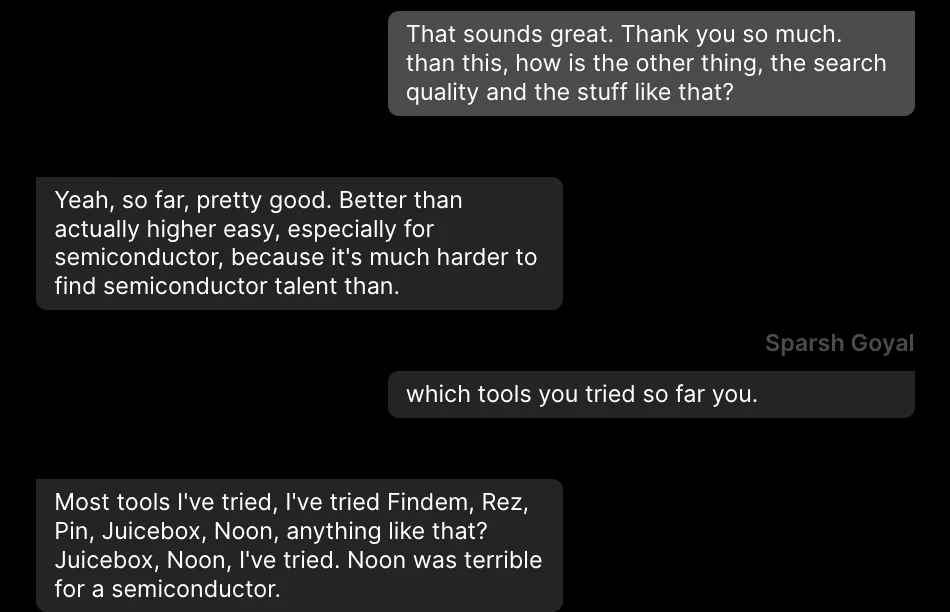
Chat: search quality pretty good, especially for semiconductor talent

The wall

Claude can think, but it can't see people. In plain Claude the line stops at station 3. Search writes the strings and waits, and you become the belt: run each search, open every profile, paste each one into people.md.

The rest of the line is only as good as what you paste. Read can't quote a profile it was never given, and a search you ran with one title will feed Rank the same narrow list every time.

The same line, two ways

Plain Claude, six files and you as the belt

  1. Keep six SKILL.md files and one folder per role up to date.
  2. Brief and Titles run. Search writes strings and stops.
  3. Run every string yourself, by hand.
  4. Open each profile and paste it into people.md.
  5. Rerun Read, Rank and Message on what you pasted.
  6. Find each email and send each message yourself.

Same job in The Cognitive

  1. Add The Cognitive as a connector in Claude: https://app.thecognitive.io/mcp. Make a free account, sign in on the Connect page and allow it.
  2. Search takes path A. It runs the brief as a sentence, and people come back ranked by fit, including people with other titles, each with the reason and a quote from their profile.
  3. If the brief leaves out something that changes who to look for, the search asks one question before it spends anything.
  4. Claude asks before anything that spends credits or contacts someone. Messages go from your own connected mailbox.
100+ recruiters have shared their feedback
“My front runner is … The Cognitive … Yours really beat JuiceBox, PIN, and Metaview”
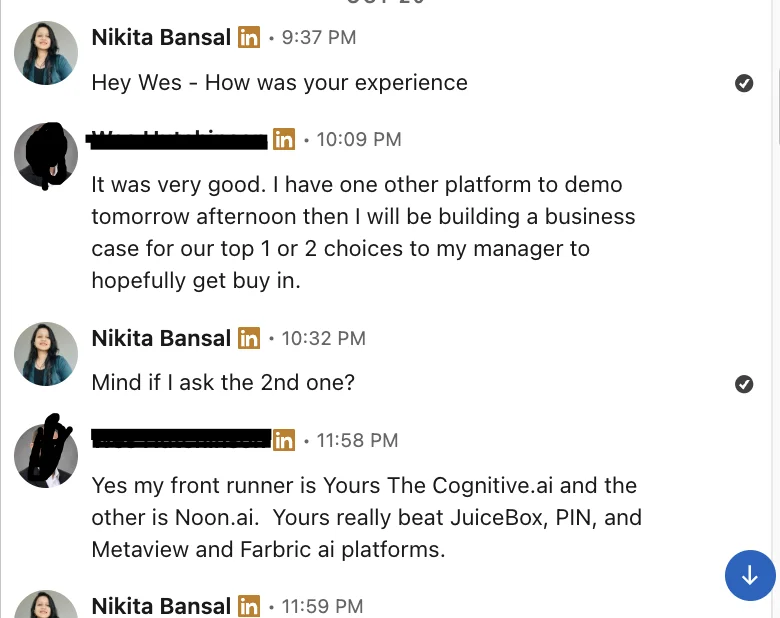
LinkedIn message: my front runner is The Cognitive.ai; it really beat JuiceBox, PIN, Metaview and Fabric

Give station 3 real people

Make a free account and add the connector. The same six files run, and Search brings back people ranked by fit, each with the reason and a quote from their profile.

7-day free trial, 50 sourcing credits, no card.