Recruitment Automation: What to Automate First Before You Touch Judgment
By Sparsh Goyal, Founder at The Cognitive. Published · Last updated
- Recruitment automation should begin with high-volume, low-judgment work: scheduling, reminders, follow-ups, and status handoffs.
- Recruitment process automation handles the rule-based steps from requisition to offer, while people keep the judgment calls.
- Candidate self-scheduling removes calendar coordination: in The Cognitive, candidates book their own AI interview slot without an account.
- The first metric to watch is time-to-next-touch, not feature adoption or total automations launched.
- A recruitment automation platform should give recruiters control, connect to the ATS, and reduce candidate waiting time.
- Bigger automation ideas work better after the boring handoffs are already reliable.
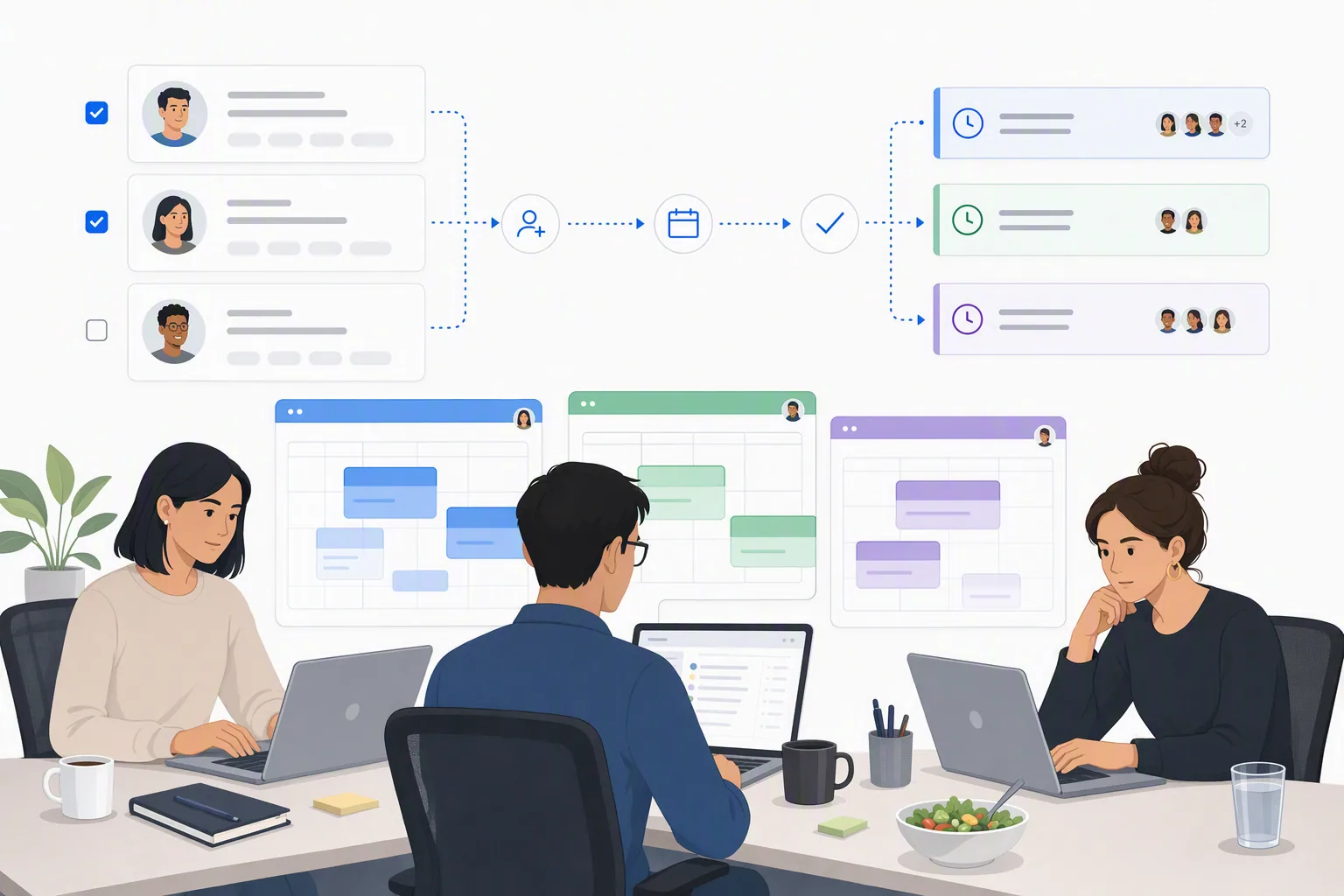
Recruitment automation should start with scheduling, reminders, follow-up messages, and status handoffs. At The Cognitive, candidates book their own AI interview slot without an account, so the process no longer waits on calendar coordination.
The unglamorous work is usually the leak. A recruiting ops lead may want a bold automation plan, then spend Tuesday afternoon watching 3 recruiters bounce between overlapping calendar tabs, trying to schedule five first conversations before candidates go cold. One reply creates another conflict. One reschedule breaks the whole chain.
That is where recruitment automation earns trust first. Not by pretending to replace judgment. By removing the repeated, low-judgment work that slows every next step.

Key takeaways
- Recruitment automation should begin where recruiters lose time fastest: scheduling, reminders, follow-ups, and handoffs between stages.
- Candidate self-scheduling removes coordination work. In The Cognitive, candidates book their own live AI interview slot inside the window you set, without an account.
- The first metric to measure is time-to-next-touch, because candidates often disappear in the gap before the next message, not after the interview itself.
- A recruitment automation platform is worth considering when one role, one team, or one stage has repeated manual work that recruiters can describe in rules.
- The most useful recruitment automation ideas are usually boring before they are strategic. That is why they stick.
What is recruitment process automation?
Recruitment process automation is the use of software to carry out the rule-based steps of hiring, from the approved requisition to the offer, without a recruiter doing each one by hand. That covers sourcing passes, outreach and follow-ups, scheduling, reminders, status updates and handoffs between stages. It differs from an applicant tracking system, which records what happened, because automation performs the step itself.
Judgment stays human. People decide what the role needs, who moves forward and what the offer says. The Cognitive automates 2 stages end to end: finding candidates who never applied, then interviewing the people you invite live with AI and returning a 1 to 5 score per criterion, overall written feedback, the transcript and the recording. Nothing is rejected automatically.
What does recruitment automation mean in practice?
Recruitment automation means using software to handle repeated hiring tasks such as scheduling, reminders, follow-up emails, status updates, candidate routing, and handoffs while recruiters keep ownership of judgment and relationships. Good recruitment automation reduces waiting time without hiding the human decision behind it.
The mistake is treating automation like a grand strategy deck. In practice, it looks more like this: a candidate replies, the system sends the right next step, the recruiter sees the status, and nobody has to ask in Slack whether someone followed up.
Small thing. Large effect.
I have seen teams talk for weeks about AI in recruitment, candidate matching, and automated decision rules while their actual daily drain was much smaller. Calendar tabs. Reminder emails. The third polite follow-up nobody remembered to send. The apology note after a two-day silence.
That silence is expensive because it feels harmless. Nobody marks it as a failed hire. It just becomes a candidate who stops answering.
The work to automate first has two traits
The best first automation target is high-volume and low-judgment. High-volume means the task happens many times per role. Low-judgment means a recruiter can describe the rule without needing a meeting.
- Scheduling: send a booking link inside an approved slot window instead of coordinating by email.
- Reminders: send confirmation, reminder, and reschedule prompts without a recruiter touching each message.
- Follow-ups: trigger next-step emails after a completed interview, a missed reply, or a hiring-manager action.
- Status updates: tell candidates where they are before they ask.
- Handoffs: move approved candidates to the next human step with the right context attached.
These tasks do not require deep hiring judgment. They require speed, consistency, and not being buried under five other roles.
What should not be automated first?
Recruitment automation should not begin with the hardest judgment call in the process. If your team cannot agree on what a strong candidate looks like, automating that decision will only make the disagreement faster.
Start with the parts where everybody already agrees on the correct action. If a candidate completes an interview, they should get a next-step message. If a hiring manager approves them, they should receive a calendar link. If they have not replied after 2 days, they should get a follow-up. No debate.
Save the harder questions for later. You earn that right by fixing the basics first.
How recruitment automation changes candidate experience
Candidate experience improves when the process stops making people wait for information that already exists. Most candidates do not need poetic updates. They need to know what happens next, when, and whether they are still being considered.
A slow process can still feel respectful if communication is clear. A fast process can still feel careless if every message is vague. The goal is not to automate warmth. It is to remove the dead air that makes candidates assume nobody is paying attention.
The candidate rarely knows your recruiter was overloaded. They only know the company went quiet.
This is where tools matter. For example, The Cognitive lets recruiters set an interview slot window and invite candidates, who then book their own slot without an account. After the live two-way AI interview, the recording, transcript and report come back to the role, so the hiring manager reviews evidence instead of waiting for someone's notes.
That is automation doing the right kind of work: reducing coordination, preserving judgment, and keeping the candidate moving.
How do you get started with recruitment automation?
You get started with recruitment automation by mapping the hiring funnel, finding repeated low-judgment tasks, choosing one visible bottleneck, setting simple rules, testing with one role, and measuring time-to-next-touch. The first project should be small enough to prove in a week.
The turning point for many teams is a pipeline review that does not feel dramatic at first. You look at the candidates who dropped. Then you notice they were not leaving after bad interviews. They were disappearing in the gap before someone sent the next step.
That is the moment the room gets quiet.
Step 1: map the actual funnel, not the official one
Your documented process may say: applied, recruiter review, interview, hiring manager review, final round, offer. The real process has more friction than that.
Write down every human touch between stages:
- Who sends the first message?
- Who offers times?
- Who follows up after no response?
- Who reminds the candidate before the interview?
- Who tells the hiring manager the recording is ready?
- Who sends the next-step email after approval?
- Who rejects candidates, and when?
This is not glamorous work. It is also where the truth shows up.
If 3 recruiters do the same task three different ways, you do not have a hiring process. You have local habits.
Step 2: measure time-to-next-touch
Time-to-next-touch is the time between a candidate action and your next meaningful response. It is more useful than simply asking whether the team is busy, because it shows where candidates wait.
Measure a few common gaps:
- Application received to first recruiter message.
- Candidate reply to scheduling link.
- Interview complete to hiring manager review.
- Hiring manager approval to next-round invitation.
- Final interview complete to offer or rejection.
If you already track hiring metrics, add this to your dashboard beside time-to-hire and pass rates. We wrote a deeper breakdown of the metrics that actually change behavior in 14 recruitment KPIs to track in your dashboard.
The first useful automation target is usually the widest gap with the simplest rule.

Step 3: pick one bottleneck, not five
Recruiting teams often overreach at the start. They want automated scheduling, nurture campaigns, candidate ranking, rejection feedback, manager nudges, offer reminders, and reporting all in one launch.
Then nobody trusts it.
Pick one bottleneck. For a small in-house team, that is often interview scheduling or post-interview follow-up. Both are painful, repeated, and easy to define.
| Automation candidate | Volume | Judgment needed | Best first rule | What to measure |
|---|---|---|---|---|
| Interview scheduling | High | Low | Candidate self-books within approved slot windows | Candidate reply to booked interview |
| Interview reminders | High | Low | Send reminder 24 hours and 1 hour before interview | No-show rate |
| Post-interview follow-up | High | Medium-low | Send next-step note when review is complete | Interview complete to next touch |
| Hiring manager nudges | Medium | Low | Nudge after a review has been waiting 24 hours | Interview complete to decision |
| Candidate evaluation | High | High | Use a structured rubric before automating anything | Score consistency and evidence quality |
Notice the pattern. The first four are process delays. The fifth is judgment. Do not start with the fifth unless your rubric is already strong.
Step 4: write the rule in plain English
If a recruiter cannot explain the rule clearly, the automation is not ready. A useful rule sounds boring:
- If a candidate is invited, send the scheduling link immediately.
- If the candidate has not booked after 24 hours, send one reminder.
- If the interview is completed, notify the hiring manager with the recording and scorecard.
- If the hiring manager approves, send the next-round calendar link.
- If the candidate is rejected, send a respectful closing message within 24 hours.
Rules like this are easy to test. They are also easy to unwind if something breaks.
Step 5: test on one role or one recruiter pod
One role is enough. Ideally, choose a role with steady volume and a recruiter who is honest about what is not working. Avoid the politically sensitive VP search or the role where every candidate needs unusual handling.
The first test should answer a few narrow questions:
- Did candidates book faster?
- Did recruiters send fewer manual emails?
- Did hiring managers respond sooner?
- Did fewer candidates disappear between stages?
- Did anyone lose control of the process?
That last one matters. Recruiters need to feel the automation is working for them, not around them.
If you want to quantify the cost side, a hiring ROI model can help you compare manual interview time, recruiter hours, and vacancy drag. The Hiring ROI Calculator is useful when you need to turn the problem into a number before asking for budget.
Which recruitment automation platform options are worth considering?
A recruitment automation platform is worth considering when manual hiring tasks are repeated often enough that rules, triggers, and integrations will save time every week. The best option is the one that fixes your current bottleneck without forcing recruiters into a process they do not trust.
Do not buy by feature count. Buy by the delay you need to remove.
For some teams, the right first tool is simple interview scheduling software. For others, it is a recruiting CRM that handles outreach and candidate follow-up. For teams with both sourcing volume and interview bottlenecks, an AI recruiting platform that sources, interviews, and shortlists in one pipeline makes more sense.
The main options, by what they actually fix
| Option | Best use | What it automates first | Watch out for |
|---|---|---|---|
| Scheduling tool | Teams losing time to calendar coordination | Booking links, reminders, reschedules | It may not improve evaluation or follow-up quality |
| ATS automation | Teams already living inside Greenhouse, Lever, or Workday | Stage changes, email templates, task reminders | It tracks the process but may not create hiring evidence |
| Recruiting CRM | Teams nurturing passive candidates over time | Outreach, reply tracking, nurture messages | It can become noisy if ownership is unclear |
| AI sourcing tool | Teams that need more qualified candidates at the top | Search, contact reveal, outreach sequences, reply triage | Sourcing alone does not remove the interview bottleneck |
| AI recruiting platform | Teams that need sourcing, deep interviews, and shortlists connected | Candidate discovery, outreach, self-scheduled interviews, evidence-backed scorecards | Needs clear role criteria before launch |
This is where The Cognitive fits for teams that do not want separate tools for sourcing and evaluation. Its AI sourcing lets recruiters search ~900M public profiles from a plain-English brief, reveal verified emails and phone numbers enriched from 30+ sources, and, from Sourcing Pro up, run email sequences that stop when someone replies. Sourced candidates can then be invited to AI interviews in bulk.
On the interview side, the AI interviewer runs live two-way video interviews of 10 or 20 minutes. It works from a rubric fixed for the role, adapts its questions live and follows up on vague answers. The report gives a 1 to 5 score per criterion, a weighted score out of 100, overall written feedback, the transcript and the recording. Humans still decide. They just stop chasing calendars and reading thin notes.
What to check before you buy
A good recruitment automation platform should pass a practical operations test. Ignore the demo polish for a minute and ask what your recruiters will do at 4:45 p.m. when 3 candidates reply at once.
- Scheduling control: Can recruiters set slot windows, open and close dates, and candidate self-service booking rules?
- Candidate communication: Can reminders, next-step emails, and rejection messages be sent without sounding like a ticket update?
- ATS fit: Does it work with your ATS or at least any system that can send a link?
- Reporting: Can you see time-to-next-touch, completion rates, pass rates, and where candidates are waiting?
- Recruiter override: Can a recruiter pause, edit, or take over when a candidate needs special handling?
- Evidence quality: If the tool evaluates candidates, can the hiring manager see the proof behind each score?
That last one separates simple process automation from hiring intelligence. If a platform gives you a score with no evidence, your team will argue about whether to trust it. If the hiring manager can open the transcript and the recording behind the score, the conversation changes.
How pricing should factor in
Pricing should match the volume and shape of your hiring, not the vendor's preferred contract. Small teams with uneven hiring need flexibility more than they need a long feature list.
The Cognitive prices its two products separately, on monthly plans you can cancel anytime. AI Sourcing and AI Interview each start at $99/month. Sourcing runs on credits: 1 per candidate a search returns, 4 to reveal an email and 12 to reveal a phone number, and a reveal is charged only when a value comes back.
Compare that to the hidden cost of manual interviews: recruiter and hiring manager hours, plus the delays, reschedules and context switching around each one. The bigger point is not the sticker price. It is whether the tool removes the hours your team keeps losing.
If you are still choosing the broader tool category, the guide to choosing recruitment software is a better starting point than another giant feature matrix.

Which recruitment automation ideas look strategic too soon?
The recruitment automation ideas that look strategic too soon are the ones that automate complex judgment before the team has fixed basic delays. Candidate ranking, automated pass decisions, and intricate stage logic sound impressive, but they fail quickly when scheduling, reminders, and follow-ups are still manual.
This is the uncomfortable part. Most teams want the first automation project to feel senior. Scheduling feels too ordinary. Follow-up emails feel too small.
But small is often the point.
Mistake 1: automating evaluation before the rubric is clear
Hiring teams love to say they want better quality. Then you ask what quality means for the role, and five people give five answers.
Automation will not fix that. It will make the disagreement harder to see.
Before you automate anything that touches evaluation, build a clear role rubric. Define the criteria, the weights, and what strong versus weak evidence sounds like. If you need a starting point, the free AI Interview Rubric Generator can turn a role description into weighted criteria your team can edit.
The Cognitive's interview product fixes the rubric and evaluation standard for each role while deciding each next question live during the conversation. Consistency belongs in the scoring bar, not in a rigid script.
Mistake 2: over-customizing every path
Every exception feels reasonable in a setup meeting. Senior candidates need one path. Referrals need another. Internal applicants need another. Hiring managers want different messages. Recruiters want different reminders.
3 weeks later, nobody knows which rule fired.
Start with one plain default path. Add exceptions only after the default works. The first version should be almost boring to read:
- Candidate is invited.
- Candidate self-schedules.
- Candidate receives reminders.
- Interview is completed.
- Hiring manager reviews evidence.
- Candidate receives next step or closure.
If your first automation map needs a legend, it is too much.
Mistake 3: ignoring the candidate's side of the process
Recruiters often design automation around internal relief. That is understandable. They are tired. One recruiter has a half-eaten salad next to the keyboard and is apologizing in Slack every time a candidate reply creates another calendar conflict.
Still, the candidate experiences the system from the outside. They do not care that the message was automated. They care whether it was timely, clear, and relevant.
Bad automation sends six reminders with no human sense. Good automation sends the right message at the right time and gives the candidate a simple next action.
Mistake 4: skipping measurement because the pain feels obvious
Scheduling pain is obvious to recruiters, but budget owners need numbers. Measure before and after.
Track the few things that prove the automation worked:
- Average time from candidate reply to booked interview.
- Average time from interview completion to hiring manager review.
- Candidate no-show rate.
- Recruiter manual emails per role.
- Drop-off between invitation and completed interview.
If you need a better way to define these measures, recruitment analytics software should focus on candidate drop points and speed between steps, not just dashboards that look busy.
Mistake 5: treating automation as a replacement for ownership
Automation removes repeat work. It does not remove recruiter ownership.
Someone still needs to notice when a great candidate seems unsure. Someone still needs to manage the hiring manager who sits on feedback. Someone still needs to close the finalist. Tools can move the process. People still carry the relationship.
That is the healthiest way to use AI hiring software too. The Cognitive can source candidates, contact them by email, run live AI interviews, and organize the evidence into a shortlist. The recruiter and hiring team still make the final call.
What should teams ask before expanding recruitment automation?
Teams should expand recruitment automation only after the first automation has reduced waiting time, improved consistency, and kept recruiters in control. The next project should be chosen by measured bottleneck, not by what sounds most advanced.
Once scheduling and follow-up are working, bigger ideas become safer. You can add outreach automation. You can connect sourced candidates to interviews. You can automate hiring manager nudges. You can improve scorecards. But the order matters.
Ask what broke less after the first launch
Do not ask only whether recruiters liked the tool. Ask what became measurably less painful.
- Did candidates book faster?
- Did fewer people go quiet after replying?
- Did hiring managers review sooner?
- Did recruiters spend fewer hours writing the same email?
- Did candidates get clearer closure?
If nothing changed, adding more automation will not help. Fix the first rule.
Ask whether the next task is still low-judgment
The safest expansion path moves from low-judgment to medium-judgment. For example, after scheduling, automate reminders. After reminders, automate next-step templates. After next-step templates, automate hiring manager nudges.
Only then should you automate more complex parts of the process, and even then, keep evidence visible. A scorecard without traceable evidence creates new work because hiring managers will re-interview candidates just to feel safe.
This is one reason The Cognitive's report carries the transcript and the recording beside each score, and marks up to 5 resume claims it probed as verified, refuted or unclear with evidence from the interview. A hiring manager does not have to accept a black-box number. They can open the recording and judge the evidence themselves.
Ask if the ATS is tracking or actually moving the process
An ATS is still needed. It keeps records, stages, approvals, and offers organized. But an ATS mainly tells you where people are. It does not always stop them from waiting there.
If your team is unclear on that difference, the comparison of AI recruitment software and a regular ATS is worth reading before you buy another layer. The ATS collects the process. The recruiting automation layer should reduce the delays inside it.
Ask whether sourcing and evaluation should stay separate
Some teams can run sourcing in one tool and interviews in another without much pain. Others lose candidates in the handoff. That is especially common when passive candidates show interest, then wait days for someone to move them into the next stage.
A one-pipeline setup can help when speed is the real constraint. The Cognitive sources, interviews, and shortlists in the same pipeline: recruiters find candidates, reveal verified emails and phone numbers, run email outreach, then move interested people into live AI interviews. The shortlist comes out with evidence, not just notes.
That matters when top candidates are only active for a short window. The point of automation is to shorten the wait between each step without making the process feel careless.
Ask what should stay human
Some hiring work should not be automated away. Final conviction. Compensation nuance. Candidate motivation. The moment a hiring manager explains why the role matters. The part where a recruiter senses hesitation and asks the extra question.
Automation should protect those moments by clearing out the repeat work around them.
There is also a boundary where automation is not worth the setup. If you hire one person a quarter, already know most candidates personally, and do not have scheduling or follow-up delays, a heavy automation project may be unnecessary. A good calendar link and a shared scorecard may be enough.
Most teams are not in that world. Most teams are living with avoidable wait time and calling it process.
What is the smartest first move in recruitment automation?
The smartest first move in recruitment automation is the repeated, low-judgment task that gives recruiters time back and keeps candidates moving. For most teams, that means scheduling, reminders, follow-up messages, and hiring-manager handoffs before complex evaluation automation.
The quiet lesson from the Tuesday afternoon calendar mess is not that recruiters need more discipline. It is that the system was asking humans to remember too many tiny next steps while also making serious hiring judgments.
Fix the tiny next steps first.
If you want to test that idea with your own pipeline, run one role through The Cognitive. Source candidates if you need more pipeline, invite them to self-scheduled live AI interviews, and review evidence-backed scorecards before deciding who moves forward. You can start a free trial and judge the relief by your own calendar.
Frequently Asked Questions
What is recruitment process automation?
Recruitment process automation is software carrying out the rule-based steps of hiring, from the approved requisition to the offer, without a recruiter doing each one by hand. That means sourcing passes, outreach, scheduling, reminders, status updates and stage handoffs. People still decide what the role needs and who moves forward.
What should I automate first in recruitment automation?
Automate scheduling, reminders, follow-up messages, and status handoffs first. These are high-volume, low-judgment tasks that create candidate delays without needing complex recruiter judgment.
How do I choose a recruitment automation platform?
Choose a recruitment automation platform by the bottleneck it removes, not by feature count. Look for candidate self-scheduling, message automation, ATS fit, reporting on time-to-next-touch, and recruiter override controls.
Which recruitment automation ideas should small teams avoid first?
Small teams should avoid automating complex evaluation decisions before they have a clear rubric. Start with process delays first, then expand into deeper automation once scheduling, reminders, and follow-ups are consistent.
Does recruitment automation replace recruiters?
Recruitment automation should replace repeated manual work, not recruiter ownership. Recruiters still manage relationships, handle exceptions, influence hiring managers, and make final calls with the hiring team.
How do you measure whether recruitment automation worked?
Measure time-to-next-touch before and after the automation goes live. Also track booked-interview speed, no-show rate, hiring-manager review time, manual emails per role, and candidate drop-off between stages.
Related reading
- Recruitment Automation Software: The 10 Best Tools for Cutting Admin in 2026
- The 11 Best Candidate Verification Platforms in 2026
- AI Tools for HR: The 12 Best for HR Teams in 2026
- 13 Best Applicant Tracking Systems in 2026, Ranked
- Best AI Recruiting Tools in 2026: The Right Pick for Every Hiring Job
- What Is a Normal Cost Per Hire? Benchmarks by Seniority, Sector, Role and Region