JobDiva Pricing 2026: What It Costs and What Drives the Quote
By Sparsh Goyal, Founder at The Cognitive. Published · Last updated
- JobDiva publishes no price: its FAQ says pricing is determined on a client-by-client basis, and a number comes only after a live demo or an RFP.
- The quote is built from the modules you take, such as the ATS, CRM, onboarding, DivaFinancials, VMS synchronization and the standalone DivaVMS, and the FAQ says support, training and upgrades are included.
- Job board subscriptions are your own, and background checks, payroll partners, sourcing beyond your database and first-round screening can sit outside the quote.
JobDiva does not publish a price. It has no pricing page, and its own FAQ says "the answer is customer specific. JobDiva pricing is determined on a client-by-client basis." To get a number you book a live demo or send JobDiva a request for proposal (RFP). There is no free trial and no self-serve plan.
What the quote buys is an all-in-one staffing platform: applicant tracking, a contact CRM, onboarding, the DivaFinancials back office, VMS synchronization and reports. JobDiva's FAQ says unlimited support, training and upgrades come with it. Price estimates on software directories disagree with each other and none comes from JobDiva, so the quote is the only figure worth planning around.
How much does JobDiva cost?
JobDiva prices each client separately, and says so. Its calls to action point to a live demo, a phone line (866-JOB-DIVA) or its RFP page. The RFP page says a proposal "will help us align JobDiva's capabilities with your enterprise's goals."
For a buyer, quote-only pricing means three things:
- No list price to anchor on. You cannot compare JobDiva with another vendor until you hold a written proposal.
- A sales cycle before any number. Budget time for a demo, a scoping conversation and the proposal itself.
- Some things are stated as included. The FAQ lists "unlimited customer support and training and free upgrades released instantly to all clients." Ask for that wording in the contract.
JobDiva says more than 40,000 recruiters at companies of all sizes use it. It names no team size at which pricing changes, so a small desk and a large firm both start with a demo.
Why the price estimates online disagree
Software directories and pricing blogs publish their own per-user figures for JobDiva. They do not match each other, and none cites a JobDiva price list, because there is none to cite. One of the more detailed estimates, on SoftwareFinder, carries its own note that the pricing information "has been sourced from third-party websites and is subject to change." Treat any number you find as a guess about someone else's contract, not as the figure you will be quoted.
What does a JobDiva subscription cover?
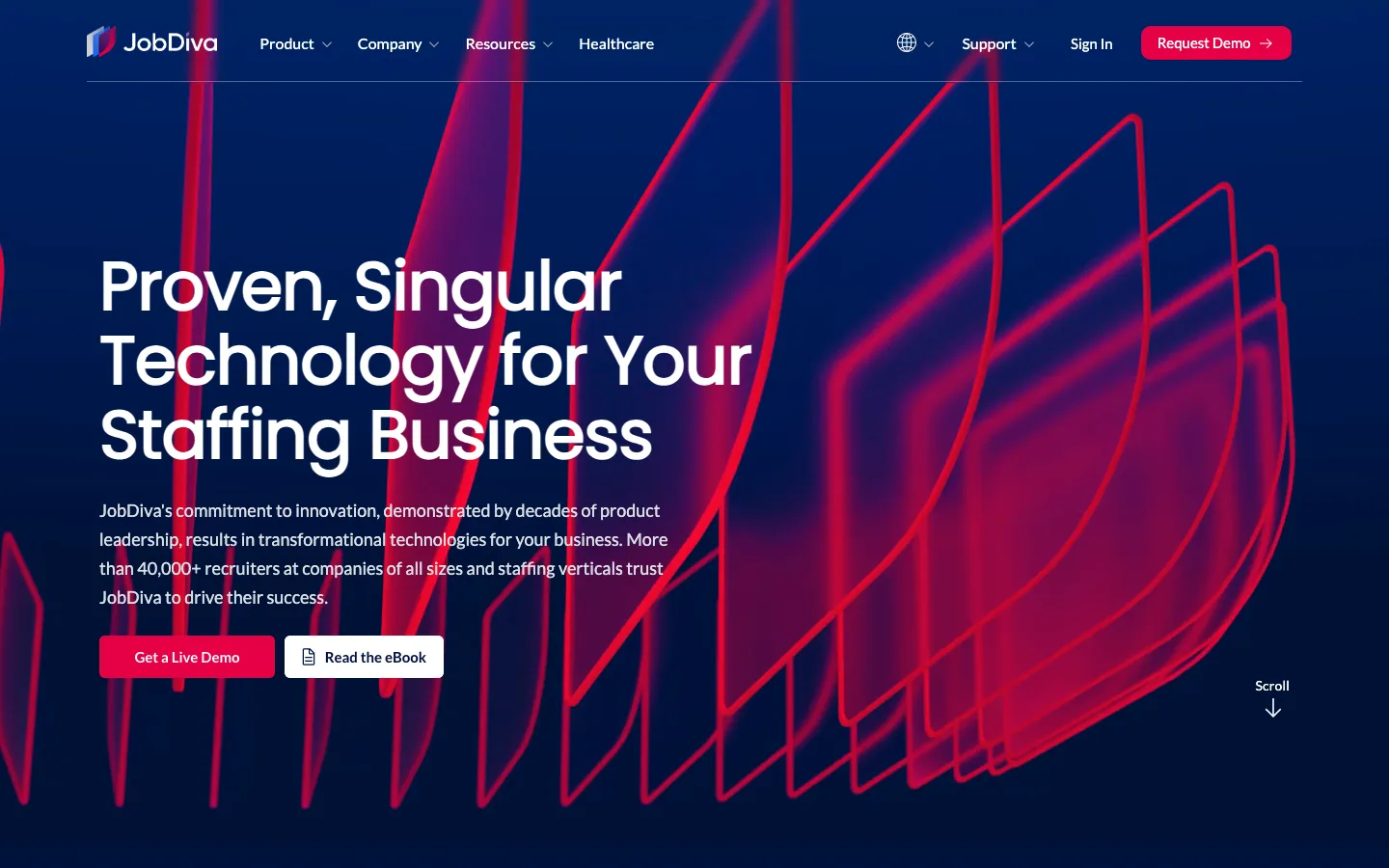
JobDiva calls itself "Proven, Singular Technology for Your Staffing Business" and "the all-in-one recruiting platform." The parts below are what a quote is built from. JobDiva shows no price for any of them.
| Part | What it does (JobDiva's words, shortened) | Price shown? |
|---|---|---|
| Applicant tracking system | Harvests resumes from your job board subscriptions and applicants; patented resume search | No, quote |
| Contact relationship management | Client service and business development | No, quote |
| Onboarding | Paperless documents, E-Verify for I-9, background check integrations | No, quote |
| DivaFinancials | Timesheets, billing and payroll processes, contract and SOW projects | No, quote |
| VMS synchronization | Jobs, timesheets, expenses and SOWs synced from VMSs | No, quote |
| Reports and analytics | 1000+ reports and dashboards | No, quote |
| DivaVMS | Standalone VMS for agencies acting as MSPs | No, quote |
| Healthcare | Credentialing management, Healthcare Wallet, Shift Marketplace | No, quote |
| Support, training, upgrades | "unlimited customer support and training and free upgrades" | Included, per FAQ |
Two parts of the platform matter most for price: the back office and DivaVMS. DivaFinancials runs "various billing and payroll processes" and connects to payroll and general ledger systems, so JobDiva can replace more than an applicant tracking system (ATS). An agency that already runs payroll elsewhere is scoping a smaller product.
DivaVMS is JobDiva's "standalone and proprietary Vendor Management System," used by clients "to become Managed Service Providers (MSPs) to their clients." JobDiva calls it standalone, so ask whether it is priced on its own line.
The rest of the platform sits around those parts. JobDiva says it has "built-in integrations to 100+ products and services" and an open API. It ships a mobile app, a white-label applicant and hiring app in the agency's own brand, and a timesheet app called MyTime. Its AI page names semantic search-enabled resume summaries, email templates, chatbots, sentiment analysis and data extraction among the features it is rolling out.
What drives the price of JobDiva?
JobDiva does not publish how it builds a quote. Its packaging points to seven questions every JobDiva quote has to answer:
- Users. How many recruiters, account managers and back-office staff need a login. JobDiva does not say whether it charges per user, so ask how the quote counts people.
- Modules. ATS and CRM alone is a different product from ATS, CRM, onboarding, DivaFinancials and VMS synchronization together.
- VMS programs. Agencies that work through several client VMSs need those feeds set up. JobDiva calls itself "the pioneers of VMS synchronization."
- Standalone products. JobDiva calls DivaVMS, for agencies running an MSP program, a standalone product, so ask whether it is quoted separately.
- Vertical features. Healthcare staffing adds credentialing management, compact licence and strike checks, and shift scheduling with a Shift Marketplace.
- Delivery. The FAQ says JobDiva runs "As a hosted ASP at our data center or installed on-site at your company," and that it "requires no new hardware or software installation. Setting up IDs and passwords are the only system requirements." Confirm which model the quote assumes.
- Data region. For UK and EEA clients, the FAQ says data is stored and maintained in the UK.
What do staffing agencies pay for on top of JobDiva?
The JobDiva quote may not be the whole bill. Several costs can sit outside it.
- Job board subscriptions. JobDiva's resume harvester "downloads resumes from the public jobs boards to which you are subscribed, using your account logins and passwords." The boards are your subscriptions, paid to the boards.
- Background checks and screening. JobDiva integrates with background check providers, and has announced integrations with HireRight and AccuSourceHR. The checks are a service from the screening provider, so ask who bills for them.
- Payroll partners. JobDiva has announced a payroll integration with People2.0/Stafftrak. If you plan to use a payroll partner, ask whether its fees sit inside or outside the JobDiva quote.
- Healthcare marketplaces. JobDiva's news page carries a TrackFive integration for its healthcare job marketplaces. Ask the same question there.
- Sourcing beyond your database. The harvester and resume search work on people who applied or sit on the boards you pay for. Finding people who are on neither is a separate tool or a recruiter's time.
- First-round screening. JobDiva's AI page does not describe an AI video interviewer. First-round screens before submittal are still recruiter time.
Sourcing and first-round screening take the most desk time. Recruiters now juggle 13.4 open roles at a time and handle 93% more applications than in 2021, per Gem's 2026 Recruiting Benchmarks Report. Ashby's 2026 Talent Trends Report counts 291 applications per hire, up from roughly 100 in early 2021. Its data comes mostly from in-house teams, but an agency desk faces the same squeeze: more applicants per recruiter, with screening as the slow step.
How does JobDiva pricing compare with Bullhorn, Ceipal and Avionté?
Among staffing platforms, JobDiva's quote-only model is common but not universal. Some competitors print a price for their smaller plans. The last row is The Cognitive, which works beside JobDiva rather than replacing it. The Cognitive publishes this page and appears in it.
| Vendor | Pricing model | Price on website? | How you start |
|---|---|---|---|
| JobDiva | Client by client | No | Live demo or RFP |
| Bullhorn | Per user per month; Pro, Max and larger-agency plans quoted | Yes, Starter and Core | Quote or demo |
| Ceipal | Quote | No | Demo |
| Avionté | Quote | No | Request a demo |
| Crelate | Per user per month; upper plans custom | Yes | Free trial |
| Loxo | Per user, billed annually; Professional and Enterprise quoted | Yes, Core | Free 7-day trial |
| The Cognitive (works beside JobDiva) | Monthly plans per product, with credits; Enterprise custom | Yes, from $99 a month | 7-day free trial, no card |
Bullhorn splits its plans by agency size. Its plans for small agencies are Starter, Core, Pro and Max: Starter and Core show a per-user monthly price, and Pro and Max say "Talk to us." Its plans for larger agencies (Front Office Growth, Front Office Enterprise and Bullhorn One) are quote only. Its figures are in the Bullhorn pricing guide, and the products are compared in Bullhorn vs JobDiva.
Ceipal "combines ATS, VMS, and workforce management in one platform," a scope close to JobDiva's. It has no pricing page. See JobDiva vs Ceipal.
Avionté sells "ATS, CRM, payroll, and analytics in one seamless solution" and is also quote only. See Avionté vs JobDiva.
Crelate is the transparent contrast: per-user prices on its pricing page, annual billing or monthly on its Business plan, and a free trial that does not need a sales call.
How to get an accurate JobDiva quote
Send JobDiva a written scope, through the RFP page or after the demo, that covers these points:
- Headcount by role. Recruiters, account managers, back-office and admin users, and whether light users cost the same as full ones.
- Modules you need now and later. List each from the table above. Ask for each module priced as its own line so you can drop one.
- VMS programs. Name the client VMSs you work through today and ask what each costs to connect.
- Back office. Say whether DivaFinancials replaces your payroll and billing or runs beside an existing provider.
- Migration and setup. Ask what moving your current database, documents and history costs, and how long it takes.
- Contract terms. Length, payment schedule, renewal increases and what happens to your data if you leave.
- What is included. Get the FAQ's promise of unlimited support, training and upgrades written into the order form.
Get the same scope priced by one or two of the vendors above. With three proposals on the same headcount and modules, you can see which differences are product and which are negotiation.
Is JobDiva worth the price?
JobDiva is worth a quote if you want one system for the front office and the back office. The case is strongest for contract and temporary staffing, where timesheets, billing, payroll and VMS feeds are daily work. That market is large. The American Staffing Association reports nearly 2.0 million temporary and contract employees working for US staffing companies in an average week of 2025. Staffing companies hired 9.5 million of them during the year. Agencies at that end of the business are the buyers JobDiva's packaging is built for.
It is a weaker fit in three cases:
- Permanent placement or executive search desks that never touch timesheets or VMSs. Much of the back-office scope is beside the point for them.
- Small agencies that want to start this week. There is no trial or self-serve plan, so evaluation runs through sales.
- Corporate talent acquisition teams. JobDiva builds and markets its platform for staffing businesses, and its modules (VMS feeds, billing, timesheets) follow that.
JobDiva's FAQ makes productivity and savings claims for the platform. The FAQ gives no data behind them. Judge the price against your own desk numbers instead: placements per recruiter, hours spent on timesheets and billing, and the cost of the tools JobDiva would replace.
Cheaper or different options to JobDiva
If the quote covers more platform than an agency needs, Bullhorn, Crelate and Loxo publish at least part of their pricing. If the gap is sourcing and first-round screening, The Cognitive works beside JobDiva instead. These options are ranked using feedback from recruiters the founder talks with on LinkedIn, plus each vendor's own site and pricing page.
1. The Cognitive: best for sourcing and first interviews beside JobDiva
The Cognitive is not a JobDiva replacement. It does not run an ATS, VMS feeds, timesheets, payroll, billing or credentialing. It does the two jobs from the add-on list above: finding people who are not in your JobDiva database yet, and screening them before submittal.
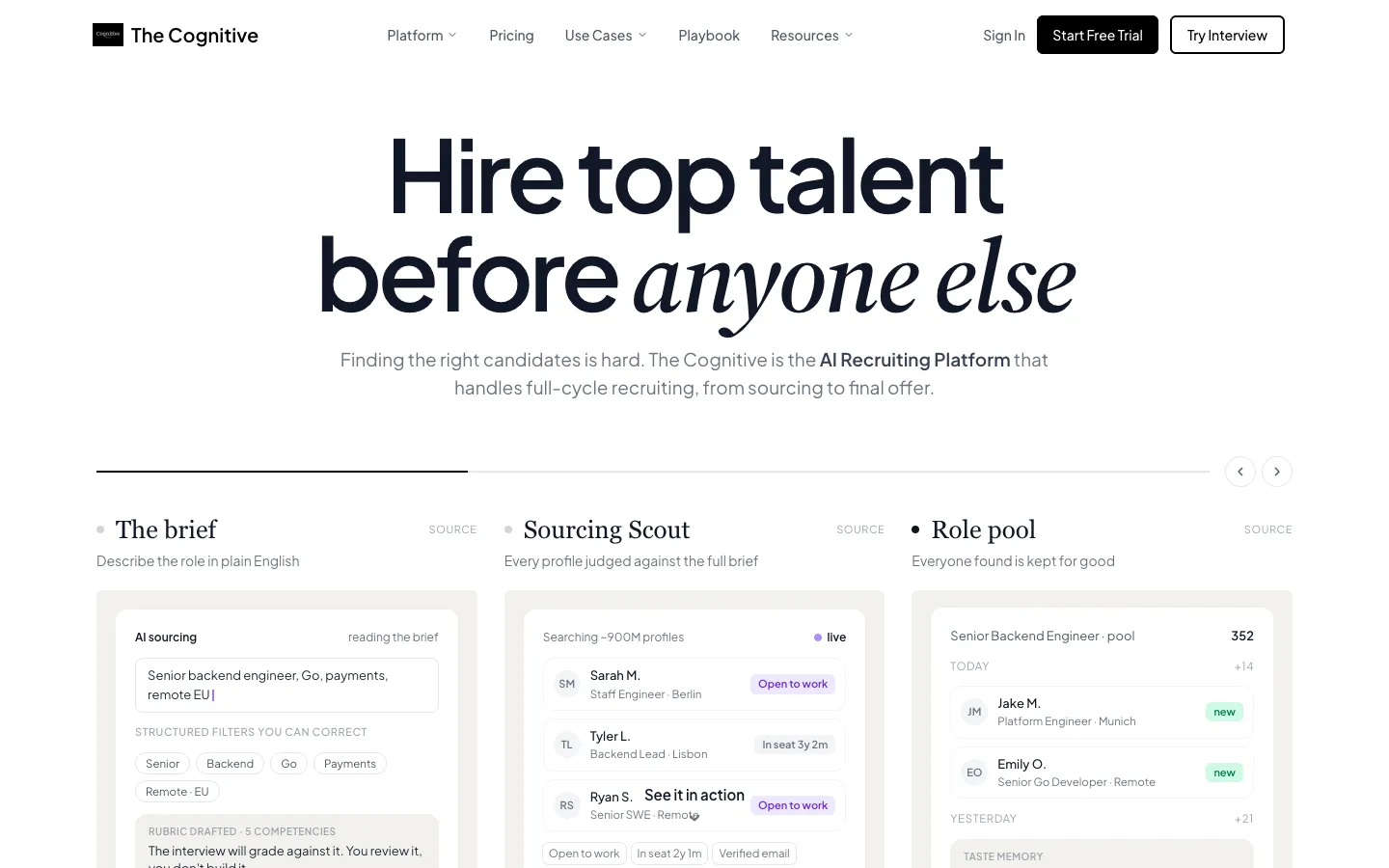
A recruiter describes the open role in plain English. The Cognitive's AI sourcing then searches about 900M public profiles, including people who are not in the JobDiva database, and gives a short reason for each match. A personal email or phone reveal is charged only when one is found.
On the Sourcing Team plan and on Sourcing Pro and above, outreach goes out as personal email from the recruiter's own mailbox, and follow-ups stop when someone replies. Before submittal, the recruiter can invite people to a live two-way AI video interview of 10 or 20 minutes on a laptop or desktop. The questions adapt to each answer while the rubric stays fixed, and the recruiter gets a scorecard with the recording and transcript.
An AI interview scorecard: an overall score and each criterion scored against the role's rubric, with the transcript.
The Cognitive can connect to JobDiva through its ATS integration, on the plans that include ATS sync. Which records move each way depends on what the JobDiva connection allows.
AI Sourcing and AI Interviews are separate plans, listed on the pricing page. Plans start at $99 a month. Each person a search shows costs 1 credit, a personal email reveal 4 credits and a phone reveal 12 credits on Pro and above.
Enterprise is priced on request. The 7-day free trial needs no card and includes 100 people from search.
Best for: agencies that keep JobDiva as the system of record and want more people at the top of the funnel and a recorded first round.
Watch out for: it is not an ATS, it has no VMS, payroll, timesheet or credentialing features, and email outreach needs the Sourcing Team plan or Sourcing Pro and above.
Pricing model: published monthly plans per product, credits for search and reveals, Enterprise custom.
2. Bullhorn: best for a published entry price on a staffing ATS
Bullhorn prints per-user prices for its Starter and Core plans and quotes Pro, Max and its plans for larger agencies. It suits an agency that wants a known number for a small team and room to grow into a quoted plan later.
3. Crelate: best for a self-serve trial
Crelate publishes per-user prices for its Essentials plan (paid annually) and its Business plan (annual or monthly), and a free trial you can start without talking to sales. Business Plus and Platform are custom priced. It suits an agency that wants to try the product before it talks to anyone.
4. Loxo: best for a published price with annual billing
Loxo shows a starting per-user price for its Core plan, billed annually, and its annual plans are paid up front. Professional is priced through a demo and includes monthly credits per seat, pooled across the team. Enterprise is on custom annual agreements. The free 7-day trial gives full Professional access with no credit card.
For a wider list of agency platforms, see the best staffing software.
When to skip The Cognitive
Skip it if the problem you are pricing JobDiva to solve is the system itself: tracking applicants, syncing VMS jobs, running timesheets and payroll, or credentialing nurses. The Cognitive does none of that. Skip it too if your desks fill roles from applicants and the job boards you already pay for, and sourcing outside them is rare. And skip it for hourly or shift roles filled in volume, where an application flow and shift scheduling matter more than a search.
How to start
Pick one open role JobDiva's database is not filling. Write the brief, run the search, and compare the people found with your last harvest from the boards. If the list is worth working, invite the strongest to a first-round interview and read the scorecards before you submit anyone.
Start free with The Cognitive.
Sources
- American Staffing Association, Staffing Industry Statistics (2025 data). americanstaffing.net
- Gem, "Key takeaways from the 2026 Recruiting Benchmarks Report", December 2025. gem.com
- Ashby, Recruiter Productivity, 2026 Talent Trends Report, April 2026. ashbyhq.com
- SoftwareFinder, "How Much Does JobDiva Cost?", April 2026. softwarefinder.com
- Vendor pages: JobDiva homepage, FAQ, solutions, DivaVMS, healthcare, AI, RFP and news pages (jobdiva.com); Bullhorn pricing (bullhorn.com); Ceipal homepage (ceipal.com); Avionté homepage (avionte.com); Crelate pricing (crelate.com); Loxo pricing (loxo.co); The Cognitive pricing (thecognitive.io).
Frequently Asked Questions
How much does JobDiva cost?
JobDiva does not publish a price. Its FAQ says "the answer is customer specific. JobDiva pricing is determined on a client-by-client basis." You get a number by booking a live demo or sending an RFP, and the quote depends on users, modules, VMS programs and back-office scope.
Does JobDiva charge per user?
JobDiva does not say how its quote counts users. It has no pricing page and no per-seat figure on its site. Ask in the proposal whether recruiters, account managers and back-office staff are priced the same, and whether light users cost less.
Does JobDiva have a free trial?
No free trial or free plan is listed on JobDiva's site. Evaluation runs through a live demo, a phone call or the RFP page. Competitors such as Crelate and Loxo do list free trials.
Why do JobDiva price estimates online disagree?
They disagree because none of them comes from JobDiva. Software directories and pricing blogs each publish their own per-user figures, and at least one says its pricing information was sourced from third-party websites. The quote JobDiva sends you is the only reliable number.
Is JobDiva cheaper than Bullhorn?
There is no public way to tell, because JobDiva publishes no price. Bullhorn shows per-user monthly prices for its Starter and Core plans and quotes Pro, Max and its plans for larger agencies. Price the same headcount and modules with both. The products are compared in Bullhorn vs JobDiva.
Does JobDiva include AI interviews?
JobDiva's AI page does not describe an AI video interviewer. It names semantic search-enabled resume summaries, email templates, chatbots, sentiment analysis and data extraction among the features it is rolling out. Tools such as The Cognitive add a live two-way AI video interview with a scorecard, recording and transcript.
Is JobDiva cloud-based or installed on-site?
Both. JobDiva's FAQ says it runs "As a hosted ASP at our data center or installed on-site at your company." For UK and EEA clients, it says data is stored and maintained in the UK. Ask which delivery model your quote assumes.
Does The Cognitive integrate with JobDiva?
Yes. The Cognitive can connect to JobDiva through its ATS integration, on the plans that include ATS sync. Which records move each way depends on what the JobDiva connection allows. It is not a JobDiva replacement: JobDiva stays the system of record. See The Cognitive and JobDiva.
Related reading
- Staffing Agency Software Compared: 10 Platforms for Payroll, VMS and Temp Orders in 2026
- Best Retail Hiring Software in 2026: 9 Tools for Store Teams and Store Leaders
- 10 Best CRMs for Staffing Agencies in 2026, Scored
- Best EOR Companies in 2026: 11 Employer of Record Providers Ranked, Plus the Step Before
- Best Sourcing Tools for Recruiters in 2026: 12 Tools by Job
- 9 Best AI Executive Search Tools in 2026, Scored