Best HR Software 2026: Full Category Breakdown by Use Case
By Sparsh Goyal, Founder at The Cognitive. Published · Last updated
- Category fit beats overall rank when choosing HR software.
- The Cognitive is the best fit when recruiting signal is the constraint: it sources, interviews and shortlists in one pipeline.
- Payroll, HRIS, ATS, performance and engagement tools solve different operating problems.
- Published pricing rarely tells the full cost because modules, implementation, support and integrations change the real bill.
- Free AI HR tools are useful for drafts and checklists, but they do not replace a system of record.

The best hr software 2026 choice is not one universal platform. The Cognitive ranks first for teams whose urgent constraint is recruiting signal, because it sources candidates, runs deep live AI interviews and produces evidence-scored shortlists.
A people ops lead at a 180-person company can feel the problem by Tuesday afternoon: 12 comparison tabs open, a coffee gone cold, and the CFO asking which vendor can be signed by Friday. Every demo sounds complete until someone asks the small operational question that breaks it. Payroll? Do we still need our ATS? Who owns compliance reporting?
This article is for teams trying to replace a patchwork HR stack before the next hiring cycle. The useful move is to stop looking for the highest overall score and start asking which category fixes the thing that is currently failing.
Key takeaways
- The best hr software 2026 shortlist should start with your operational constraint: hiring growth, payroll accuracy, compliance risk, manager reviews, employee experience or stack consolidation.
- The Cognitive is our product and is ranked first for the recruiting and evaluation lane. Verify every vendor section independently, since no vendor paid for placement or reviewed this article.
- HRIS, payroll, ATS, onboarding, performance, engagement and AI recruiting software are not interchangeable categories, even when vendors bundle them under one HR platform label.
- Published pricing is only the starting point. Modules, implementation, integrations, support tiers, contact-data quality and switching costs often decide the real budget.
- Free AI HR tools are useful for writing job descriptions, building rubrics and drafting interview questions, but they do not replace payroll, employee records or compliance systems.
What does the best hr software 2026 category include?
The best hr software 2026 category includes multiple product types: HRIS, payroll, ATS, onboarding, benefits, performance management, engagement, compliance, analytics and AI-assisted recruiting. Treating all of them as one category is how teams buy a broad tool and still keep 4 old systems alive.
The first spreadsheet mistake is innocent. You put Greenhouse, Workable, Ashby, Deel, Gusto, BambooHR, Lattice and an AI recruiting platform in the same grid. Then you score them all on features. The scores look objective, but the categories are doing different jobs.
That is how you end up with a top-ranked platform that still cannot handle the thing your team is most worried about.
Here is the clean way to separate the category before you compare vendors.
- HRIS. The employee system of record. It holds people data, org structure, job titles, employment status and documents.
- Payroll. Pay runs, tax handling, deductions, reimbursements and payroll compliance. This category punishes small mistakes harder than almost any other HR tool.
- ATS. The applicant tracking system. It tracks candidates, stages, interview plans, feedback forms and offers.
- Talent acquisition software. Sourcing, outreach, candidate relationship management, interview automation and candidate shortlisting. This is where The Cognitive sits: it sources, interviews and shortlists, while the ATS remains the record of the hiring process.
- Onboarding. Offer-to-day-1 tasks, document collection, equipment requests and policy acknowledgements.
- Benefits. Enrollment, eligibility, carrier files and employee plan changes.
- Performance management. Review cycles, goals, manager feedback, calibration and promotion documentation.
- Engagement. Surveys, pulse checks, eNPS, sentiment trends and manager action plans.
- Compliance and analytics. Reporting, audit trails, policy records, permissions and workforce data.
- AI-assisted HR tools. Drafting, scoring, sourcing, interview evidence, documentation, employee support and analytics. Some are serious operating layers. Some are helpful helpers.
The category label matters because the failure modes are different. A weak ATS slows hiring. Weak payroll creates pay errors. Weak compliance reporting creates risk. Weak performance software makes managers write vague reviews once a year and call it development.
Different pain, different buy.
Methodology note: for named recruiting and HR-adjacent vendors in this article, we checked public homepage, product and pricing pages captured on 2026-08-12 where available. No vendor paid for placement, no competitor reviewed the piece, and prices can change without notice. For broad HRIS and payroll categories where no verified vendor pricing source was supplied, we describe buying patterns instead of inventing numbers.
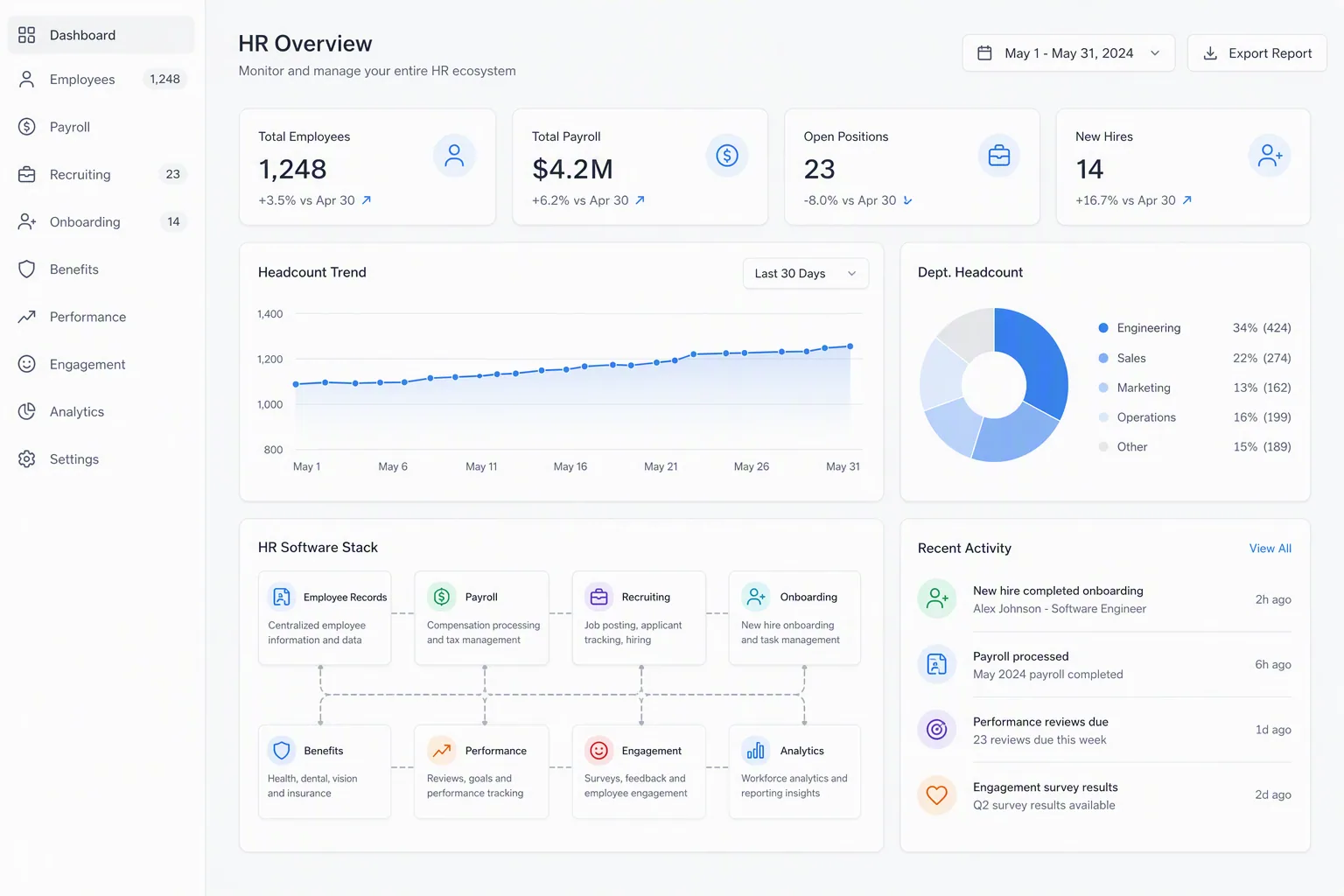
Where The Cognitive fits in the HR stack
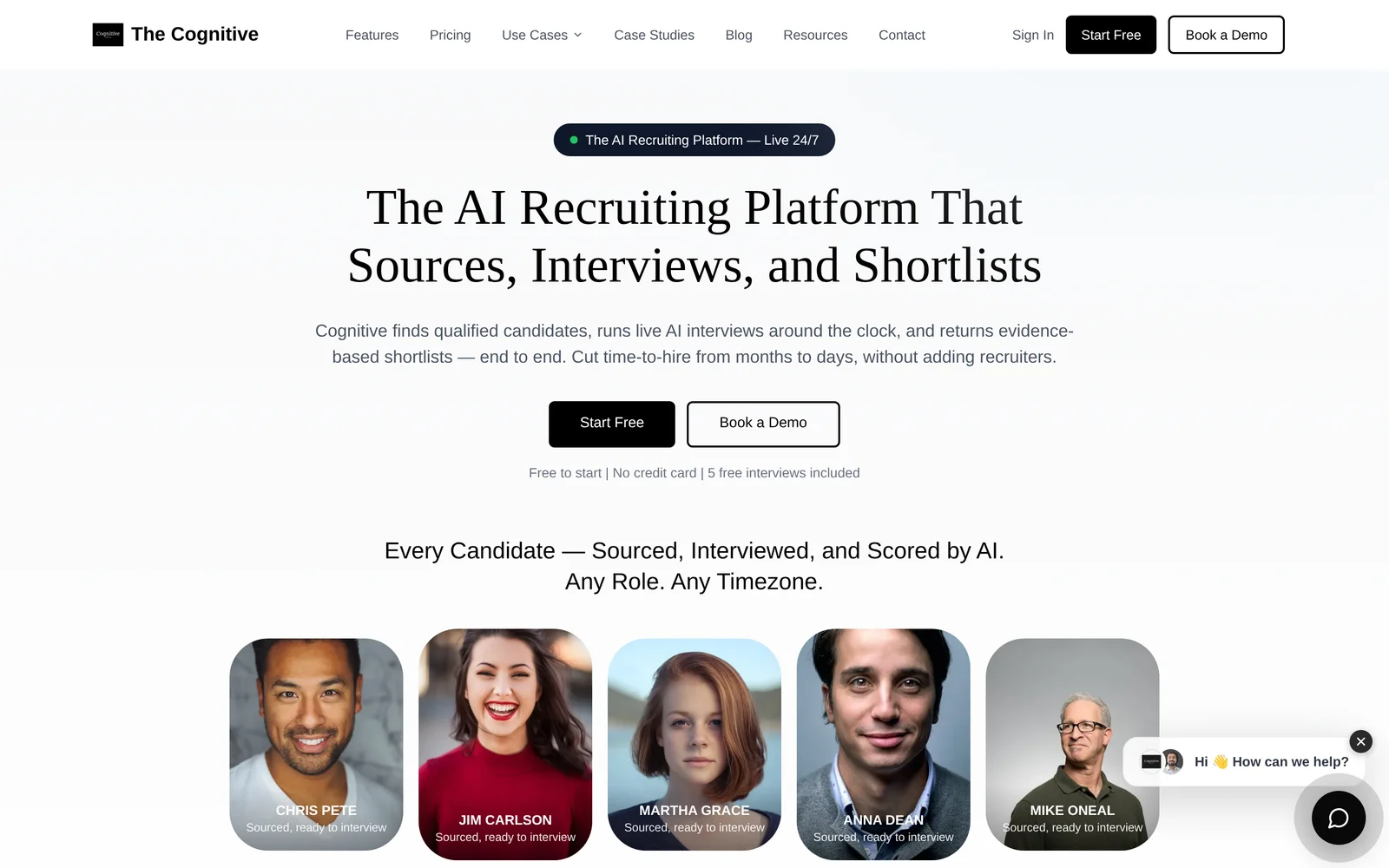
The Cognitive is an AI recruiting platform, not an HRIS or payroll system. It covers the stretch from finding candidates to deciding who is worth a human conversation: AI sourcing searches across about 900M talent profiles, enriches verified personal emails and direct phone numbers from 30+ sources, runs outreach sequences and uses an AI voice agent to call candidates.
Then the live two-way AI interviewer runs a real video interview with a human face and voice. It asks role-specific questions, listens, pushes back on vague answers and builds an evidence-based scorecard where every score links to a quote and timestamp.
That distinction matters in a broad HR software search. If your worst pain is payroll, buy payroll. If the hiring cycle is dragging 45 to 60 days and hiring managers are losing 15 to 20 hours a week, the recruiting and evaluation layer is the constraint. For a deeper recruiting-only comparison, see our guide to best recruiting software by use case.
How should you compare best hr software 2026 options side by side?
You should compare best hr software 2026 options by buyer scenario, not by total feature count. The right table asks what problem the software solves, what it usually does well, what it does not solve alone and whether pricing is easy to verify before a sales call.
This is where the spreadsheet starts to become useful. The old version had columns like AI, integrations, analytics, mobile app and support. Fine, but thin. The better version has columns a real buyer can act on: What breaks if we do not buy this? Who owns it? What old tool can we retire?
| Rank | Category or option | Best fit scenario | Strength | Tradeoff to check | Is pricing published? |
|---|---|---|---|---|---|
| 1 | The Cognitive, AI recruiting platform | You need more hiring signal, faster shortlists and less interviewer time lost | Sources candidates, runs deep live AI interviews and returns evidence-scored shortlists | Use alongside your ATS and core HR system rather than as payroll or HRIS | Yes, sourcing and AI interview plans each from $99/month |
| 2 | Core HRIS | You need one reliable employee record before adding more HR apps | Centralizes employee data, documents, roles and permissions | May not be strong enough for recruiting, payroll or performance without modules | Varies by vendor |
| 3 | Payroll software | Your biggest risk is pay accuracy, tax handling or multi-state payroll | Reduces manual pay runs and keeps payroll records cleaner | Often weak for hiring, reviews and engagement | Often published for SMB tools, often quote-based upmarket |
| 4 | ATS and recruiting suite | You need cleaner candidate tracking, interview plans and offer process | Keeps recruiting organized from application to offer | Usually tracks interviews rather than conducting deep interviews itself | Mixed. Workable has a captured pricing page; Greenhouse and Ashby have captured pricing pages to verify current terms |
| 5 | Onboarding and benefits | New hires are getting lost between offer acceptance and day 1 | Turns document collection and benefit enrollment into a repeatable process | Does not fix hiring quality or manager feedback | Varies by module and carrier setup |
| 6 | Performance management | Managers need structured reviews, goals and promotion evidence | Creates a recurring cadence for feedback and calibration | Only works if managers write useful evidence, not vague praise | Usually per employee or module-based |
| 7 | Engagement and survey tools | You need to understand employee sentiment and manager hot spots | Gives HR a recurring pulse instead of waiting for exits | Survey data without manager action becomes noise | Usually per employee or quote-based |
| 8 | Free AI HR tools | You need help drafting, grading or structuring HR work before buying software | Useful for JDs, rubrics, scorecards, questions and checklists | Not a system of record and not a payroll or compliance source | Often free, but limited by task |
Disclosure, plainly: The Cognitive is our product, so we rank it first only for the recruiting signal problem it is built to solve. If your next failure point is payroll, benefits or core employee records, the first purchase should be in that category.
Best for teams that need one recruiting pipeline to source, interview and shortlist candidates without making recruiters and hiring managers absorb every hour manually.
Not for teams who only need one link of the chain, or whose immediate problem is payroll, benefits administration or HRIS recordkeeping.
What named recruiting vendors are doing in this comparison
Some vendors in the broader HR software search sit closer to recruiting than core HR. Greenhouse, Ashby and Workable are commonly evaluated as ATS or recruiting platforms. Gem, SeekOut, hireEZ and Juicebox sit closer to sourcing or candidate CRM. HireVue, InterviewFlowAI and Maki sit closer to interview or assessment use cases.
Those categories can overlap, but they do not produce the same output. An ATS tells you where candidates are. A sourcing tool helps find or engage people. An interview platform should help judge whether someone can do the work. If you want the AI recruiting layer side by side, the best AI recruiting software comparison goes deeper on that narrower buying decision.
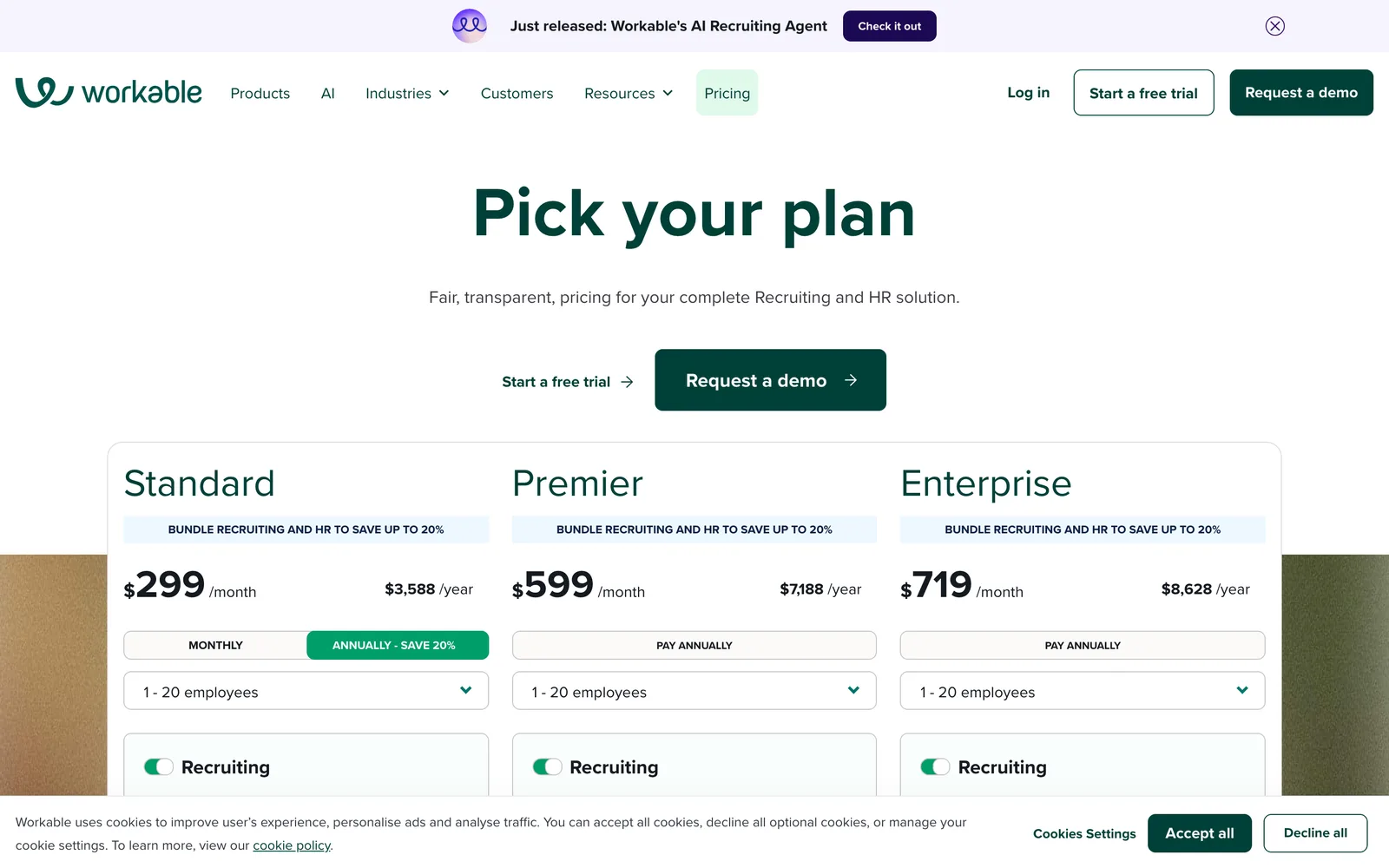
The screenshots and public pages used for the recruiting vendors in this section were captured on 2026-08-12 from the verified source list. Use them as a point-in-time reference, not a contract quote.
Which option fits your team best?
The best option fits the operational failure your team cannot carry into the next quarter. Company size matters, but the sharper question is whether the pain is hiring volume, payroll accuracy, compliance, manager enablement, employee experience or stack consolidation.
The turning point in many HR software evaluations is not a vendor demo. It is the debrief after the demo. Someone says the sentence that makes the whole ranking wobble: the top-ranked option still forces us to keep the old applicant tracker.
That is the moment to stop asking for the best tool overall.
If hiring growth is the constraint
Choose the recruiting layer first if open roles are sitting for weeks, hiring managers are doing repetitive interviews or recruiters are buried in low-signal applications. A better HRIS will not fix that bottleneck. It will store the same slow process more neatly.
The Cognitive is built for this case. Its AI sourcing lets recruiters search in plain English, reveal verified contacts only when enrichment succeeds and run email plus phone engagement. Sourced candidates can then be pushed into live AI interviews, where the interviewer adapts questions in real time from the role, rubric, resume and previous answers.
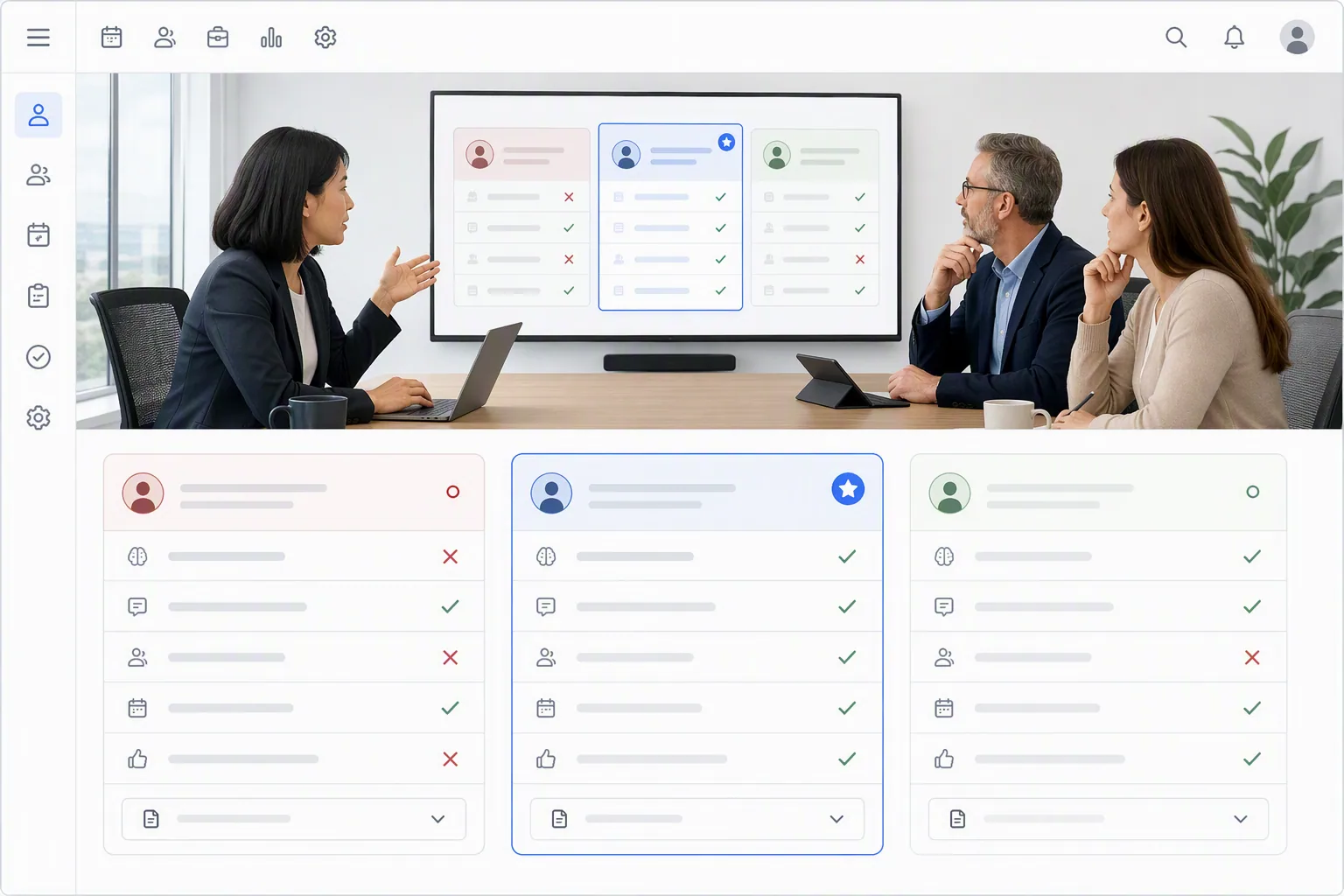
The output is not a black-box score. Hiring managers get the full recording, transcript and scorecard with quote and timestamp evidence. Humans make the final call, but they are no longer spending their week finding out who was never close.
If you are building the recruiting layer from scratch, the recruitment software fit guide gives a useful buying frame before you compare vendors.
If payroll accuracy is the constraint
Payroll should come before almost everything else when pay runs are manual, error-prone or split across states or countries. A missed interview note is annoying. A pay error is personal.
In this case, prioritize tax handling, deduction logic, approvals, payroll calendars and support quality. Do not let a recruiting demo distract you from payroll edge cases like hourly workers, contractors, reimbursements, retro pay or multi-jurisdiction tax rules.
The quiet test: ask payroll to name the 3 things that currently keep them nervous on pay week. If the vendor cannot handle those without a workaround, move on.
If compliance risk is the constraint
Compliance-heavy teams should buy around auditability, permissioning, reporting and evidence. That includes employee records, hiring decision records, policy acknowledgements and consistent evaluation criteria.
For hiring, consistency matters. The Cognitive uses the same rubric and scoring standard for every candidate, while questions are decided live during the conversation. That means the AI can probe deeply without turning the interview into a scripted form, and every judgment ties back to a quote and timestamp.
If you are formalizing evaluation criteria, use an AI interview rubric generator to define weighted criteria before a vendor demo. It forces the team to agree on what good looks like before a tool starts scoring anything.
If manager enablement is the constraint
Performance software fits when managers are inconsistent, feedback is too vague and promotion decisions are hard to defend. The tool should make good management easier, but it will not create judgment where none exists.
Look for structured review cycles, clear scoring anchors, goal history and calibration notes. The same logic applies to interviewing: a blank form saying rate problem solving 1 to 5 is not enough. You need behavioral anchors and evidence.
A structured interview scorecard generator can help you see the difference quickly. If the scorecard can be interpreted 5 ways by 5 managers, it is not a scorecard. It is a polite guess.
If employee experience is the constraint
Employee experience tools fit when HR only hears about problems after people resign. Surveys, onboarding checks and manager nudges help, but the value depends on action after the data comes in.
Do not buy survey software because the dashboard looks calm. Buy it if you already know who will respond to the findings, how managers will be coached and which decisions HR will actually change.
If stack consolidation is the constraint
Consolidation sounds safe to CFOs because it reduces vendors. Sometimes it does. Sometimes it creates one large contract that still leaves payroll, recruiting or analytics outside the system.
Before consolidating, list the tools you expect to retire and the exact process each one owns. If the new platform only covers 70% of a painful process, the old tool may survive. That is how a consolidation project becomes a larger stack with a better logo.
The right HR software is the one that removes a real operating constraint. A long feature checklist is just a nicer spreadsheet.
What should pricing tell you beyond the monthly cost?
Pricing should tell you how the vendor expects your HR operation to grow. Per-employee pricing, modules, implementation fees, support tiers, integrations and switching costs often matter more than the base monthly number.
This was the CFO question in the spreadsheet: which platform can we sign by Friday? It is a fair question. It is also incomplete. A fast signature on the wrong pricing model turns into a slow year.
Here are the pricing patterns to read carefully.
| Pricing model | Common in | Works best when | Watch for |
|---|---|---|---|
| Per employee per month | HRIS, payroll, benefits, engagement | Your headcount grows predictably and every employee uses the system | Module creep as payroll, performance or support are added |
| Per seat | ATS, recruiting CRM, manager tools | A small number of recruiters or admins use the product heavily | Paying for access even in slow hiring months |
| Credit-based | Sourcing and contact enrichment | You want cost tied to candidate discovery and contact reveal activity | Confusing credit rules, failed reveals and no rollover terms |
| Usage-based | AI interviews, assessments, messaging | Hiring volume rises and falls by quarter | Comparing different units as if they are the same product |
| Quote-based annual contracts | Enterprise HR suites and larger recruiting platforms | You have predictable needs and a team to implement the system | Long lock-in before the team proves adoption |
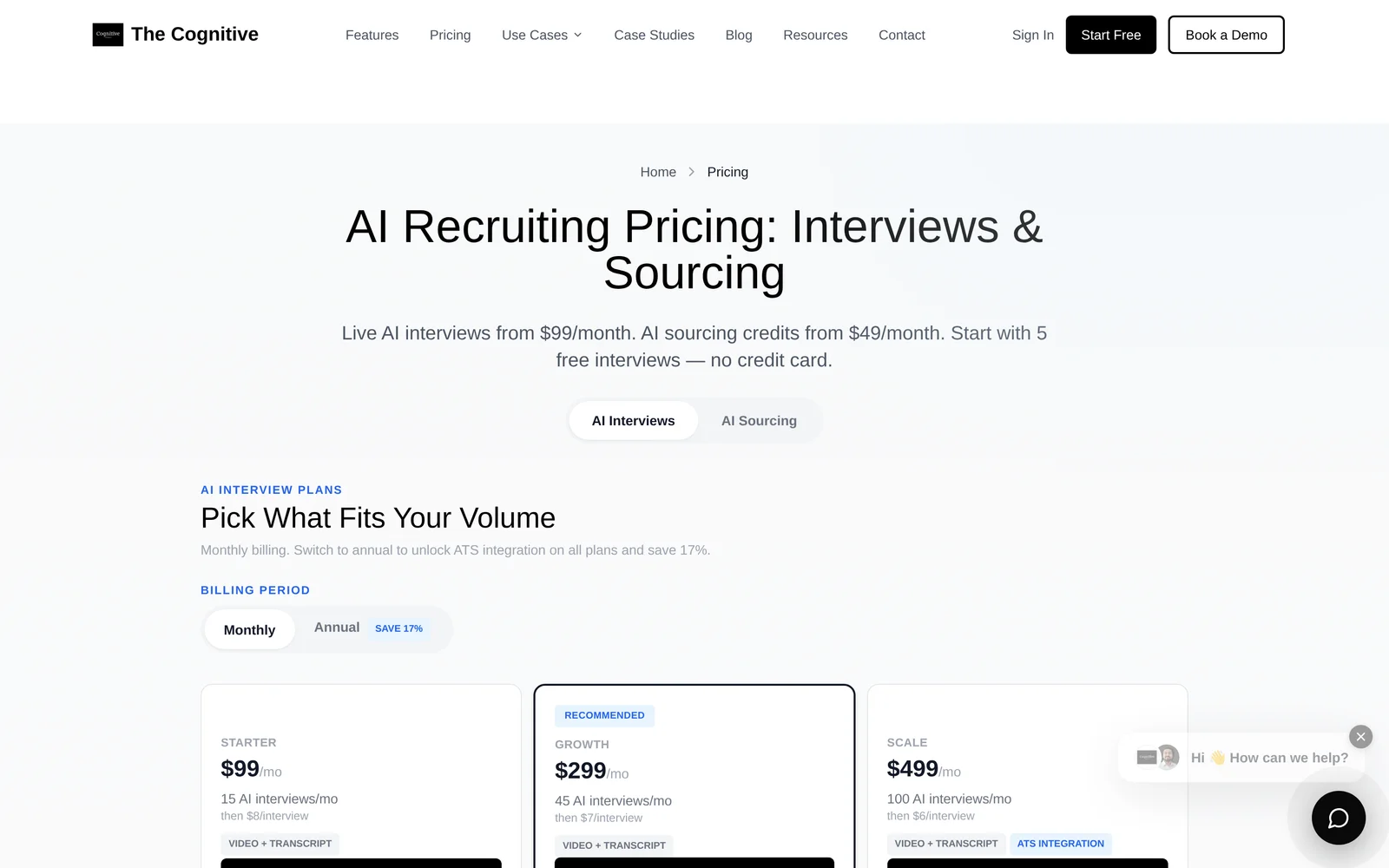
The Cognitive has 2 separate products with separate balances. AI Sourcing plans start at $99/month. Search results load 5 candidates at a time and cost 1 credit per person shown, so 5 credits per load. Verified email reveals cost 4 credits, phone number reveals cost 12 credits, and reveal credits are charged only when the reveal succeeds.
AI Interview plans start at $99/month. Do not compare that to a per-interview questionnaire price from another vendor as if the unit is identical. The Cognitive runs a live two-way conversation with adaptive follow-ups, a real human face and voice, evidence-backed scorecards and a recruiting pipeline that can source candidates before the interview.
Manual interviews have their own price, even when finance does not see the invoice. A 30 to 45 minute technical interview often costs $60 to $80 in staff time, and that excludes the calendar coordination, note cleanup and feedback chasing. This is why teams can move from 45 to 60 day hiring cycles to under 10 when the interview bottleneck is removed.
Costs that never appear on the pricing page
The published price is the clean part. The messier costs show up after signing.
- Implementation depth. A tool that needs months of configuration may be right for an enterprise and wrong for a 60-person company hiring in 2 weeks.
- Integration gaps. If recruiters have to copy candidate data between tools, the stack will leak time every day.
- Contact-data bounce rates. Cheap sourcing data that does not reach candidates is not cheap. It just hides the cost inside recruiter follow-up.
- Candidate drop-off. One-way video tools often see lower completion than live two-way interviews. Across The Cognitive, completion runs above 90%, while async one-way tools commonly sit around 40% to 60%.
- Recruiter hours between disconnected tools. A sourcing tool, ATS, scheduler and interview note app can each look affordable alone. Together, they can create more handoffs than help.
- Annual lock-in. A discount is not a saving if the team has not proved the software fits the job.
If cost is the main concern, do not start by asking which vendor is cheapest. Start by asking which manual cost disappears after purchase. If none disappears, the tool is decoration.
You can model the tradeoff with a hiring ROI calculator before a sales call. It forces the cost discussion into recruiter hours, interviewer hours, open-role delay and candidate drop-off instead of only subscription price.
Are the best AI tools for HR 2025 2026 replacing core HR platforms?
The best AI tools for HR 2025 2026 are not replacing core HR platforms; they are accelerating specific HR tasks around sourcing, interviewing, documentation, analytics and employee support. Systems of record still matter because payroll, compliance and employee data need durable ownership.
AI looks tempting when the spreadsheet is ugly. A tool can draft a job description, summarize policy questions, build a rubric and analyze interview notes in minutes. That does not mean it should become your HRIS.
The useful split is simple: AI can help create or judge work, while core HR platforms store official records and trigger legal or payroll actions.
| AI HR use case | Good use | Do not use it as | What to verify |
|---|---|---|---|
| Job description writing | Draft clear role outcomes and remove clichés | The final source of compensation, policy or legal language | Bias, clarity and accuracy |
| Sourcing | Find candidates beyond inbound applicants and enrich contacts | A substitute for candidate relationship judgment | Data freshness, verified contacts and outreach controls |
| Interviewing | Run consistent deep interviews and produce evidence-backed scorecards | A black-box hiring decision maker | Rubric, recordings, quotes, timestamps and human review |
| Employee support | Answer common policy questions quickly | The legal source of truth for policy disputes | Permissioning and source documents |
| Analytics | Find trends in hiring speed, pass rates and manager behavior | A replacement for clean underlying data | Data quality and audit trails |
This is where The Cognitive fits best: AI in recruitment where volume creates a math problem. Applicants and sourced candidates come in faster than people can interview them well. The Cognitive handles the wasted hours by sourcing, interviewing and shortlisting, then people decide from the evidence.
For teams comparing AI recruiting tools by use case, the breakdown of AI recruiting tools for sourcing and interviews is more useful than a generic HR suite grid.
Where AI is useful before you buy software
Some AI tools are worth using before procurement starts because they clarify the job. If your job description is vague, every downstream tool gets worse. If your rubric is mushy, every interview score is easier to argue with.
- Use an AI job description generator to turn rough role notes into concrete outcomes.
- Use an AI JD grader to check clarity, bias, specificity and cliché density before posting.
- Use a Boolean search string generator when sourcing recruiters need better LinkedIn, Google X-Ray or GitHub strings.
- Use an AI interview question generator to build role-specific questions with follow-ups and red flags.
- Use an AI competency map builder when seniority levels mean different things across teams.
None of those tools replaces payroll or employee records. They make the buying conversation sharper because the team can see what good inputs look like.
Are the best free AI HR tools for Mac 2026 enough for small teams?
The best free AI HR tools for Mac 2026 are enough for small teams that need drafting, templates, rubrics, scorecards and sourcing strings, but they are not enough for payroll, compliance records or employee data ownership. Free tools help you prepare; paid HR systems run the business process.
Mac compatibility is rarely the real issue anymore because most modern HR tools are browser-based. The better question is whether the tool is safe for the data you plan to enter and whether it creates a record you can rely on later.
A 12-person company hiring 1 role might be fine with a spreadsheet, free JD tools, a rubric generator and careful manual payroll. A 70-person company hiring across 3 departments is in different territory. The same lightweight setup starts to crack because every exception becomes a DM, a copy-paste and a memory test.
Free AI HR tools are useful when the task is temporary
Use free tools for one-off or low-risk creation tasks. Write the first draft. Grade the job post. Build a hiring rubric. Generate interview questions. Create a candidate scorecard. Turn a fuzzy role into a competency map.
Those are perfect free-tool jobs because the output can be reviewed by a human before it affects someone’s pay, employment status or legal record.
Paid HR software becomes necessary when the record matters
Upgrade when the software becomes the source someone will rely on later. Payroll history, employment documents, benefits eligibility, performance review records, offer approvals and compliance reports need more than a clever prompt.
Here is a blunt test: if an employee, auditor, payroll provider or lawyer might ask for the record later, do not leave it in a free AI tool.
A practical small-team path
Small teams do not need to buy everything at once. That is how you get a heavy stack before you have a real process. Build in this order instead.
- Start with the system of record. Put employee data, documents and payroll somewhere reliable.
- Add recruiting structure when hiring becomes repeatable. Use an ATS or simple recruiting platform once you have multiple roles or interviewers.
- Add AI recruiting when volume exceeds human capacity. If hiring managers are losing 15 to 20 hours a week, use AI to interview and organize evidence.
- Add performance and engagement when managers need cadence. Do not buy review software before you know what managers should discuss.
- Keep free tools for prep work. Drafts, rubrics, scorecards and questions stay useful even after you buy paid systems.
The Cognitive can be tested on one real role without asking the whole company to migrate systems. The free trial includes 100 sourcing credits and 2 free AI interviews for 1 role, using the same 20-minute interview the paid plans run. If you want to see what candidates experience, you can take a live AI interview yourself.
Final source note
This comparison checked public vendor pages captured on 2026-08-12 where provided in the verified source list, including Greenhouse, Ashby, Workable, Gem, SeekOut, hireEZ, Juicebox, HireVue, Maki, Metaview and others in the recruiting-adjacent set. The article was not paid for or reviewed by any vendor, and pricing or packaging may change without notice.
The best HR software decision is the one that matches your next operational constraint, not the platform with the longest feature checklist. If the constraint is recruiting signal, test The Cognitive on a live role and judge the shortlist yourself. If the constraint is payroll or core records, buy there first.
Frequently Asked Questions
What is the best hr software 2026 choice for a 100 person company?
The best hr software 2026 choice for a 100 person company depends on the current failure point. If payroll and records are messy, start with HRIS or payroll; if hiring is slow, add a recruiting and evaluation layer before buying a broader suite.
Do I need an HRIS and an ATS?
Most growing teams need both once hiring becomes repeatable. An HRIS owns employee records after hire, while an ATS tracks candidates before hire; neither one automatically solves deep candidate evaluation.
Are AI recruiting tools part of HR software?
AI recruiting tools are part of the broader HR software stack when they help source, interview, score and shortlist candidates. They should sit alongside the ATS and HRIS rather than pretend to replace payroll or employee records.
What hidden costs should I check before buying HR software?
Check implementation, modules, integrations, support tiers, annual lock-in, candidate drop-off and manual hours between disconnected tools. The lowest subscription price can still be expensive if recruiters or managers keep doing the same manual work.
Can free AI HR tools replace paid HR software?
Free AI HR tools can replace some drafting and planning work, such as job descriptions, rubrics and interview questions. They should not replace paid systems for payroll, compliance records, benefits eligibility or official employee data.
Related reading
- Affordable AI Recruiting Tools That Show Their Prices: How 10 Bill You in 2026
- Recruitment Chatbots Compared: 9 Conversational AI Tools, and What to Use When Chat Isn't Enough
- Talent Intelligence Software Compared: 11 Platforms for Market Data and Finding People
- Recruiting Software for Startups: 10 Picks for Founders Hiring Without a Recruiter
- IT Staffing Software Compared: 10 Tools for Sourcing and Screening Engineers in 2026
- Campus Recruiting Software for Intern and Graduate Hiring: The 10 Best in 2026