Online Recruiting Software: Cloud vs On-Prem, Explained for Teams That Own the Mess
By Sparsh Goyal, Founder at The Cognitive. Published · Last updated
- Cloud online recruiting software shifts hosting, updates, uptime, and patching to the vendor, while your team still owns data policy and vendor oversight.
- On-prem recruiting software gives IT more control, but it also creates permanent work around servers, patches, backups, integrations, and support.
- For regulated teams, the safer option is the one with clearer ownership, stronger audit trails, and fewer recruiter workarounds outside the system.
- Open source recruiting software can reduce license spend, but it usually increases internal maintenance, hosting, security, and support work.
- The Cognitive is cloud-based AI recruiting software that sources, interviews, and shortlists, with evidence-backed interview records and verified sourcing data.

Online recruiting software should be chosen by ownership model, not by whether cloud sounds modern or on-prem sounds safer. At The Cognitive, we see the best choice come down to maintenance, compliance, data risk, speed, and who owns the system after launch.
The moment usually arrives in a dull meeting, not a dramatic one. A recruiting operations manager has a spreadsheet open. IT asks who owns server patches after go-live. Compliance wants to know where candidate data lives. Someone has had a vending-machine granola bar for lunch because the meeting ran long.
Every objection sounds small until someone asks who handles it at 6 p.m. on a Friday.
This article compares cloud and on-prem online recruiting software as operating models, not as slogans. Methodology: we checked the common buying questions teams ask about deployment, ownership, compliance, cost categories, implementation, integrations, and support. No vendor paid for placement or reviewed this piece. Prices and plan details change, so treat any plan reference as a starting point and confirm it with the vendor before buying.
Key takeaways
- Cloud online recruiting software usually launches faster because the vendor owns hosting, updates, uptime, and patching, while your team owns vendor review and data policy.
- On-prem recruiting software can fit strict data-control rules, but it makes internal IT responsible for servers, backups, upgrades, security fixes, and recruiter access.
- The safest model is the one your team can operate every month, not the one that sounds safest in a procurement meeting.
- Open source recruiting software can lower license fees, but the real cost often moves into hosting, maintenance, security, customization, and internal support.
- The Cognitive is cloud-based AI recruiting software that sources, interviews, and shortlists, with AI sourcing across about 900M profiles and live two-way AI interviews backed by quotes and timestamps.
What does online recruiting software include today?
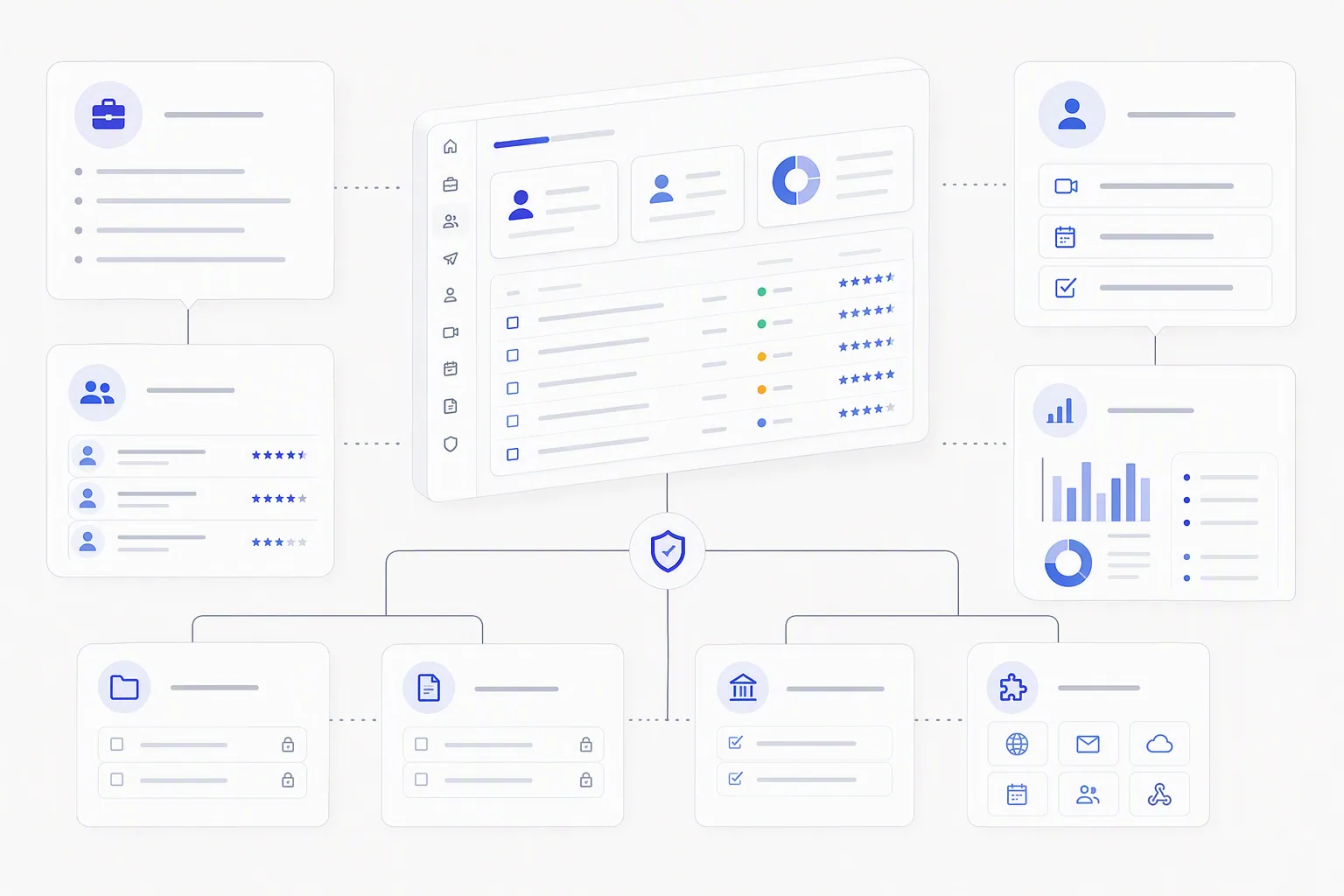
Online recruiting software is a recruiting system that helps teams post jobs, manage candidates, coordinate hiring steps, report on pipeline health, and connect recruiting data across the tools they already use. Modern platforms can include an ATS, a recruiting CRM, sourcing tools, interview scheduling, reporting, compliance records, integrations, and AI recruiting software that helps evaluate candidates.
The category got messy because buyers use one phrase for several different jobs. One team says online recruiting software and means an ATS. Another means talent acquisition software. A staffing agency may mean sourcing, outreach, candidate management, and client submissions. A regulated employer may mean records, audit trails, permissions, and reporting first.
The spreadsheet in that Tuesday room changed once the recruiting ops manager stopped comparing product names and started mapping the work. What did the system need to do every week?
- Job setup: create roles, publish job posts, manage requisitions, and keep job descriptions consistent.
- Candidate capture: collect applications, resumes, form answers, referrals, sourced candidates, and consent records.
- Pipeline management: move candidates through stages, assign owners, trigger emails, and keep hiring managers from losing context.
- Interview coordination: manage self-scheduling, reminders, feedback collection, scorecards, recordings, and decision notes.
- Reporting: track time-to-hire, source quality, completion rates, pass rates, recruiter load, and where candidates stall.
- Compliance: store records, apply permissions, support audit trails, and document why decisions were made.
- Integrations: connect with ATS, HRIS, calendars, background checks, assessment tools, email, and identity systems.
- Deployment: run in the cloud, on your own infrastructure, or in a hybrid model with some data or services controlled internally.
That last line is where the cloud versus on-prem debate begins. The software features matter, but deployment decides who patches, who backs up, who monitors, who upgrades, and who answers when recruiters cannot move candidates.
If you are still sorting the basic platform types, our guide to recruiting software platforms compared breaks down ATS, CRM, and AI suite categories. For this article, the question is narrower: once you know what the system must do, where should it live?
Cloud vs on-prem online recruiting software: what changes day to day?
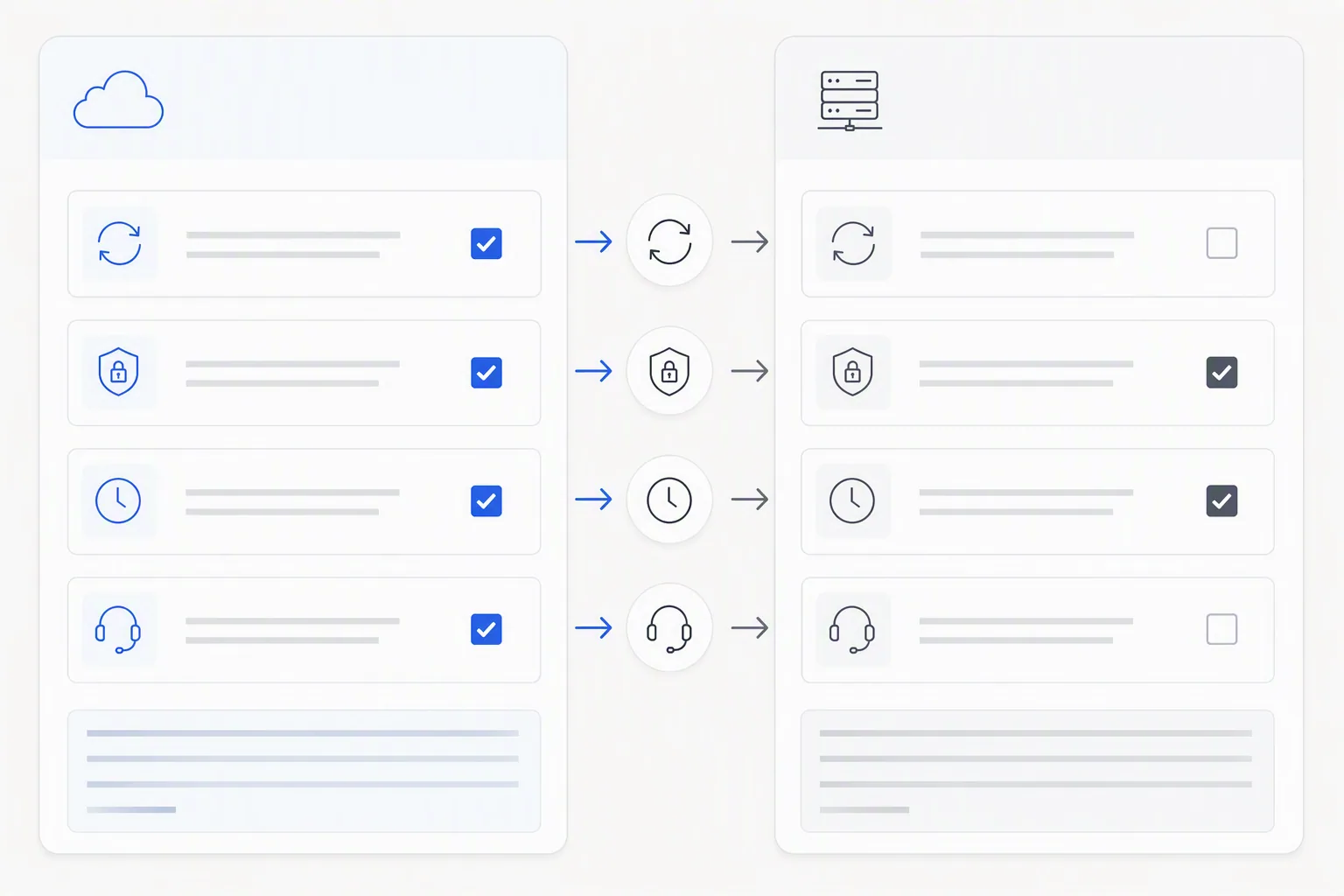
Cloud vs on-prem online recruiting software changes who owns the operating burden after purchase. Cloud shifts hosting, updates, uptime, and most security patching to the vendor. On-prem keeps more control inside your environment, but it also keeps more labor, risk, and delay inside your company.
That sounds obvious until you list the daily ownership items. Then the debate gets less ideological. Nobody is arguing that cloud is always better or on-prem is always safer. They are choosing where the work goes.
| Decision area | Cloud online recruiting software | On-prem recruiting software | What to ask internally |
|---|---|---|---|
| Hosting | Vendor hosts the application and infrastructure. | Your IT team hosts or manages the servers. | Who owns uptime when recruiters are actively hiring? |
| Updates | Vendor ships updates on its schedule, often with release notes and admin controls. | IT plans, tests, schedules, and installs updates. | Can you apply updates without waiting weeks? |
| Security patching | Vendor handles most platform patching under its security process. | Internal IT owns server, OS, database, and application patches. | Who patches it after hours if a fix is urgent? |
| Data control | Candidate data is stored in vendor-managed cloud systems under contract terms. | Candidate data stays in your controlled environment. | Do your data rules require physical or logical internal control? |
| Compliance evidence | Depends on vendor audit trails, permissions, data retention, and reporting. | Depends on your configuration, logs, records, and access controls. | Can you prove who saw what, when, and why? |
| Customization | Usually configurable within vendor limits. | Often more customizable, but changes need technical ownership. | Will custom changes break updates? |
| Integrations | Vendor-maintained APIs and connectors are common. | Integrations may need internal development and ongoing support. | Who fixes the handoff when an integration fails? |
| User access | Recruiters and hiring managers can usually access from approved browsers and devices. | Access may depend on VPN, internal network rules, and identity controls. | Will hiring managers actually use it? |
| Implementation time | Often faster because infrastructure is already live. | Often slower because infrastructure, security, and deployment steps are internal. | How long can hiring wait? |
| Support | Vendor support handles platform issues under support terms. | Internal support handles environment issues, vendor handles product issues. | Can recruiters tell who to call? |
The hidden danger in on-prem is not that it is old. The hidden danger is unclear ownership. A small application update gets delayed because IT wants recruiting to confirm timing, recruiting assumes IT owns the schedule, and compliance wants evidence before approving. Meanwhile, recruiters build a workaround in a spreadsheet because candidates are waiting.
That workaround is the real risk. It often holds candidate notes, interview feedback, salary expectations, immigration details, or contact data outside the system that was supposed to protect all of it.
Cloud has its own risk. Candidate data leaves your direct environment, so vendor due diligence matters. You need to understand data residency, retention, access controls, sub-processors, audit logs, support access, and breach notification terms. If your team treats cloud as a way to skip governance, you have just moved the risk to a place you understand less.
The choice is not cloud convenience versus on-prem safety. The choice is which responsibility you can carry without creating shadow systems.
The Cognitive is built as cloud AI recruitment software because speed and evidence matter when hiring volume rises. It sits on top of the ATS and covers the stretch from finding a candidate to deciding on them: AI sourcing finds candidates, outreach engages them, live two-way AI interviews evaluate them, and evidence-scored shortlists give humans the final call. That cloud model works when your team wants the recruiting system to stay usable without waiting on internal server work.
Which online recruiting software option fits your team best?
The best online recruiting software option is the one whose operating model matches your compliance rules, IT capacity, recruiter adoption needs, and hiring speed goals. Cloud usually fits lean or growing teams. On-prem can fit narrow control requirements. Hybrid models can help when policies allow cloud services but restrict certain data or integrations.
The regulated mid-sized team in the meeting only made progress when they stopped asking which option was more modern. They asked a better question: which burden can we actually own every month?
Choose cloud when speed and adoption matter most
Cloud online recruiting software is usually the better fit when recruiting needs to move now and IT does not have spare capacity to run another business-critical application. The vendor carries the infrastructure work. Your team still owns process design, vendor review, user permissions, and data rules, but you are not waiting for servers before recruiters can do their jobs.
This fits teams that are adding roles quickly, hiring across locations, or dealing with candidate drop-off because interviews take too long to schedule. The usual 45-60 day hiring cycle is too slow when strong candidates leave the market in about 10 days. A cloud system that supports self-scheduling, automated outreach, and fast evidence review can change the operating rhythm.
The Cognitive is a good example of that cloud-first operating model. Role setup takes about 8-10 minutes from a job description or a few bullets. Candidates self-schedule inside the open slot window. The AI interviewer runs a live, two-way video interview with a real human face and voice, asks adaptive follow-ups, and returns a scorecard within minutes with quotes and timestamps tied to the recording. The hiring manager does not get a vague AI summary. They get proof.
Cloud also matters for sourcing. Cognitive's AI sourcing tool lets recruiters search in plain English across about 900M profiles, enrich contact details from 30+ sources, reveal verified personal emails and direct phone numbers only when the reveal succeeds, and run email and phone outreach sequences. Sourced candidates can be pushed into AI interviews in one pipeline.
That matters because online recruiting software is no longer only where applicants go after they apply. For many teams, the system has to find people, engage them, interview them, and produce a shortlist before hiring managers lose another week.
Choose on-prem when control is a real requirement, not a comfort blanket
On-prem recruiting software can fit organizations with strict rules about where candidate data may live, how systems are accessed, and who can touch production infrastructure. Some public sector, defense-adjacent, financial, healthcare, and highly regulated environments still have policies that make cloud difficult or slow to approve.
The key word is real. A preference for control is not the same as a requirement. If IT says candidate data cannot leave the controlled environment, ask what rule says that, what data it covers, what exceptions exist, and whether vendor-hosted systems with the right controls already pass elsewhere in the company.
On-prem also needs an honest IT capacity check. Who owns database backups? Who owns disaster recovery testing? Who monitors storage? Who applies security patches? Who tests updates against custom integrations? Who supports recruiters when access fails? If the answer is a name instead of a department, you are closer to a real plan.
In the Tuesday meeting, the turning point came when someone brought up an old on-prem issue. A minor update had been delayed for weeks because no one had clear ownership. Recruiters had quietly built workarounds outside the system. Nobody had meant to create risk. They were just trying to keep hiring moving.
That is how systems fail in ordinary ways.
Choose a hybrid-leaning model when policy and speed are both real
A hybrid-leaning model can make sense when your organization allows cloud recruiting tools but needs tighter controls around certain data, integrations, or access paths. The ATS may remain the system of record. A cloud AI recruiting platform may sit on top of it for sourcing, interviews, and evidence-backed shortlists. Sensitive handoffs may be limited, logged, or routed through approved integrations.
This is often the practical middle ground. The ATS collects the noise. The AI recruiting platform extracts the signal. Humans decide. For teams comparing ATS categories, the article on AI recruitment software versus a regular ATS explains why those are different layers rather than rival tools.
Hybrid only works if ownership is written down. If a candidate is sourced in one system, interviewed in another, and advanced in the ATS, someone must own the data handoff, audit record, and support path. Otherwise you have the worst version of both models: cloud speed with on-prem confusion.
Use recruiter adoption as a serious selection criterion
Recruiter adoption is not a soft issue. It is a control issue. If the system is too slow, too locked down, too hard to update, or too disconnected from how recruiters actually work, they will create a side process. Usually a spreadsheet. Sometimes an email folder. Sometimes a private note.
That side process becomes the unofficial recruiting system. It also becomes the place where compliance loses visibility.
Before you choose, watch a recruiter run a normal day in the system. Not a demo day. A normal one. Add a candidate, change a stage, resend an invite, update feedback, fix a typo, pull a report, and send a shortlist. If any step needs a ticket, ask how often that step happens.
If you are still shaping the buying criteria, this recruitment software fit guide is useful because it starts from the job the system must do, not the feature list the vendor wants to show.
Where does open source recruiting software fit in pricing?
Open source recruiting software can reduce license costs, but it does not remove the cost of owning a recruiting system. The expense usually moves into hosting, implementation, security review, maintenance, customization, integrations, internal support, and the time IT spends keeping the tool usable.
That does not make open source a bad choice. It makes it a choice for teams that want control and have the technical capacity to carry it. A small HR team with no dedicated IT support may save money on licenses and pay it back in delays, failed updates, broken integrations, and recruiter frustration.
| Cost category | Cloud SaaS | On-prem licensed | Open source recruiting software |
|---|---|---|---|
| Subscription or license | Recurring subscription, often by plan, usage, seats, or module. | License or contract cost, often with support terms. | License may be low or free, depending on the project and edition. |
| Hosting | Included in the vendor model. | Internal infrastructure or managed hosting. | Internal infrastructure or managed hosting. |
| Implementation | Configuration, migration, integrations, training. | Installation, configuration, migration, integrations, training. | Installation, configuration, data model setup, migration, integrations. |
| Maintenance | Vendor handles platform maintenance. | Internal IT handles environment maintenance and coordinates product updates. | Internal IT or a hired partner handles updates, patches, fixes, and testing. |
| Security | Vendor controls platform security, your team controls governance and access. | Your team controls environment security and application access. | Your team owns hardening, patching, access controls, and monitoring. |
| Support | Vendor support under the plan terms. | Vendor plus internal IT. | Community support, paid partner support, or internal technical support. |
| Integrations | Vendor connectors and APIs, with limits. | Custom or vendor-assisted integrations. | Often custom, maintained by your team or partner. |
| Internal time | Lower infrastructure time, still needs admin ownership. | Higher IT and admin time. | Often highest if the team customizes heavily. |
The cheapest line item is not always the cheapest operating model. That was the second quiet realization in the meeting. The cloud subscription looked higher than a self-managed option on the spreadsheet. But the spreadsheet did not show weeks of update planning, recruiter workarounds, IT support tickets, or the cost of a stalled hiring process.
There is another pricing trap: different tools charge for different units. Some recruiting systems charge by seat. Some charge by active job. Some charge by employee count. Some charge by candidate contact credits. Some charge by interview volume or assessment use. A buyer who only compares the top-line price may miss the cost shape that matters.
The Cognitive has 2 separate product ledgers because sourcing and interviews are different kinds of work. AI Sourcing plans start from $99/month. Search results load 10 people at a time and cost 1 credit per person shown, so a page of 10 costs 10 credits. Verified email reveals cost 4 credits and phone reveals cost 12 credits, charged only when the reveal succeeds. AI Interview plans start from $99/month and include live two-way interviews, adaptive follow-ups, recordings, transcripts, and evidence-backed scorecards. Every plan bills monthly or yearly, and yearly is 17% off.
Do not reduce live AI interviews to a simple unit price against a basic questionnaire. A real interview asks role-specific questions, listens, pushes back, digs deeper, and ties every score to the exact quote and timestamp. A hiring manager can click a score and watch the relevant clip. That is a different buying unit from a static form that returns a transcript.
If you want to model the hidden cost of slow hiring, the hiring ROI calculator can help put a number on open roles, interview hours, and delays. For internal process design, a clear role brief and evaluation criteria matter before any software does. You can draft sharper job posts with the AI Job Description Generator and turn a role into weighted judging criteria with the AI Interview Rubric Generator.
What should you ask a recruitment software company before choosing?
You should ask a recruitment software company who owns data, updates, uptime, support, compliance evidence, integrations, migration, and maintenance after launch. The best vendor answers are specific enough that your recruiting, IT, and compliance teams can assign names to each responsibility.
This is where the meeting should have started. Not with cloud versus on-prem. With ownership.
Ask who owns the system after go-live
The first question is blunt: who owns what at 6 p.m. on Friday? If the answer depends on whether the issue is application, infrastructure, integration, user error, or data, write that down. Recruiters do not care which layer failed when candidates are waiting. They need a support path that works.
- Who applies security patches?
- Who tests updates before they hit recruiters?
- Who restores service if the system is down?
- Who owns backups and disaster recovery tests?
- Who fixes a failed calendar, email, ATS, or HRIS integration?
- Who approves configuration changes?
Cloud vendors should have direct answers about platform maintenance, release cadence, uptime commitments, and support terms. On-prem vendors should explain which tasks stay with your IT team and what support they provide during upgrades or incidents.
Ask where candidate data lives and how it moves
Candidate data is not just resumes. It includes contact details, interview recordings, transcripts, scorecards, notes, salary expectations, work eligibility data, source records, and rejection reasons. If the system adds AI in recruitment, you also need to understand what data trains models, what data is retained, and what evidence stays available for audit.
Ask these questions before legal review, not after:
- Where is candidate data stored?
- Can data residency be specified?
- Which sub-processors touch candidate data?
- Who inside the vendor can access records for support?
- How are recordings, transcripts, and scorecards retained or deleted?
- Can candidates request deletion or review under applicable privacy rules?
- What audit logs are available to admins?
For AI interview software, evidence matters. The Cognitive's AI interviewer produces full video, searchable transcript, and scorecards where every score is backed by a quote and timestamp. That helps hiring teams move faster, but it also helps regulated teams explain decisions with a record instead of a memory.
Ask how updates work in real life
Update cadence looks harmless on a vendor page. Real updates touch integrations, permissions, templates, reports, and recruiter habits. Ask how much notice you get, whether updates can be deferred, what release notes include, and how breaking changes are handled.
For on-prem and open source systems, ask who tests updates against your custom setup. A custom field that feeds a compliance report may not look important to a developer. It may be the field your audit depends on.
One delayed update can be fine. A pattern of delayed updates becomes technical debt. Recruiters feel that debt first because they are the ones telling hiring managers why the system still cannot do something everyone assumed was fixed.
Ask what implementation really requires
Implementation is where optimistic buying decks meet actual calendars. Ask what needs to be ready before launch: data migration, role templates, email domains, identity access, calendar permissions, ATS integration, reporting setup, user training, legal review, and candidate communication templates.
A practical implementation plan has owners, dates, and a small pilot. The pilot should use a real role with real candidates, not a sandbox role nobody cares about. If the system cannot support one messy real role, it will not support 20.
Cognitive offers a low-risk way to test the operating model: 2 free AI interviews for 1 role plus 100 sourcing credits. The useful test is not whether the demo looks polished. It is whether your team trusts the scorecards, whether candidates finish, and whether hiring managers can make faster decisions from evidence.
Ask how the software fits the rest of your stack
Recruiting tools rarely fail alone. They fail at handoffs. A sourced candidate is not pushed to the ATS. An interview scorecard sits in a separate tab. A hiring manager replies by email and nobody updates the record. A rejection reason disappears.
Ask the vendor to walk through a candidate from source to shortlist. Where does the candidate enter? Where does consent live? Where does the interview happen? Where does the scorecard go? What happens when the hiring manager approves? What happens when they reject?
If you use Greenhouse, Lever, Workday, or another ATS, the recruiting platform should sit on top of it rather than replace it. The ATS tracks the pipeline. The AI recruiting platform should find candidates, interview them properly, organize the evidence, and send the right people forward. If your team is comparing broader categories, the talent acquisition software buyer guide is a useful companion.
Ask what support looks like when hiring is live
Support terms matter most when hiring is already moving. Ask about response times, escalation paths, admin training, documentation, account support, and who handles candidate-facing issues. If candidates interview outside office hours, support assumptions need to match that reality.
Also ask what the vendor will not do. A good answer is not a weakness. It tells you where your team must own the gap. Procurement likes a clean box. Operations needs a real boundary.
How should you decide between cloud and on-prem?
You should decide between cloud and on-prem by writing down the risks, maintenance tasks, and owners your team can sustain every month after the contract is signed. The right online recruiting software is the one that keeps hiring moving without pushing sensitive work into side channels.
Here is the simple version I would put at the bottom of the spreadsheet:
- Choose cloud if hiring speed, recruiter adoption, vendor-managed updates, and lower internal IT burden matter most.
- Choose on-prem if your policies truly require internal control of candidate data and your IT team can own the system properly.
- Choose hybrid-leaning if your ATS must remain the record system, but cloud tools can safely handle sourcing, interviews, and evidence packs on top.
- Choose open source only if you have the technical owner to maintain it, secure it, customize it, and support recruiters without delay.
Methodology note, repeated for buyers who skim: this comparison is based on deployment models, buyer responsibilities, cost categories, and operating risks that show up in real recruiting software decisions. No vendor paid for placement or reviewed the article. Confirm current pricing, security details, support terms, and compliance claims directly with each recruitment software company before signing.
The Tuesday meeting did not end with everyone loving the same option. That would be too neat. It ended with a better question on the board: which burden are we willing to own?
That is the question worth keeping. If you want cloud software that reduces the interviewing bottleneck while keeping humans in the final decision, you can take a live AI interview yourself and test Cognitive on 1 real role. Judge it the same way you should judge any platform: by whether it makes the work clearer after go-live, not just easier to buy.
Frequently Asked Questions
Is cloud online recruiting software secure enough for regulated hiring?
Cloud online recruiting software can be secure enough for regulated hiring if the vendor provides clear controls for data residency, access, retention, audit logs, and support access. The risk is not cloud by itself. The risk is buying without knowing where candidate data lives and who can touch it.
When should a company choose on-prem recruiting software?
A company should choose on-prem recruiting software when policy truly requires candidate data to stay in a controlled internal environment and IT can own the system long term. That means patching, backups, upgrades, integrations, access, uptime, and support all have named owners.
Is open source recruiting software cheaper than SaaS recruiting software?
Open source recruiting software can be cheaper on license cost, but it is not automatically cheaper to operate. Hosting, security, maintenance, integrations, customization, and internal support can make the total cost higher than a cloud subscription.
What should I ask a recruitment software company before buying?
Ask a recruitment software company who owns data, updates, uptime, support, compliance evidence, integrations, migration, and maintenance after launch. If the vendor cannot explain the support path for a live hiring issue, the risk will land on your recruiters.
Does The Cognitive replace an ATS or work with one?
The Cognitive works on top of the ATS rather than replacing it. It sources candidates, runs live two-way AI interviews, produces evidence-backed scorecards, and helps hiring teams shortlist the people worth moving forward while humans make the final decision.
Related reading
- AI Tools for HR: The 12 Best for HR Teams in 2026
- Best AI Recruiting Tools in 2026: The Right Pick for Every Hiring Job
- Recruitment Chatbots Compared: 9 Conversational AI Tools, and What to Use When Chat Isn't Enough
- Recruiting Software for Startups: 10 Picks for Founders Hiring Without a Recruiter
- Talent Intelligence Software Compared: 11 Platforms for Market Data and Finding People
- Affordable AI Recruiting Tools That Show Their Prices: How 10 Bill You in 2026