The 12 Best AI Job Description Generators in 2026, Compared
By Sparsh Goyal, Founder at The Cognitive. Published · Last updated
- The best AI job description generator in 2026 is The Cognitive when the JD has to feed a candidate search, interview criteria and a live AI interview.
- Datapeople and Ongig suit teams governing hundreds of JDs, Textio suits inclusive job posts at scale, and Workable defines must-haves before the JD inside an ATS.
- For a free first draft, ChatGPT, Gemini, Grammarly or our free job description generator will do, as long as you add a pay range and check the draft for bias.
SHRM's 2025 Talent Trends survey found that 43% of respondents use AI to support HR work. Generating job descriptions is one of the main uses it names. The tools now run from free one-box generators to systems that manage a thousand JDs with approvals.
The best AI job description generator in 2026 depends on what the job description has to do next. The Cognitive is the pick when the job description (JD) should turn straight into a candidate search, interview criteria and a live AI interview. Datapeople and Ongig suit teams that govern hundreds of JDs, and Textio suits inclusive, on-brand job posts at scale. Workable is the strongest applicant tracking system (ATS) built-in for deciding must-haves before the JD is written. For a free first draft, ChatGPT, Gemini, Grammarly or our free job description generator will do.
Disclosure: The Cognitive is our product.
The best AI job description generators in 2026
- The Cognitive: best when the job description has to feed a candidate search and an AI interview.
- Datapeople: best for pay transparency and bias checks across many job descriptions.
- Ongig: best for a large job description library with approvals and version history.
- Textio: best for inclusive, on-brand job posts at enterprise scale.
- Manatal: best for small teams that want AI job descriptions in a low-cost ATS.
- Teamtailor: best for job ads and JD-based interview questions in one ATS.
- Workable: best for deciding the must-haves before the JD is written, inside an ATS.
- Indeed: best for a free draft while you post on Indeed.
- LinkedIn: best for drafting while you post a promoted LinkedIn job.
- ChatGPT: best for prompt-driven drafts and rewrites.
- Gemini: best for drafting inside Google Docs.
- Grammarly: best for a quick polished draft from just a job title.
What is an AI job description generator?
An AI job description generator is software that drafts a job description from a few inputs, such as a job title, a department and some notes. It returns the overview, duties and requirements in seconds. "AI job description writer" names the same tools. The better ones also rewrite an old JD, flag biased wording or push the text into the next step of hiring.
A job description is also the brief for the job ad, the screening questions, the candidate search and the interview, so a vague one slows all four. In Ashby's 2026 Talent Trends Report, recruiters handle 291 applications for every hire, close to three times the roughly 100 of early 2021. Every loose requirement adds to that pile.
The tools on this list fall into five kinds:
- A platform that carries the JD into sourcing and interviews. The Cognitive writes or imports the JD, then uses the same text for the candidate search, the interview criteria and the live AI interview.
- Dedicated JD writers and managers. Datapeople, Ongig and Textio exist for job content. They score language, enforce a house style and keep a library of approved JDs.
- AI inside an ATS. Manatal, Teamtailor and Workable write the JD inside the system where applications arrive, so the text feeds screening.
- AI inside a job board. Indeed and LinkedIn draft the JD in the posting flow, for a job you are about to post on their site.
- General writing assistants. ChatGPT, Gemini and Grammarly write anything you ask for, including a JD, with no recruiting data behind it.
If you only need a template for a common role, our job description templates cover more than 50 roles, from software engineer to product manager and account executive.
How do the best AI job description generators compare?
The table follows the same order as the reviews below.
| Tool | Best for | Free option | Pricing model (price on website?) |
|---|---|---|---|
| The Cognitive | A JD that feeds the search, interview criteria and a live AI interview | 7-day trial, no card; free JD generator and grader | Monthly plans with credits (yes, from $99 a month) |
| Datapeople | Pay transparency and bias checks across many JDs | None stated | Tiered plans, quote (no) |
| Ongig | Large JD libraries with approvals | None | Annual tiers (yes) |
| Textio | Inclusive, on-brand job posts at scale | None confirmed | Custom quote (no) |
| Manatal | AI JDs in a low-cost ATS | 14-day trial, no card (AI JDs not included) | Per user per month (yes) |
| Teamtailor | Job ads and JD-based interview questions | None stated | Quote, AI included (no) |
| Workable | Must-haves defined before the JD, inside an ATS | Free public JD generator; 15-day trial | Monthly plans, agent add-on, AI credits (yes) |
| Indeed | Free drafts while posting on Indeed | Free with an employer account | Free post, sponsored budget (model shown) |
| Drafting while posting a promoted job | Free basic job post | Daily budget for promoted jobs (no fixed price) | |
| ChatGPT | Prompt-driven drafts and rewrites | Free plan | Freemium, per user (yes) |
| Gemini | Drafting inside Google Docs | Free app | Freemium Google AI plans (yes) |
| Grammarly | A quick draft from a job title | Free generator | Freemium (yes) |
How did we choose these 12 AI job description generators?
We ranked these tools using feedback from hundreds of recruiters we talk with on LinkedIn, plus each vendor's own site and pricing page.
The long list came from widely read lists of AI job description generators, including Built In's (June 2025) and Metaview's (May 2026). We added the ATS and job board built-ins recruiters meet when they post a role. A tool made the cut only if its own website says its AI writes a job description or job post.
That rule removed two tools. Truffle's free generator says the description "is assembled in your browser" from templates. Greenhouse's homepage and pricing page describe AI that sorts candidates against a JD, not AI that writes one.
We judged each tool on five criteria:
- what the AI needs from you before it writes;
- whether it checks the draft for biased or exclusionary language;
- how it handles pay, salary and facts it does not know;
- what happens to the JD after it is written;
- whether you can start free, and whether a price is public.
The list is grouped by kind, in this order: the platform that carries the JD into sourcing and interviews, dedicated JD tools, ATS built-ins, job board built-ins, then general assistants. That group order is our call on how much each kind does with a JD beyond the draft (the fourth criterion). Inside each group, tools are listed alphabetically.
How do you choose an AI job description writer?
Do you want a draft, or a JD that drives the rest of hiring?
Most generators stop at the text, which is fine if you post and wait. If you also source, screen and interview, pick a tool where the JD feeds those steps: The Cognitive, Teamtailor or Workable.
Should you use the AI in your ATS or job board, or a standalone tool?
Try the built-in AI first if it sits where you already post. Manatal, Teamtailor and Workable write inside the ATS, and Indeed and LinkedIn write as you post. A standalone tool such as Textio or Ongig earns its cost when many people write JDs and you need one voice, one library and an approval step.
Does it check for bias, or only write?
Writing and checking are different features, and most generators only write. Textio scores language with a gender meter and an age graph, and Datapeople runs anti-bias monitoring. Our free JD grader scores bias alongside clarity and specificity. Run a general assistant's draft through a checker before you post, and see our guide to AI bias in hiring for the wider risk.
Will it make you add a pay range?
Pay is now the norm in a job post. Indeed's economist Allison Shrivastava reported in July 2025 that 59% of US job postings included salary information as of May 2025. Datapeople monitors pay transparency, Ongig auto-inserts salary and EEO text, and our free generator asks for a range when you give none. A generator that invents a salary, or leaves it out, creates work to undo.
Does it invent facts it does not have?
A language model fills gaps with plausible detail: a team size, a tool stack, a benefit you do not offer. Better generators are told not to. The Cognitive's in-app writer is instructed never to invent company facts, salary, benefits, location or tools. Our free generator leaves bracketed placeholders such as "[team size]" for you to fill, and with ChatGPT or Gemini you say this in the prompt.
The 12 best AI job description generators, reviewed
1. The Cognitive: best when the job description has to feed a candidate search and an AI interview
Verdict: The Cognitive writes the JD and then puts it to work: the same text drives the candidate search, the interview criteria and the live AI interview.
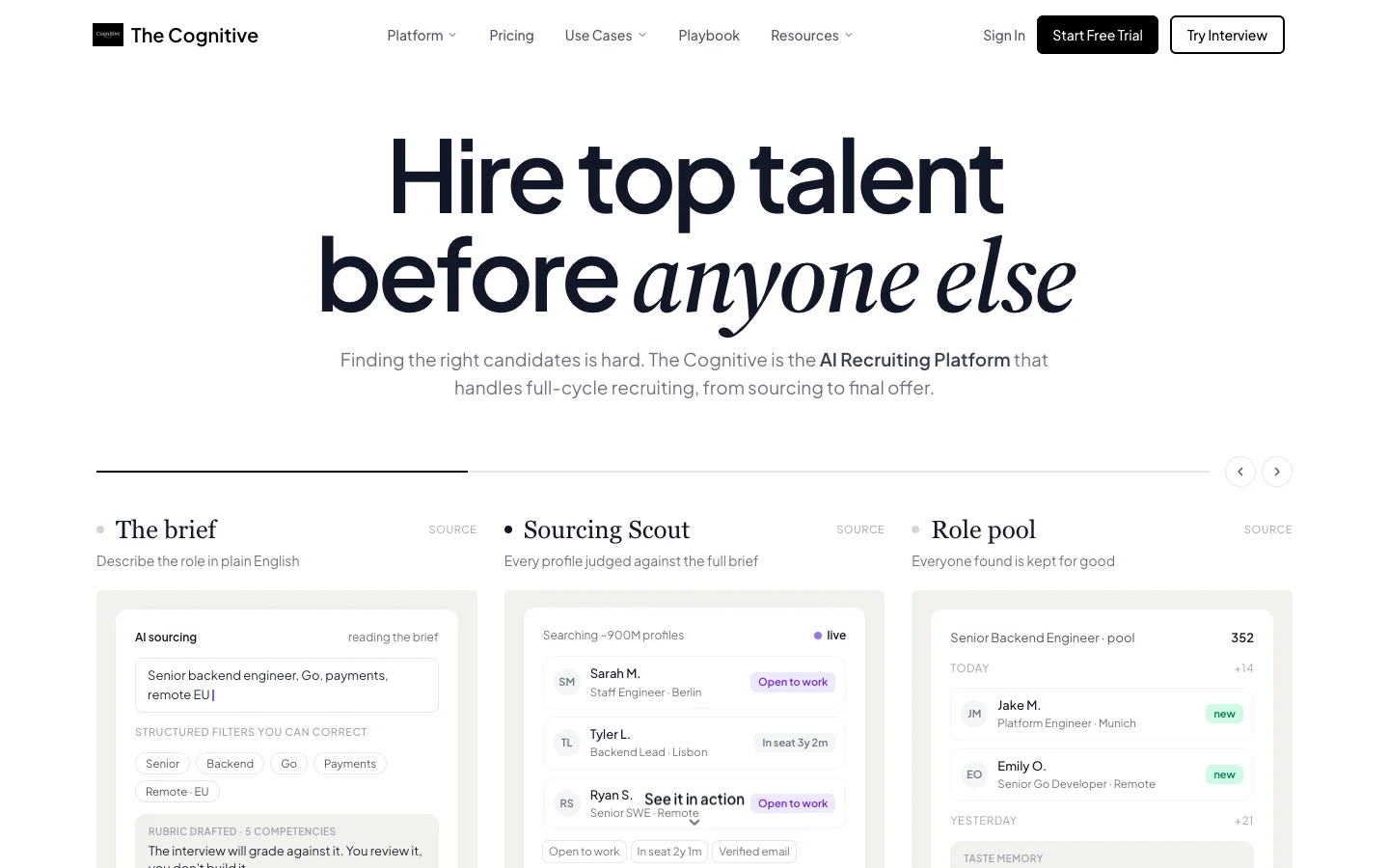
The Cognitive is AI recruiting software that finds candidates across about 900M public profiles and emails them from the recruiter's own Gmail or Outlook mailbox. It then interviews them live on AI video. Every role starts from a JD, which you paste as text, upload as a PDF, DOCX or TXT file, or parse from a URL. A role created from an ATS job takes its description from the ATS, through connections to 100+ ATS.
If you have no JD, type a job title and press "Generate with AI". The writer returns plain text in four parts:
- a one or two sentence overview;
- "Key Responsibilities", three to five bullets;
- "Requirements", three to five true must-haves;
- "Nice to Have", up to three, left out when there are none.
It works only from the title, the department and any notes already in the box. It is instructed never to invent company facts, salary, benefits, location or tools, to cut clichés such as "rockstar", "fast-paced" and "world-class", and to set the seniority from the title. JD writing is included in the role form.
Creating a role runs through four steps: Role, Job description, Interview and Evaluation criteria. From the title and the JD, The Cognitive suggests five or six criteria, each written to be observable in a roughly 20-minute spoken interview. The AI is told never to suggest vague or bias-prone ones such as "culture fit", "likability" or "passion".
Each criterion arrives marked Must, Important or Nice. You change the marks and add your own, and the marks become weights that add up to 100. You can also generate interview questions from the JD and the criteria.
On the sourcing page, picking the role puts the full JD into the search box. The search turns must-haves into filters and uses desirable skills only to rank, so a duty sentence like "work with the sales team" does not become a required skill. Picking a role never starts a search on its own; you press Search. Each page shows 10 people, and each card has a "Why this match" line with one or two reasons from the profile.
The live AI interview builds its agenda from the JD, the criteria and the candidate's CV. The candidate joins on camera from a laptop or desktop browser, facing an AI interviewer on video, for 10 or 20 minutes. Every candidate for the role is scored on the same rubric, the follow-up questions change with each answer, and cheat detection is built in.
For a one-off draft outside the app, the free job description generator and the JD grader need no signup. For deeper comparisons, see our AI sourcing tools and AI interview platforms rankings.
Best for: recruiters and founders who write a JD in order to find and interview people, not just to post it.
Watch out for: the in-app writer has no tone, length, language or template options and works from the title, department and notes only. There is no inclusive-language score inside the app (the free grader does that), no JD library with approvals or version history, and no job posting to job boards.
Pricing model: monthly plans with credits, published on the pricing page. AI Sourcing and AI Interviews each start at $99 a month. Email outreach comes on Pro and above, and ATS sync on the higher plans. There is a 7-day free trial with no card.
2. Datapeople: best for pay transparency and bias checks across many job descriptions

Verdict: Datapeople suits teams whose JD problem is compliance: pay ranges, biased wording and a hundred posts that drift from the house style.
Datapeople's pitch is "Take control of your job content. Centralize your job descriptions. Standardize your voice. Publish job ads that perform." A banner on its site says Datapeople "has been acquired by Payscale".
The plans are Comply, Architect and Attract. Datapeople lists real-time pay transparency monitoring and anti-bias monitoring, and the Architect tier adds a "First Draft AI job builder" that writes the JD. It lists native integrations with Workday, SAP SuccessFactors, Greenhouse, SmartRecruiters, iCIMS, Lever and Gr8People.
It watches every job post, not one draft at a time. The trade-off: no published price or trial stated, and new ownership, so ask about the roadmap under Payscale.
Best for: HR and talent acquisition teams that must keep pay ranges and language compliant across many open roles.
Watch out for: AI drafting sits on the Architect and Attract tiers, not on Comply, and pricing is by request.
Pricing model: tiered plans (Comply, Architect, Attract), quoted through a "Request Pricing" form; no price on the website.
3. Ongig: best for a large job description library with approvals and version history

Verdict: Ongig is for companies with so many job descriptions that the hard part is keeping them current, not writing them.
Ongig's homepage asks, "Who Has Time to Manage 1,000+ Job Descriptions?", and answers that "one clean library gives you control, visibility, and faster updates". It is JD management software first and a writer second.
The library locks template sections, auto-inserts EEO and salary language, and keeps version history and approvals. AI writing, editing and templates sit on the Professional tier and above.
The trade-off sits in the tiers. AI writing is not on the entry Lite tier, and two-way ATS sync comes only on Enterprise.
Best for: large employers that maintain hundreds or thousands of JDs and need approvals.
Watch out for: AI writing starts at the Professional tier, and two-way ATS sync is Enterprise only.
Pricing model: annual tiers (Lite, Professional, Enterprise), with prices on the website.
4. Textio: best for inclusive, on-brand job posts at enterprise scale

Verdict: Textio is for teams whose job posts all sound alike, read cold or put off the people they want to reach.
Textio says it "makes it easy to create optimized and inclusive recruiting content, so you can attract diverse talent". On the recruiting side, you "generate optimized job posts from just a few details" and "build a library of trusted job descriptions".
Textio grades writing with the Textio Score, and adds a gender meter, an age graph and custom brand guidance that keep posts in one voice. Its extensions run inside your ATS, your HR information system (HRIS) and LinkedIn, so recruiters get the guidance where they already write.
The trade-off is access and focus. Textio publishes no price and sells through a demo. Its homepage also pushes interviewing and performance feedback, so JD writing is one module of a wider product.
Best for: mid-sized and large employers where many people write job posts and inclusive language is a stated goal.
Watch out for: no published price, and a sales process before you write anything.
Pricing model: quote-led, sold through a demo, with no public price.
5. Manatal: best for small teams that want AI job descriptions in a low-cost ATS

Verdict: Manatal is a budget route to AI job descriptions inside a real ATS, though the drafting sits on paid plans.
Manatal's homepage says "Transform the way you recruit with AI. AI Recruitment Software designed to source and hire candidates faster." Its pricing page lists "AI generated job descriptions" among the AI features. It also lists candidate recommendations based on the job description.
The strength is cost and access: published per-user pricing and a 14-day free trial with no credit card.
The trade-off is where the feature sits. The pricing grid ticks AI generated job descriptions on Professional and above. The pricing FAQ says the free trial leaves out AI-generated job descriptions, so you cannot test the drafting before you pay. Our free recruiting software list covers other low-cost options.
Best for: small agencies and in-house teams that want an affordable ATS with AI drafting.
Watch out for: AI job descriptions start at the Professional plan and are not in the free trial.
Pricing model: per user per month, tiered, with prices on the website; 14-day free trial, no card.
6. Teamtailor: best for job ads and JD-based interview questions in one ATS

Verdict: Teamtailor suits companies choosing an ATS that want JD writing and interview prep included, with no AI meter running.
Teamtailor's homepage says "Teamtailor AI: Surfaces matches, drafts job ads, summarises CVs." Its AI page promises "Job ads in seconds" and "recommended interview questions based on the job description", which carries the JD one step forward.
The pricing page lists Teamtailor AI as "Included, Unlimited usage", so a team that writes many job ads never rations drafts.
The trade-off is that Teamtailor is an ATS purchase, not a writing tool, and it is quote-only.
Best for: companies choosing a new ATS that want AI job ads and interview questions built in.
Watch out for: quote-only pricing and no trial stated on the site.
Pricing model: custom quote ("Let us give you a quote"), with AI included; no price on the website.
7. Workable: best for deciding the must-haves before the JD is written, inside an ATS
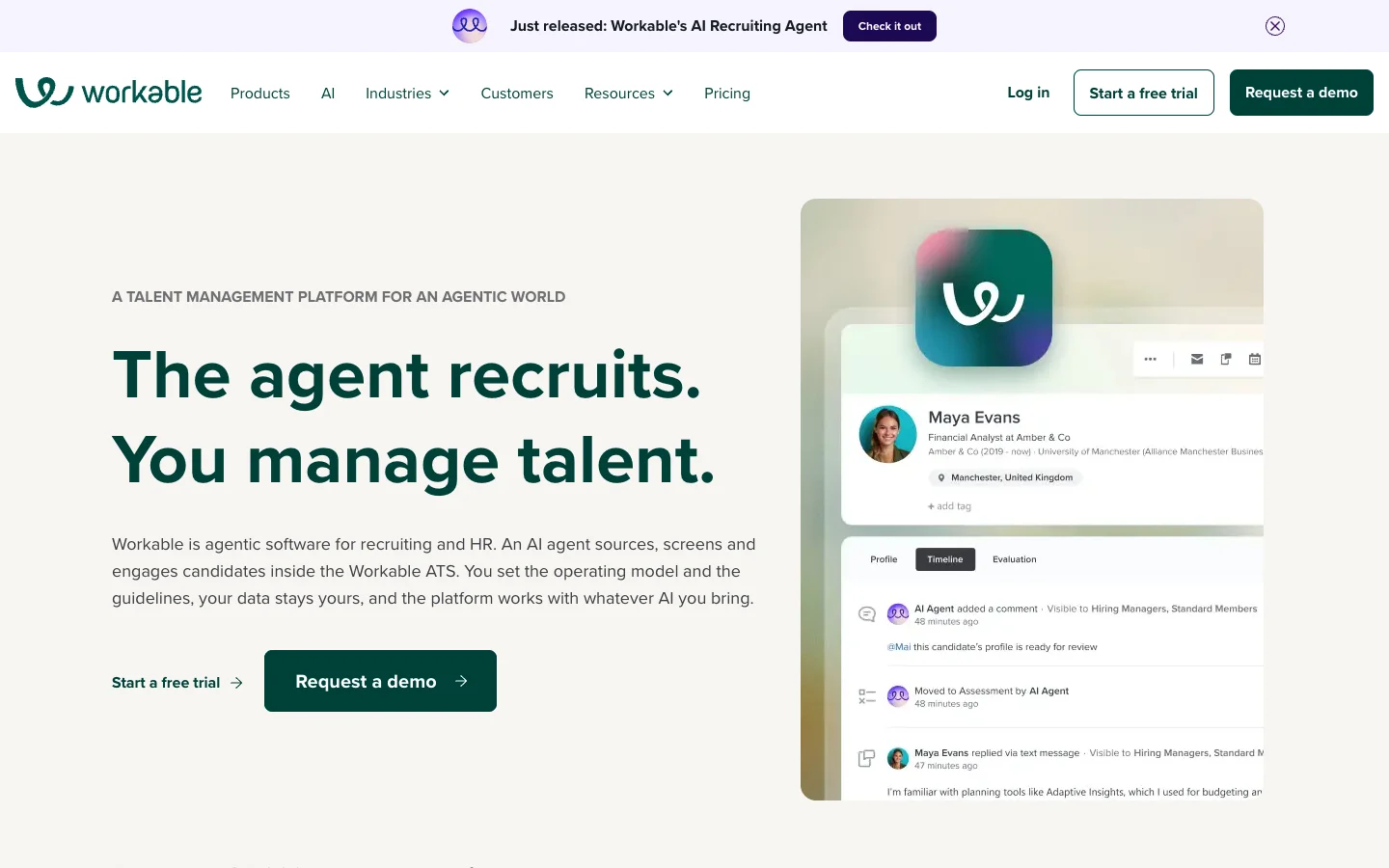
Verdict: Workable's Job Brief Agent gets the order right: it settles what the role needs first, then writes the JD.
Workable describes itself as "agentic software for recruiting and HR". Its Job Brief Agent works like an intake meeting: "Instead of jumping straight to a job description, the Agent asks about the role... You decide what's a must-have, what's a nice-to-have, and what's a disqualifier. The Agent then generates the job description and application form." The screening assistant then uses those same criteria.
Workable says the Job Brief Agent "is included on all Workable Recruiting plans at no extra cost". It also runs a public free job description generator that promises to "create the perfect job description for any position in seconds".
Workable is the closest of the twelve to The Cognitive's approach, since the JD and the screening criteria come from one conversation. The difference: Workable starts from applicants, and its sourcing, screening and engagement agents are a paid add-on. See our applicant tracking systems list for the ATS side.
Best for: small and mid-sized teams that want the JD, the application form and screening tied together in one ATS.
Watch out for: the agent is built for Workable ATS customers, and the wider agents cost extra.
Pricing model: monthly ATS plans with prices on the website, a paid agent add-on and AI credits; a 15-day free trial with no credit card.
8. Indeed: best for a free draft while you post on Indeed

Verdict: Indeed's generator is the simplest free option if the job is going on Indeed anyway.
Indeed says its "Job Description Generator leverages OpenAI's GPT to produce the core job description. Then, paired with Indeed's machine learning... adds specific phrases and details". Indeed says generated JDs "automatically comply with Indeed's job description guidelines".
Indeed also reports results from its own data, on a product page updated in December 2025. Employers who used the tool saw "an approximately 16% increase in applications" on average. Beta testers "created job descriptions from scratch in under five seconds on average". Those are Indeed's figures about Indeed's tool, not independent results.
The trade-off is that the generator lives in Indeed's posting flow, and the text goes no further than the Indeed post unless you copy it.
Best for: employers who post on Indeed and want a free first draft.
Watch out for: more applications is not the same as better applicants, and the draft is tied to an Indeed post.
Pricing model: free to post with an employer account; Sponsored Jobs priced by the budget you set, with the model shown on Indeed's pricing page.
9. LinkedIn: best for drafting while you post a promoted LinkedIn job

Verdict: LinkedIn's Hiring Pro drafts the JD in the posting flow, which saves a step if you promote the job there anyway.
LinkedIn calls Hiring Pro "LinkedIn Jobs' new AI-assistant" and "the only AI assistant designed to help small businesses hire right the first time". Its help page says "Hiring Pro can help draft a job description based on the role" when you post a job. You start it with the "Start hiring with AI" button.
Access is the catch. The help page says Hiring Pro "is currently available only to a subset of members who promote their jobs", and that it is being rolled out gradually. It is not available when posting a job through the mobile app. You can still "post your job for free or opt out by selecting the classic experience", but the AI is tied to paying to promote the post.
Best for: small businesses that promote jobs on LinkedIn and want the JD drafted on the spot.
Watch out for: Hiring Pro is limited to some members who promote jobs and is not in the mobile app.
Pricing model: a free basic job post, with Hiring Pro tied to promoted jobs on a daily budget; no fixed price on the landing page.
10. ChatGPT: best for prompt-driven drafts and rewrites

Verdict: ChatGPT writes a good JD when you write a good prompt, and a generic one when you do not.
ChatGPT is OpenAI's general AI assistant. Its pricing page lists Free, Go, Plus, Pro, Business and Enterprise plans, so anyone can draft a JD at no cost. You control tone, length and format through the prompt, and it is good at cutting a long JD down to an ad.
The trade-off is that ChatGPT knows nothing about your company or your ATS, does not score bias, and fills gaps with confident detail unless told not to. The prompt section below helps.
Best for: recruiters who are comfortable writing prompts and want full control of the draft.
Watch out for: invented facts, generic phrasing and no built-in bias check.
Pricing model: freemium, with monthly per-user plans and prices on the website.
11. Gemini: best for drafting inside Google Docs

Verdict: Gemini is the natural pick for teams that already write and approve JDs in Google Docs.
Gemini is Google's AI assistant, and the free Gemini app drafts a JD like any assistant. Google AI Pro and Ultra add "Gemini in Google apps to help you... work smarter in Docs and Sheets". A hiring manager can then draft the JD in the same document the team reviews.
The trade-off matches ChatGPT's: a general model with no hiring guidance, no bias scoring and no link to your ATS. The Docs integration saves a copy and paste, not a review.
Best for: Google Workspace teams that draft and approve JDs in shared documents.
Watch out for: the Docs integration needs Google AI Pro or higher, and the output needs the same checks as any general assistant.
Pricing model: freemium, with monthly Google AI plans and prices on the website.
12. Grammarly: best for a quick polished draft from just a job title

Verdict: Grammarly's free generator is the fastest way to a clean first draft when all you have is a job title.
Grammarly offers a "Free AI Job Description Generator" that lets you "create a polished job description in three quick steps", and the page title promises "No Sign-up Required". Grammarly's Free plan also includes "Generate text with 100 AI prompts".
The strength is speed. The trade-off is that a draft from a title alone is generic, so expect to add the real requirements, the pay range and what makes the role different.
Best for: a one-off JD when you need clean wording fast.
Watch out for: generic output from a title alone and nothing that carries the JD into hiring.
Pricing model: freemium (Free, Pro, Enterprise), with prices on the website.
When should you not pick The Cognitive?
The Cognitive writes JDs to drive sourcing and interviews, which makes it the wrong tool for some JD jobs. Pick something else when:
- You need an inclusive-language score inside the editor. Textio scores as you write, and Datapeople monitors bias across every post. The Cognitive's app has no such score; our free grader is a separate step.
- You manage hundreds of JDs with legal sign-off. Ongig and Datapeople keep a library with locked sections, version history and approvals. The Cognitive keeps one JD per role.
- You want to post the job and collect applications. The Cognitive does not post to job boards or take applications. Use your ATS, Indeed or LinkedIn, or Workable if you want the JD and the application form together.
- You need tone, length or language controls. The in-app writer has none; ChatGPT or Gemini give that control through the prompt.
- You only need one JD, once. A free tool, ours included, does that without an account.
Can you write a job description for free with AI, or with ChatGPT?
Yes, five of the tools here write a JD for free. They are Workable's public generator, Indeed's generator for employers who post there, Grammarly's free generator, and the free plans of ChatGPT and Gemini.
Our free job description generator is a sixth, with no signup. It writes a short JD, aimed at under 250 words, ending with "The honest stuff": three points on the real challenges or working style of the job. The JD grader gives any draft a letter grade, scores clarity, specificity, bias, length and cliché density from 1 to 10, and writes a full rewrite. The job post generator then turns the JD into a shorter advert.
A general assistant writes a better JD when the prompt carries the facts. Here is a prompt that works in ChatGPT or Gemini:
Prompt: Write a job description for a Senior Backend Engineer on our payments team. Use only the facts below. Do not invent company details, tools, benefits or a salary; where a fact is missing, leave a placeholder in square brackets. Start with a two-sentence overview of the job, then 5 responsibilities, then no more than 5 must-have requirements and 3 nice-to-haves, kept apart. Avoid clichés such as "rockstar", "ninja" and "fast-paced". Facts: [team size], [location or remote policy], [salary range], [main systems the team owns], [the hardest problem in the first six months].
The prompt bans invented facts, separates must-haves from nice-to-haves and asks for the hardest problem, which is what a strong candidate wants to know. Then check the draft against this list before it goes live:
- Every fact is true. A team size or benefit the AI made up will come up in the first interview.
- There is a pay range. Most US postings now show one, so a post without it stands out.
- Five or fewer must-haves. Twelve must-haves blur what matters, for candidates and for your own screening. Move the rest to nice-to-have.
- The language has been checked. Most generators only write, so run the draft through Textio or our free grader.
- One JD feeds everything. If the JD, the screening criteria and the sourcing search are written separately, they drift apart. Use one JD as the source for all three.
To start, take one open role and write its JD once, properly, with a pay range and five must-haves. If you will also search for and interview candidates, start a free trial of The Cognitive. Paste or generate the JD, adjust the criteria and run the search from the same text. The trial lasts 7 days, asks for no card and comes with 100 sourcing credits, so you can see real people for that one role. Start free with The Cognitive.
Sources
- SHRM, SHRM Talent Trends 2025: recruitment challenges, 24 March 2025.
- Ashby, Recruiter Productivity, 2026 Talent Trends Report, 28 April 2026.
- Indeed, "Pay transparency across high-earning sectors" (Allison Shrivastava, Indeed Economist), news release, 2 July 2025 (indeed.com).
- Indeed, "Attract great candidates with Indeed's new AI-powered job description tool", Indeed's own data, first published September 2023 and updated December 2025 (indeed.com).
- Built In, 10 AI Job Description Generator Tools, 23 June 2025.
- Metaview, The 8 best free AI job description generators for hiring in 2026, 16 May 2026.
- Vendor pages, cited as text: Datapeople homepage and pricing page (datapeople.io); Ongig homepage, job description software page and pricing and features page (ongig.com); Textio homepage and Recruiting page (textio.com); Manatal homepage and pricing page (manatal.com); Teamtailor homepage, AI recruiting software page and pricing page (teamtailor.com); Workable homepage, Workable Agent page, free job description generator and pricing page (workable.com); Indeed employer and pricing pages (indeed.com); LinkedIn Hiring Pro help page and LinkedIn Jobs AI assistant page (linkedin.com); ChatGPT pricing page (chatgpt.com); Google AI plans page (one.google.com); Grammarly free AI job description generator and plans page (grammarly.com); Truffle job description generator, considered and not listed (hiretruffle.com).
Frequently Asked Questions
What is the best AI job description generator in 2026?
The best AI job description generator depends on what the JD must do next. The Cognitive is the pick when it should feed a candidate search and a live AI interview. It writes the JD from a job title, or takes yours, then uses the same text for a search across about 900M public profiles and the interview criteria. Datapeople and Ongig suit JD governance, Textio inclusive job posts, and Workable teams inside an ATS.
Which AI job description generators are free?
Six of the tools compared here write a job description for free. The Cognitive's free job description generator at thecognitive.io/generate-jd works without an account, and so does Grammarly's free generator, which its page title says needs no sign-up. Workable runs a public free generator, Indeed's is free for employers who post there, and ChatGPT and Gemini have free plans.
Can ChatGPT write a good job description?
Yes, ChatGPT writes a good job description when the prompt gives it the real facts and tells it not to invent any. Give it the team, location, pay range and must-haves, and ask it to keep must-haves and nice-to-haves apart. ChatGPT does not score bias or connect to your ATS, so check the draft with Textio or a free JD grader before you post.
How do I check an AI-written job description for bias?
Run the draft through a tool that scores language, because most generators only write. Textio scores job posts with a gender meter and an age graph, and Datapeople monitors anti-bias language across every post. Our free JD grader at thecognitive.io/grade-jd gives a bias score from 1 to 10 with suggested fixes. A person should still read the final version.
Should an AI-written job description include a pay range?
Yes, include a pay range, because most US job posts now show one. Indeed's economist reported that 59% of US job postings included salary information as of May 2025. Datapeople monitors pay transparency and Ongig auto-inserts salary text. Our free generator asks for a range when you give none, instead of inventing one.
Do AI-generated job descriptions get more applicants?
Indeed reports that they do on its own platform, but that is vendor data. Indeed's own figures, on a product page updated in December 2025, show an approximately 16% increase in applications on average for employers who used its generator. More applications is not the same as better applicants, so judge a JD by the people it brings in.
How much do AI job description generators cost?
AI job description generators range from free to enterprise contracts, and the pricing model matters more than the headline number. ChatGPT, Gemini and Grammarly are freemium, and Workable and Manatal charge for an ATS plan. Datapeople, Teamtailor and Textio price by quote, and Ongig publishes annual tiers. The Cognitive's plans start at $99 a month, with JD writing included in the role form.
Related reading
- AI Tools for HR: The 12 Best for HR Teams in 2026
- Best AI Recruiting Tools in 2026: The Right Pick for Every Hiring Job
- Free Recruitment Software and Free ATS Plans: What You Really Get Without Paying in 2026
- Best Retail Hiring Software in 2026: 9 Tools for Store Teams and Store Leaders
- 10 Best CRMs for Staffing Agencies in 2026, Scored
- Best Restaurant Hiring Software in 2026: 10 Tools Ranked