Talent Acquisition Tech Stack: How the Layers Fit Together (2026)
By Sparsh Goyal, Founder at The Cognitive. Published · Last updated
- A talent acquisition tech stack is the recruiting software a team uses to find, engage, assess, hire and onboard people, built around one system of record, usually the ATS.
- It works only when every sourcing, outreach, interview and scheduling tool writes its results back to that record, yet only 43% of HR professionals rate their stack good or excellent (HR.com, 2025).
- Small teams should start with an ATS plus one bottleneck tool, enterprises should keep their HCM core and add specialists that write back, and modernization means replacing one layer at a time.
A talent acquisition tech stack, often called a recruiting tech stack, is the set of software a hiring team uses to find, engage, assess, hire and onboard people. It works when one system, usually the applicant tracking system (ATS), owns the candidate record and every other tool reads from it and writes back to it. Most teams are not there yet. Only 43% of HR professionals rate their talent acquisition technology stack as good or excellent, down from 45% in 2024. That figure comes from HR.com's Future of Recruitment Technologies 2025-26 research, as summarized by Eightfold (October 2025).
The core layers are the ATS, a candidate relationship management (CRM) tool, sourcing, outreach, assessment and interviewing, scheduling, background checks, onboarding and analytics. The HRIS sits next door and receives each hire.
Small teams should start with an ATS plus one tool that fixes their biggest bottleneck. Enterprises should keep their HCM or ATS core and add specialist tools that write back to it. For specific tool picks, see the 10 best recruiting tools for 2026.
What is a talent acquisition tech stack?
A talent acquisition tech stack is every piece of software involved in getting a person from "unknown" to "first day at work". It covers the work a talent acquisition team does before anyone applies, as well as the work after. That is the difference between a stack and a single tool. An ATS alone tracks applicants. A stack also finds people who never applied, contacts them, screens them and hands the hire to HR.
Every layer falls into one of two groups. A system of record holds the official version of a candidate: who they are, which job they are in, what stage they reached and what was decided. Systems of engagement do the work around that record, such as searching, emailing, interviewing and scheduling.
A healthy stack has one system of record and many systems of engagement that report back to it. An unhealthy stack has several tools that each think they own the candidate. The layers, in the order a candidate meets them in the recruitment process, look like this.
| Layer | What it does | What must sync back to the ATS | How common |
|---|---|---|---|
| Applicant tracking system (system of record) | Holds jobs, applicants, stages, decisions and offers | Not applicable: this is the record | 78% |
| Candidate CRM | Keeps passive talent warm with pipelines and campaigns | Contacts and activity | 21% |
| Sourcing | Finds people who did not apply | Shortlisted people, added to a job | Not reported |
| Outreach | Sends email sequences and tracks replies | Reply status and opt-outs | Not reported |
| Assessment and interviewing | Runs skills tests, interviews and scorecards | Scores, notes and a report link | Skills assessments 31%, video interviewing 31% |
| Scheduling | Books interviews across calendars | Interview events and interviewers | Not reported |
| Background checks | Runs pre-hire screening | Check status and result | Not reported |
| Onboarding | Handles paperwork and day-one setup, then hands off to the HRIS | Hire record | 44% |
| Recruitment analytics | Reports on funnel, time to fill and source of hire | Nothing: it reads, it does not write | 35% |
Source for adoption figures: HR.com, Future of Recruitment Technologies 2025-26, summary published by Eightfold, October 2025.
Almost four in five organizations run an ATS, so the system of record is rarely the gap. Only one in five runs a recruiting CRM. Most teams have no structured way to keep in touch with people who are not applying today.
Integration is already on buyers' minds. In the same HR.com research, 55% of HR professionals name integration with other systems as a priority when choosing recruitment technology.
Which tool owns the candidate record, and what syncs back?
The rule that makes a stack work is simple: one tool owns each piece of data, and every other tool sends its results there. In most companies the ATS owns the candidate, the job and the stage. Some teams let a CRM own people before they apply, then hand them to the ATS when they enter a job.
Either setup can work. What breaks a stack is two tools owning the same thing, because recruiters then update one and forget the other.
Past candidates are where this pays off. Gem's 2026 benchmarks (December 2025) found that 46% of sourced hires were people already in the company's ATS or CRM. In 2021 the figure was 26%. If your sourcing, outreach and interview tools never write back, that history is missing when the next role opens.
| Data | Owner | Who reads it | What must come back to the owner |
|---|---|---|---|
| Candidate profile and contact details | ATS (or CRM before someone applies) | Sourcing, outreach, CRM | New people added to the right job, matched to existing records so no duplicates appear |
| Job and pipeline stage | ATS | Scheduling, interviewing, analytics | A stage change after every step |
| Outreach activity and replies | Outreach tool | ATS, CRM | Who was contacted, who replied, who opted out |
| Interview and assessment results | Interview or assessment tool | ATS, hiring manager | Score, notes and a link to the full report on the candidate |
| Interview schedule | Scheduling tool | ATS, calendars | Event time, interviewers and whether it happened |
| Background check | Screening provider | ATS | Status and result |
| Offer and hire | ATS | HRIS, onboarding | Start date, job and pay details for payroll |
| Funnel metrics | Analytics tool | TA leaders, finance | Nothing; it reads from every layer |
Data ownership in a typical stack where the ATS is the system of record.
Example: one candidate's path through a mid-market stack
Take one account executive hire at a 300-person company. The stack has an ATS, a sourcing tool, an outreach tool, an interview tool, a scheduler and a background check provider. Here is what each step should write to the ATS, and the common way it breaks.
| Step | Layer | What gets written to the ATS | Where it usually breaks |
|---|---|---|---|
| 1. Found in a search | Sourcing | Added to the account executive job as a sourced candidate | Exported to a spreadsheet and uploaded by hand a week later |
| 2. First email and a follow-up | Outreach | Contacted, replied, interested | The reply sits in one recruiter's inbox |
| 3. First-round interview | Interviewing | Score, notes and a report link on the candidate | The result lives only inside the interview tool |
| 4. Hiring manager round | Scheduling | Interview event and who attended | Booked over email, so there is no record of who met the candidate |
| 5. Background check | Screening | Status and result | The result arrives as an emailed PDF |
| 6. Offer accepted | ATS to HRIS | Hired, with start date and job details sent to the HRIS | HR retypes the details into the HRIS |
Illustrative example of a single hire.
Each break in the right-hand column costs a little time on its own. Together they mean the ATS cannot answer basic questions, such as how many people were contacted or why a candidate was rejected.
Integration is where most stacks fall short. Only 10% of HR professionals rate their organization's HR technology at an "expert" level of maturity, according to HR.com's State of Today's HR Technology and Integrations 2025 (April 2025). Lack of system integrations is one of the barriers they name.
When a vendor says it "integrates with your ATS", ask four questions:
- Does it write back, or only import? Many integrations pull candidates in and never send anything out. That makes the ATS a source, not a record.
- Which fields move? Ask for the list. A note with a link is different from a structured score in a scorecard field.
- How are duplicates handled? Ask how the tool matches a person who is already in your ATS under a different email.
- Can you see it work on your own ATS? Ask for a live demo on a sandbox of your system, not a slide with logos.
ATS vs CRM: do you need both?
An ATS manages people who applied, or who were added to a specific job. It tracks stages, collects feedback, stores decisions and keeps the records you need for compliance. A recruiting CRM manages people who have not applied yet. It holds talent pools, tags and nurture campaigns, so you can stay in touch with a strong runner-up or a passive engineer for months before a role opens.
You need both when you hire for the same roles again and again, when your best candidates are passive, or when your pipelines run longer than a single job. Agencies, high-growth companies and teams that hire many engineers or sales reps usually fall here.
You can skip a separate CRM when you make a handful of hires a year. You can also skip it when your ATS already includes talent pools and email campaigns that your team actually uses. Many modern ATS products now ship CRM features, so check what you already pay for before buying a second tool.
The HR.com data shows 78% ATS adoption against 21% CRM adoption, so most teams rely on the ATS alone. That is fine as long as rejected and silver-medal candidates stay searchable and tagged. For more on each side, see the best applicant tracking systems and how an AI ATS compares with AI recruiting software.
How do you build a recruiting tech stack by company size?
The right stack depends on how much each recruiter carries. In SHRM's 2025 Recruiting Executives Benchmarking data brief, the median recruiter handles 20 requisitions a year. That number climbs fast with company size: 6 at small organizations, 22 at medium, 50 at large and 60 at extra-large ones. The heavier the load, the more each automated step pays back.
| Company size | Reqs per recruiter | Core stack | Add next when | Watch out for |
|---|---|---|---|---|
| Small (under 100 employees) | 6 | A simple ATS, or a shared spreadsheet, plus one tool for sourcing or screening | You hire more than a few roles a quarter | Buying a full enterprise stack before you have the volume |
| Medium (100 to 499) | 22 | ATS, sourcing, email outreach and structured interviews | You keep re-contacting past candidates by hand; add a CRM or use the ATS's talent pools | Integrations that import into the ATS but never write back |
| Large (500 to 4,999) | 50 | ATS, CRM, sourcing, outreach, scheduling, assessment and analytics | One stage takes most of the recruiter's week; automate that stage first | Tool sprawl and duplicate candidate records |
| Extra-large (5,000+) | 60 | An HCM or enterprise ATS core with integrated specialist tools for each layer | You can govern AI tools properly: policy, audit trail, human review | Security review, data residency, single sign-on and change management |
Reqs per recruiter: median requisitions per recruiter a year, SHRM 2025 Recruiting Executives Benchmarking.
At the small end, pick the one tool that fixes your slowest step: sourcing if you cannot find people, screening if you get hundreds of applicants. In the middle, choose tools that write back from day one, because cleaning up later costs more. At the large end, assign one person to own the integrations.
Size also predicts how happy teams are with what they have. In the HR.com 2025-26 research, 55% of organizations with 1,000 or more employees rate their TA stack good or excellent. Among small and midsized organizations, the figure is 33%. Bigger teams have the budget and the specialists to wire tools together.
Staffing matters as much as software. SHRM found that 55% of organizations have dedicated in-house recruiters, so many others lean on contract recruiters, agencies or people who recruit alongside another job. For those teams, a stack that cuts steps matters more than a stack with every layer.
What do enterprise teams need from talent acquisition tools?
At enterprise scale, the system of record is almost always settled. Jobscan detected an ATS at 97.4% of Fortune 500 companies in its August 2026 report, and over 40% of those companies use Workday for talent acquisition. So the enterprise question is rarely which ATS to buy. It is what plugs into the ATS you already run, and whether it will pass review.
Enterprise talent acquisition tools have to clear a longer list than tools for small teams:
- Write-back to the core system. Results land on the candidate in the HCM or ATS, in fields recruiters already use. A separate dashboard that nobody opens does not count.
- Single sign-on and user provisioning. Accounts are created and removed through your identity provider, not by hand.
- Roles and permissions. Hiring managers see their jobs; agencies see only their submissions.
- Audit trail. You can show who saw a candidate, what was decided and when.
- Data residency and retention. Candidate data is stored where your policy requires and deleted on schedule.
- Security review. The vendor can answer your questionnaire and share its security documentation.
- AI governance. Any AI that screens or ranks people has a human reviewer, a written policy and records that satisfy local law.
- Adoption. Recruiters use it without a month of training, or the tool becomes shelfware.
The legal side differs by location. In New York City, Local Law 144 means an automated employment decision tool needs a yearly bias audit, and candidates must be told before it is used.
Colorado replaced its earlier AI act in 2026 with an automated decision-making law (SB26-189). From 1 January 2027, organizations that use covered tools for hiring decisions must give notice, explain an adverse decision and offer a human review on request.
In the EU, the AI Act treats recruitment AI as high risk. After the AI Omnibus amendment, in force since 27 July 2026, those rules apply from 2 December 2027. Ask each AI vendor how its tool supports your duties in every place you hire.
For a ranked view of platforms that fit large teams, see the best talent acquisition software.
Should you buy one suite or specialist tools?
Choosing between one suite and specialist tools is the main stack decision a TA leader makes. An all-in-one suite means one vendor, one contract and one login. Specialist tools, often called best of breed, mean the strongest product for each layer. Most mid-market and enterprise teams end up in between: one core system with a few integrated specialists.
| Approach | Best when | Trade-off |
|---|---|---|
| All-in-one suite | You already run one vendor's HRIS or ATS and IT wants fewer contracts | Suite modules for sourcing and interviewing are often shallower than specialist tools |
| Specialist tools | One layer is clearly the bottleneck and a specialist fixes it | More integration work and a higher risk of duplicate data |
| Hybrid: core plus integrated specialists | Most mid-market and enterprise teams | Needs a clear system of record and tools that write back to it |
The three ways to assemble a stack.
A simple decision rule:
- Use the suite's module for any layer that is not your bottleneck. If it is good enough and already paid for, a second tool only adds a login.
- Buy a specialist for the layer that is your bottleneck, if it writes back to your system of record.
- Never buy a tool that cannot write back. It creates a second record, and the second record always goes stale.
A unified recruiting tech stack means unified data, not one vendor. Five tools that all write to one candidate record are more unified than one suite that recruiters work around in spreadsheets. The gains are one candidate history, reporting you can believe and less retyping between tools.
If you want fewer vendors as well, some platforms now cover several engagement layers at once. The best AI recruitment platforms compares them.
What a stack costs
Stack cost depends on how each layer charges. ATS and HCM products are usually priced per employee or per recruiter seat, often on annual contracts. Sourcing tools tend to charge per seat or per credit. Interview and assessment tools often charge by plan or by the number of interviews or tests.
The license is only part of the bill. Add the time to set up and maintain each integration, the admin work of managing users, and the hours lost when recruiters copy data between tools that do not write back. A cheaper tool that needs manual exports can cost more than a pricier one that syncs.
How do you modernize a talent acquisition tech stack?
Talent acquisition technology stack modernization rarely means ripping everything out. It means fixing the handoffs, then replacing the weakest layers one at a time. The same steps apply to a small team or a large one.
- List what you have. Record every tool, its owner, its contract value, its renewal date and how many people logged in last month. Tools with few active users are the first to cut.
- Map the handoffs. Follow one candidate from first contact to start date, as in the example above. Mark every point where someone copies data by hand or exports a spreadsheet.
- Pick the system of record and clean it. Decide which tool owns the candidate. Merge duplicates and fix stages before you connect anything new, or the mess spreads.
- Find the bottleneck with numbers. Measure time spent at each stage and where candidates drop out. The recruiting metrics guide covers which numbers to track.
- Replace one layer at a time. Start with the bottleneck. Run the new tool beside the old one for one hiring cycle before you switch off the old one.
- Test the write-back before you sign. Push a test candidate through the new tool and check that the right fields appear in your ATS.
- Train, then measure adoption. Watch weekly active users for the first month. Low use means the tool or the training needs work.
- Review before every renewal. Ask whether each tool still earns its place, and whether a tool you already pay for now does the same job.
Automation fits best once the handoffs are clean. Automating a broken process only produces bad data faster. The guide to what to automate first in recruitment covers the order.
Where does AI fit in a talent acquisition tech stack?
AI is not a separate layer. It is showing up inside each layer. More than half (52%) of talent leaders plan to add autonomous agents to their teams in 2026, according to Korn Ferry's survey of 1,674 talent leaders (October 2025). In LinkedIn's Future of Recruiting 2025, 37% of organizations said they were actively integrating or experimenting with generative AI, up from 27%.
The pressure behind this is workload. Gem's December 2025 report found recruiters manage 13.4 open roles at a time. AI helps most where a recruiter repeats the same task for every candidate:
- Sourcing: describe the role in plain English instead of writing Boolean strings, and get ranked people back.
- Outreach: draft personal first messages and follow-ups at scale.
- Screening and interviewing: run structured first-round interviews and summarize answers against your criteria.
Three rules keep AI from breaking the stack:
- AI results write back to the system of record like any other tool's.
- A person makes the hiring decision, and the record shows it.
- Each AI tool is checked against the laws in the places you hire.
For where automation fits across the whole funnel, see recruitment automation.
Where The Cognitive fits in the stack
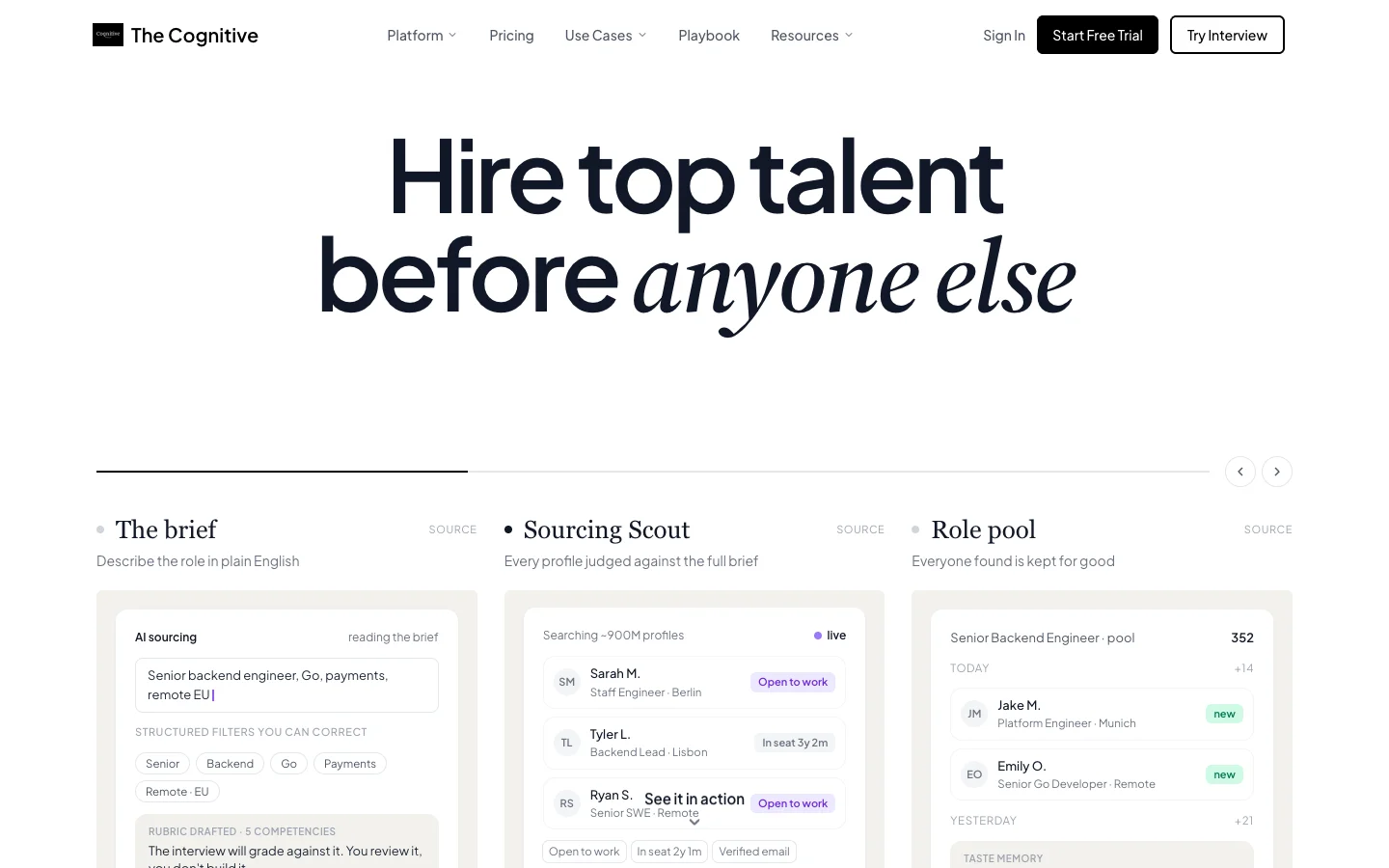
The Cognitive is our product. It covers three engagement layers, sourcing, outreach and the first-round interview, in one account that sits beside your ATS rather than replacing it.
- Sourcing: type a plain-English brief and get ranked people from about 900M public profiles, each with a short "Why this match" reason drawn from the profile.
- Outreach: on Sourcing Pro and above, email sequences go out from your own Gmail or Outlook mailbox, signed by you.
- Interviewing: candidates join a live two-way AI video interview, 10 or 20 minutes long, on a laptop or desktop browser. It asks role questions, follows up on answers and gives you a scored report against the criteria you set. A person still makes the decision.
- ATS connection: on higher plans it connects with 100+ ATS, including Greenhouse, Lever, Ashby and Workday. You can import candidates, then send shortlisted people and interview results back to the ATS.
AI Sourcing and AI Interviews are sold as separate plans, and each starts at $99 a month. A 7-day free trial needs no card. It does not post jobs, collect applications, make offers or handle onboarding. If your bottleneck is your careers page, your offer process or your HRIS, look elsewhere.
To start, run the roadmap's first two steps on one open role: list your tools and follow one candidate from first contact to start date. If the slow points are finding people, reaching them or running first rounds, start free with The Cognitive and connect it to your ATS.
Sources
- HR.com HR Research Institute, Future of Recruitment Technologies 2025-26, summary published by Eightfold, 9 October 2025.
- HR.com HR Research Institute, State of Today's HR Technology and Integrations 2025, press release, 16 April 2025.
- Gem, Key takeaways from the 2026 Recruiting Benchmarks Report, 1 December 2025.
- SHRM, 2025 Recruiting Executives Benchmarking data brief, 2025.
- Korn Ferry, Korn Ferry Research Unveils Top Talent Acquisition Trends Shaping 2026, 28 October 2025.
- Jobscan, 2026 Applicant Tracking System (ATS) Usage Report, 20 August 2026.
- LinkedIn, The Future of Recruiting 2025, 2025.
- NYC Department of Consumer and Worker Protection, Automated Employment Decision Tools.
- Colorado General Assembly, SB26-189 Automated Decision-Making Technology, signed 14 May 2026.
- European Commission, AI Act regulatory framework.
Frequently Asked Questions
What is a talent acquisition tech stack?
A talent acquisition tech stack is the set of software a hiring team uses to find, engage, assess, hire and onboard people. It is built in layers around one system of record, usually the applicant tracking system (ATS).
What tools should be in a recruiting tech stack?
Every recruiting tech stack needs an ATS, and most add sourcing, email outreach and a structured interview or assessment tool next. Larger teams add a candidate CRM, interview scheduling, background checks, onboarding and recruitment analytics. For specific products in each layer, see the 10 best recruiting tools for 2026.
Do AI recruiting tools replace your ATS?
No, AI recruiting tools sit beside your ATS rather than replacing it. The ATS stays the system of record for jobs, stages, decisions and compliance. AI tools for sourcing, outreach or interviewing should send their results back to it, so every candidate has one history.
How many tools does a talent acquisition team need?
Most teams need an ATS plus one tool for each layer that is truly a bottleneck. A small company can run on an ATS and one sourcing or screening tool. A large company may run six or more layers. What matters is that each tool writes back to one candidate record.
What are the best enterprise talent acquisition tools?
The best enterprise talent acquisition tools plug into the core system you already run and pass security review. Jobscan found an ATS at 97.4% of Fortune 500 companies in August 2026, so most enterprises add specialists around that core. Ranked options are in the best talent acquisition software guide.
How much does a talent acquisition tech stack cost?
The cost depends on how each layer charges. ATS and HCM products are usually priced per employee or per seat on annual contracts. Sourcing tools often charge per seat or per credit, and interview tools by plan or by volume. Add integration and admin time, which is highest when tools do not write back.
How do you modernize talent acquisition technology?
Modernize one layer at a time, starting with the handoffs. Clean the system of record first, then replace the bottleneck layer and test the write-back before you sign.
Is AI in the recruiting tech stack regulated?
Yes, AI that screens or ranks candidates is regulated in a growing number of places. New York City's Local Law 144 requires a yearly bias audit and candidate notice. Colorado's automated decision-making law requires notice, an explanation after an adverse decision and a human review on request from 1 January 2027. Under the EU AI Act, high-risk rules for recruitment AI apply from 2 December 2027.
Related reading
- Freelance Recruiter: What They Do, How They Charge and Where to Find One
- Hire a Recruiter: In-House, Agency, Freelance or RPO, and What Each Costs
- How Much Do Recruiters Make? Salary, Commission and Pay per Hire
- How to Hire for a Startup: The Founder's Process for the First 50 Hires
- How to Hire Software Engineers: 7 Steps From Brief to Offer
- How to Recruit Nurses: Strategies for Hospital and Clinic Recruiters